Marketing, leads & ad spend
Guide 8 of 11
What it's for
So you don't type ad spend in by hand. One file a week or a month keeps every campaign's spend, cost per lead and return up to date.
Where
Marketing › Import ad spend (on the right).
Watch it
Steps
Get the report. In Google Ads: Campaigns › Download › CSV, with Segment › Day. In Meta Ads Manager: Reports › Export, broken down by day. Import ad spend on Marketing says the same.
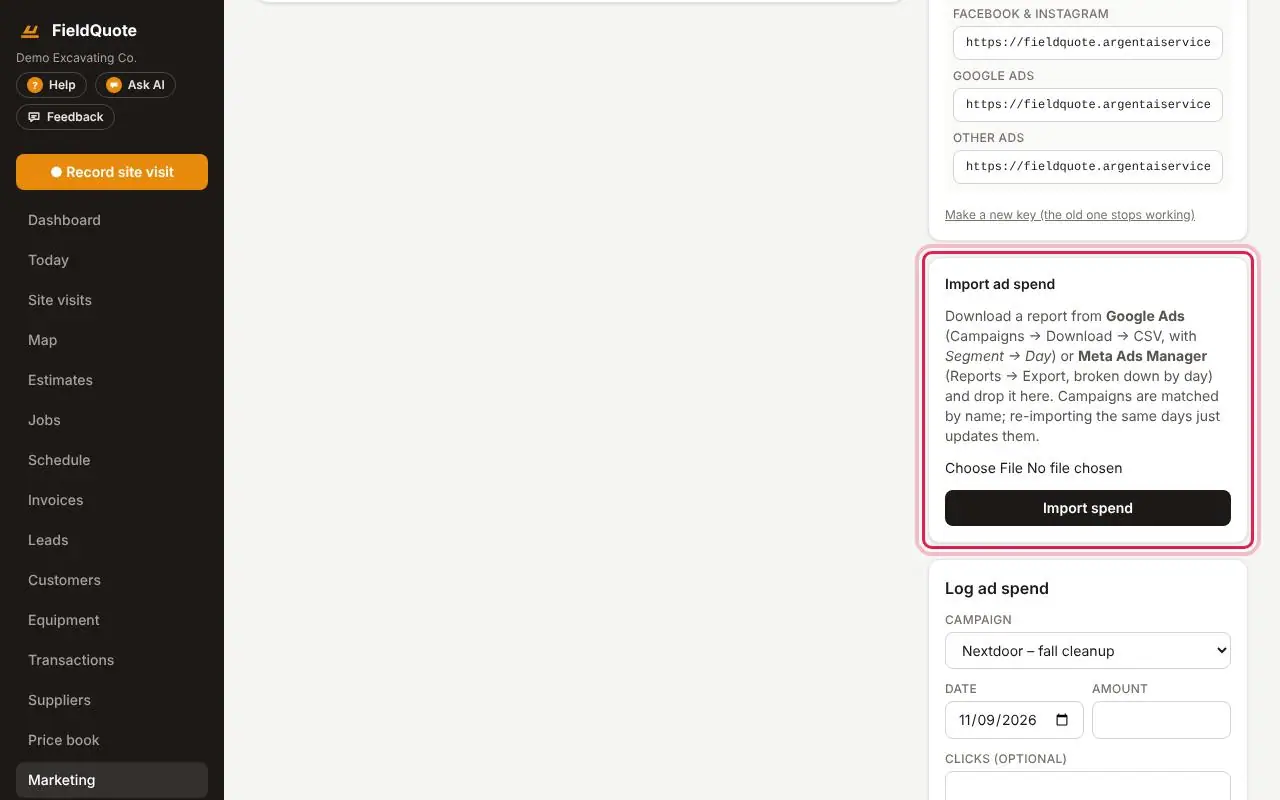
Tap the file box and choose the report you downloaded.
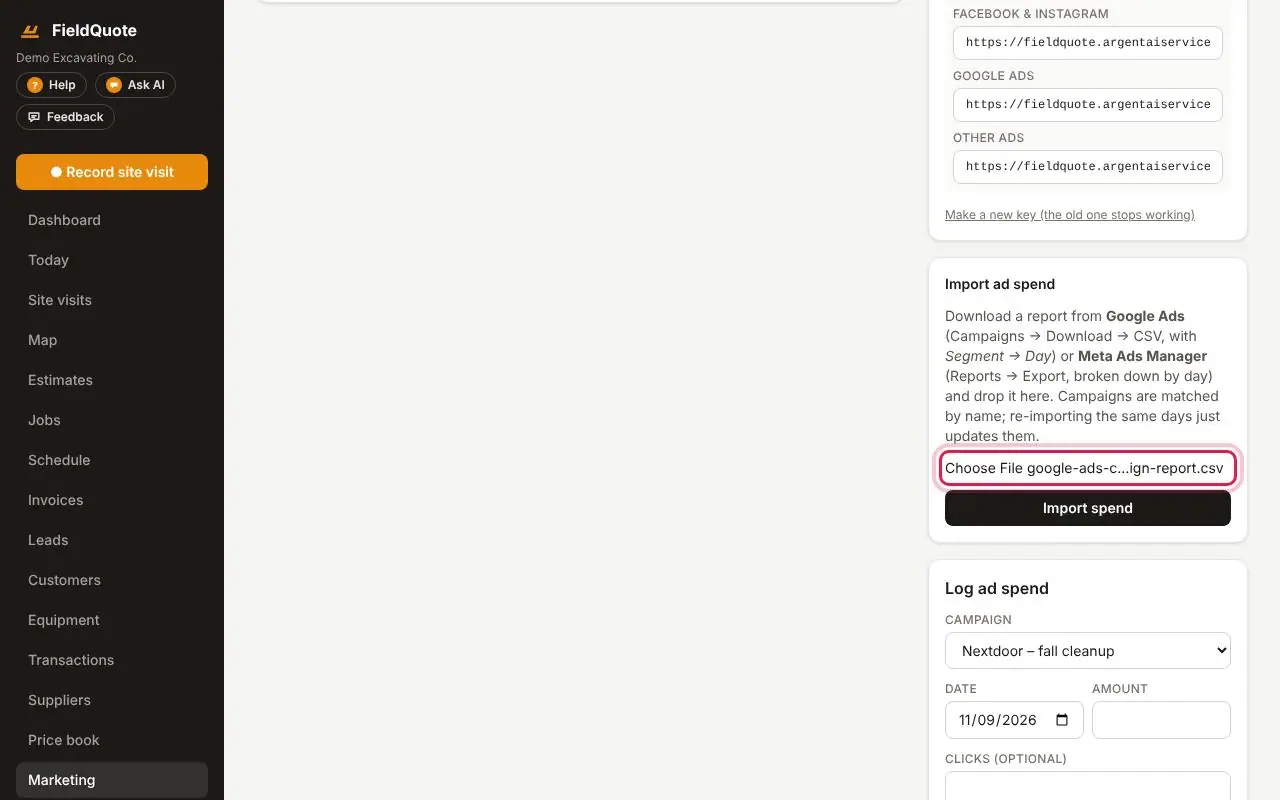
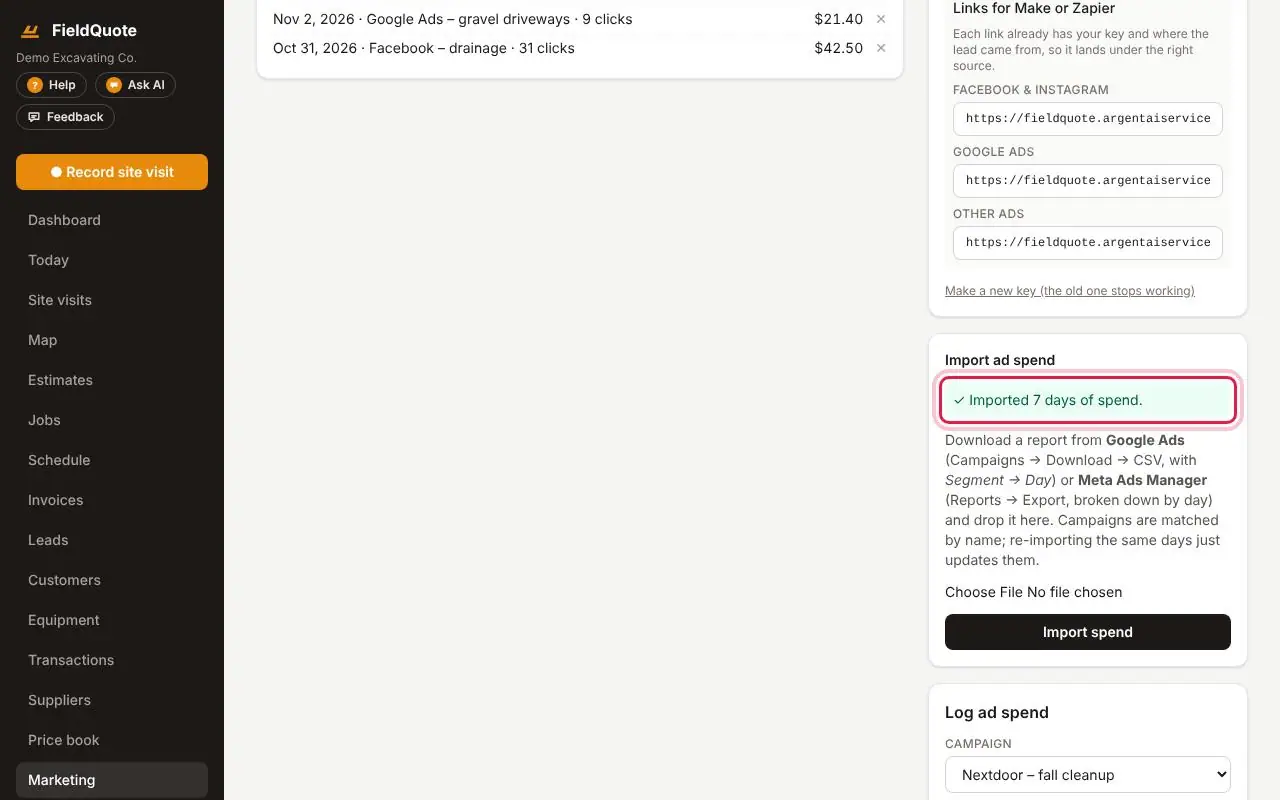
Tap Import spend. A green line says how many days came in, like "✓ Imported 7 days of spend."
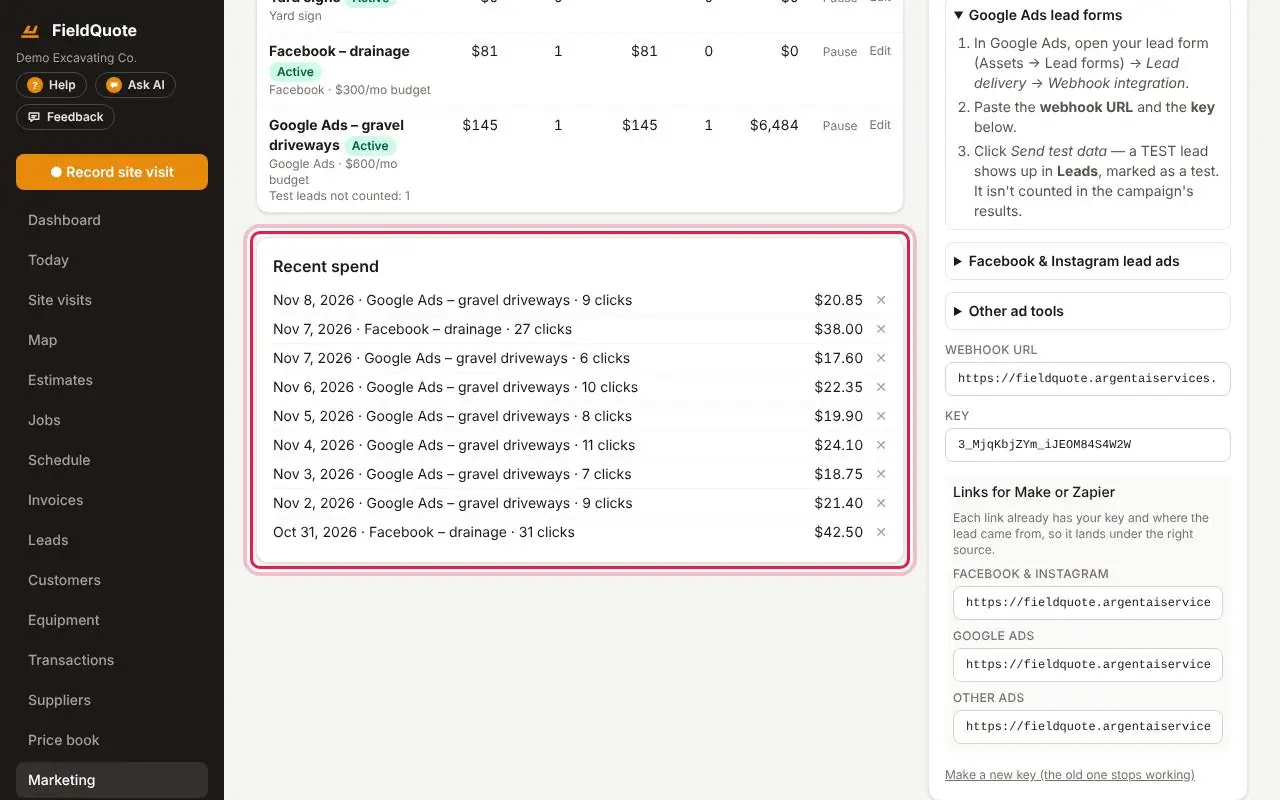
Recent spend lists each day with its campaign and clicks, and the campaign's Spend in the table goes up.
What you'll see
Each line of the report becomes one day of spend on the campaign with the same name (capital letters don't matter).
A campaign name FieldQuote hasn't seen before becomes a new campaign — Facebook for a Meta report, Google Ads otherwise.
Clicks and impressions come along when the report has them.
Common mistakes
A report without days. Without a day column every line is dated today. Use Segment › Day in Google Ads, or break the Meta export down by day.
The wrong kind of report. If the file has no Campaign and Cost (or Amount spent) columns you'll see "That file doesn't look like an ad report — it needs Campaign and Cost (or Amount spent) columns."
Tapping Import spend without a file: "Pick a file first."
Worrying about importing twice. Days already imported for a campaign are replaced, not added again — so overlapping reports are fine.
Limits
CSV files only. In Excel or Google Sheets, save as CSV first.
Total lines at the bottom of a report are skipped.
Importing a day replaces everything logged for that campaign on that day, including spend you typed in by hand.
Imported the wrong report? Owners and admins can delete a day with ✕ (see Delete a day of ad spend), or delete a campaign the import made by mistake (see Rename or delete a campaign).
Only the owner or an admin can add campaigns or ad spend. Team members see the results but not these boxes: "View only. Only the owner or an admin can add campaigns or ad spend."
Checked against the app on Nov 9, 2026. Pictures are from Demo Excavating Co., a made-up company.