Marketing, leads & ad spend
Guide 6 of 11
What it's for
A campaign is a bucket for ad money. Once it exists, its spend and its leads add up next to each other, and you see what each lead and each win cost you.
Where
Marketing › New campaign (on the right, at the bottom).
Watch it
Steps
Under New campaign, type a Name you'll recognize, like Nextdoor – fall cleanup. If you'll import spend from Google Ads or Meta, use the campaign's exact name there.
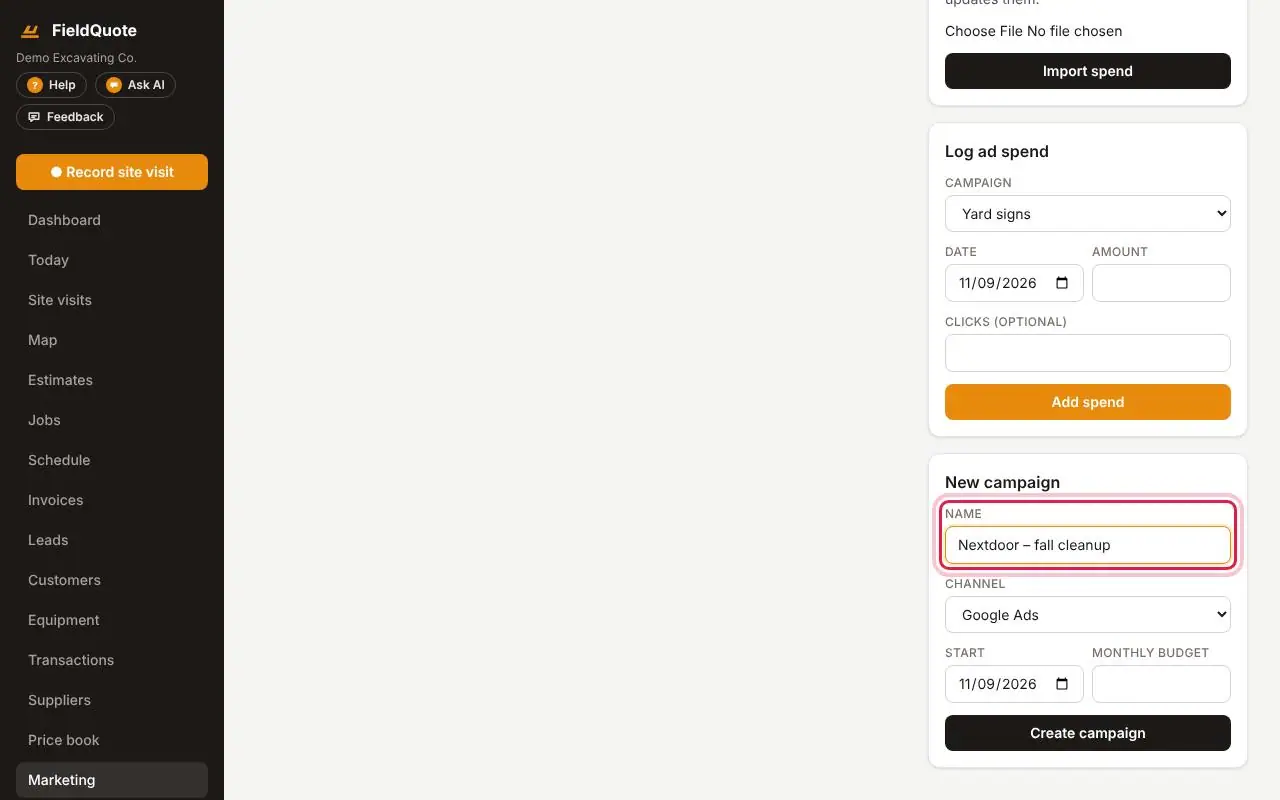
Pick the Channel: Google Ads, Facebook, Nextdoor, Yard sign and so on.
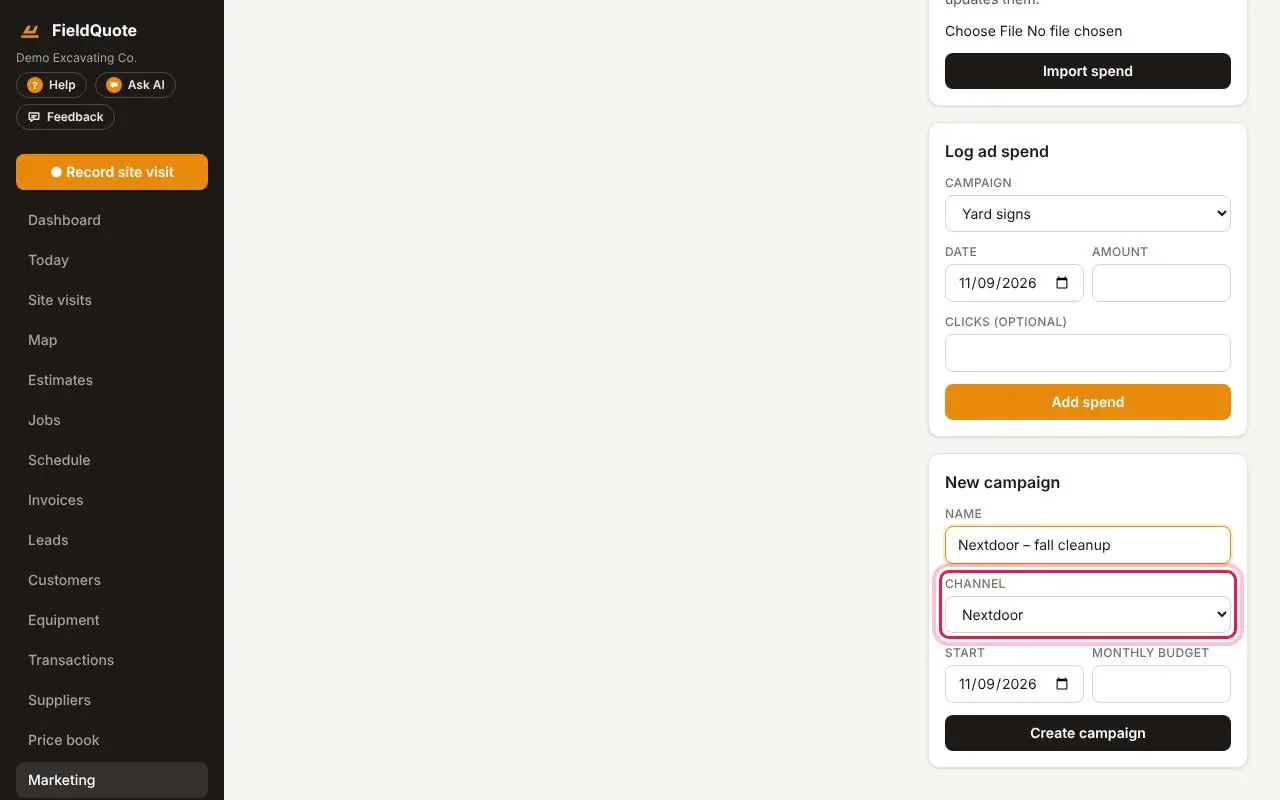
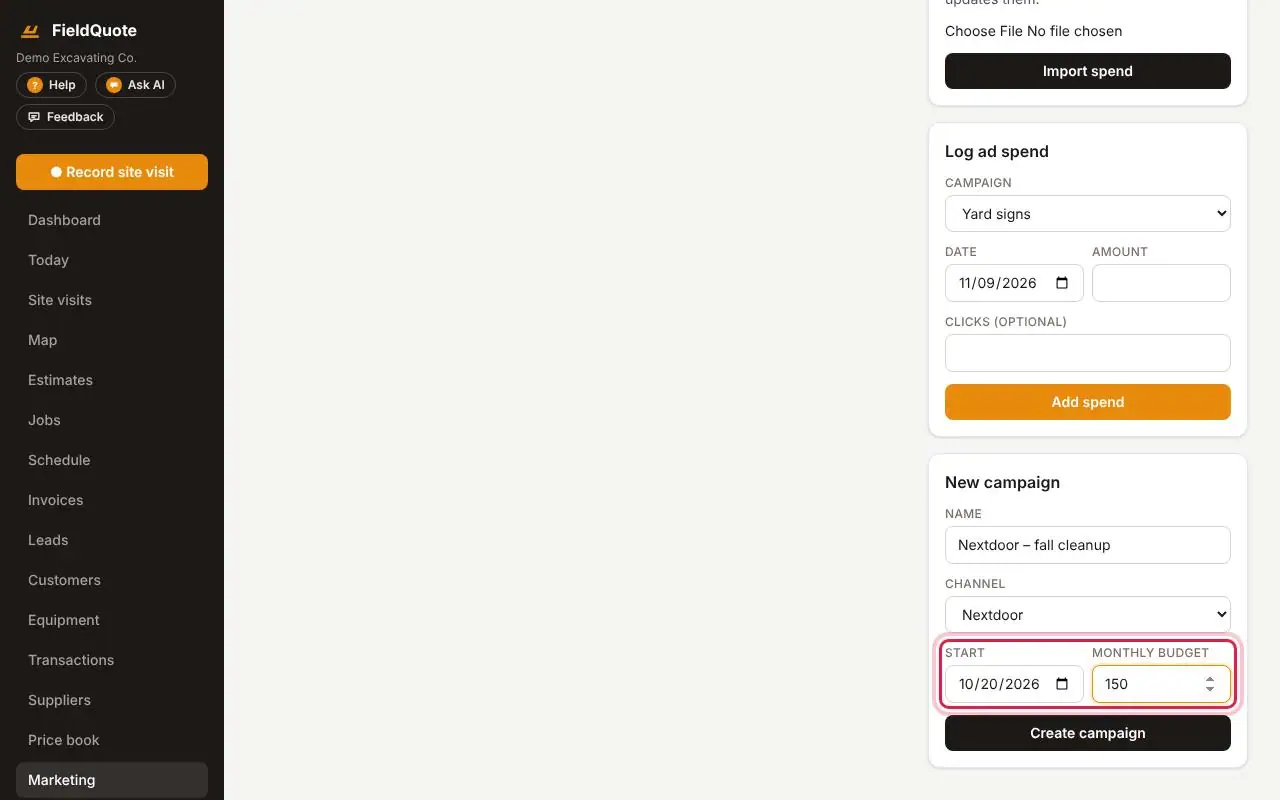
Set the Start date and the Monthly budget.
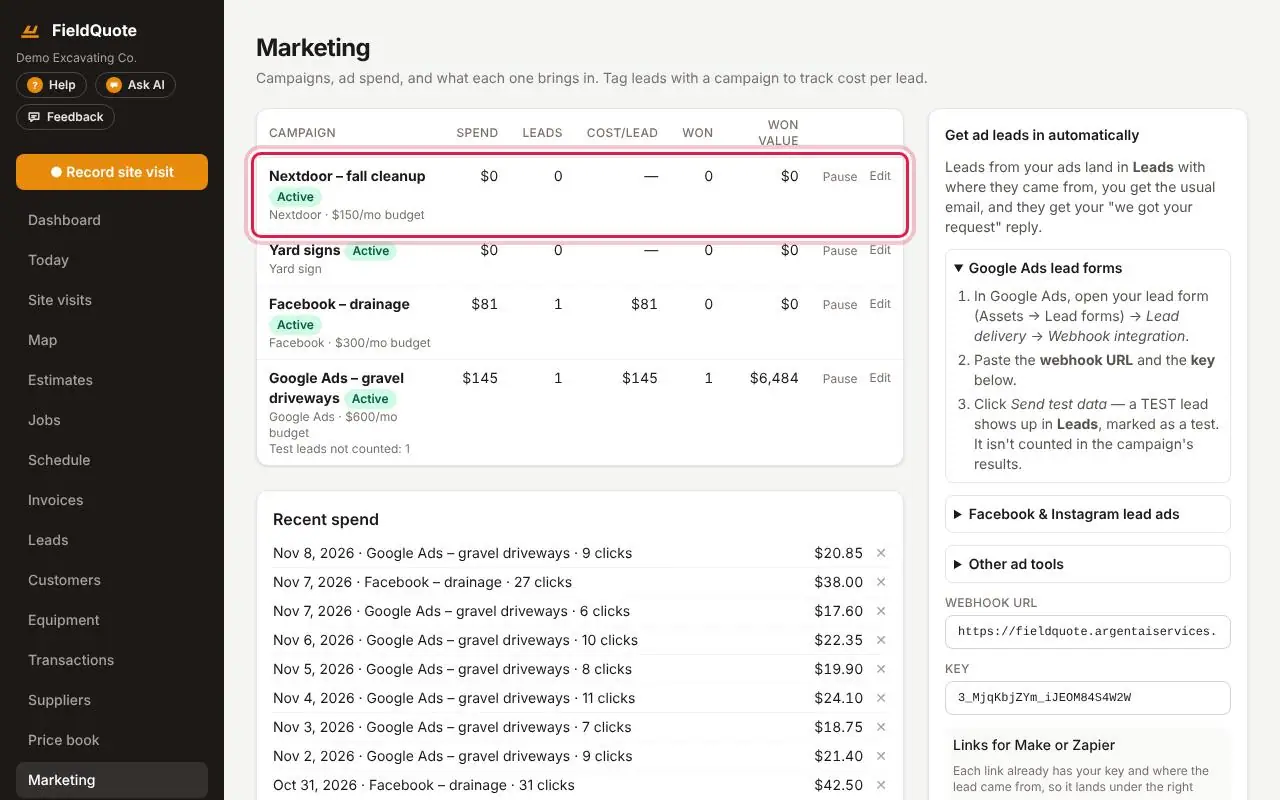
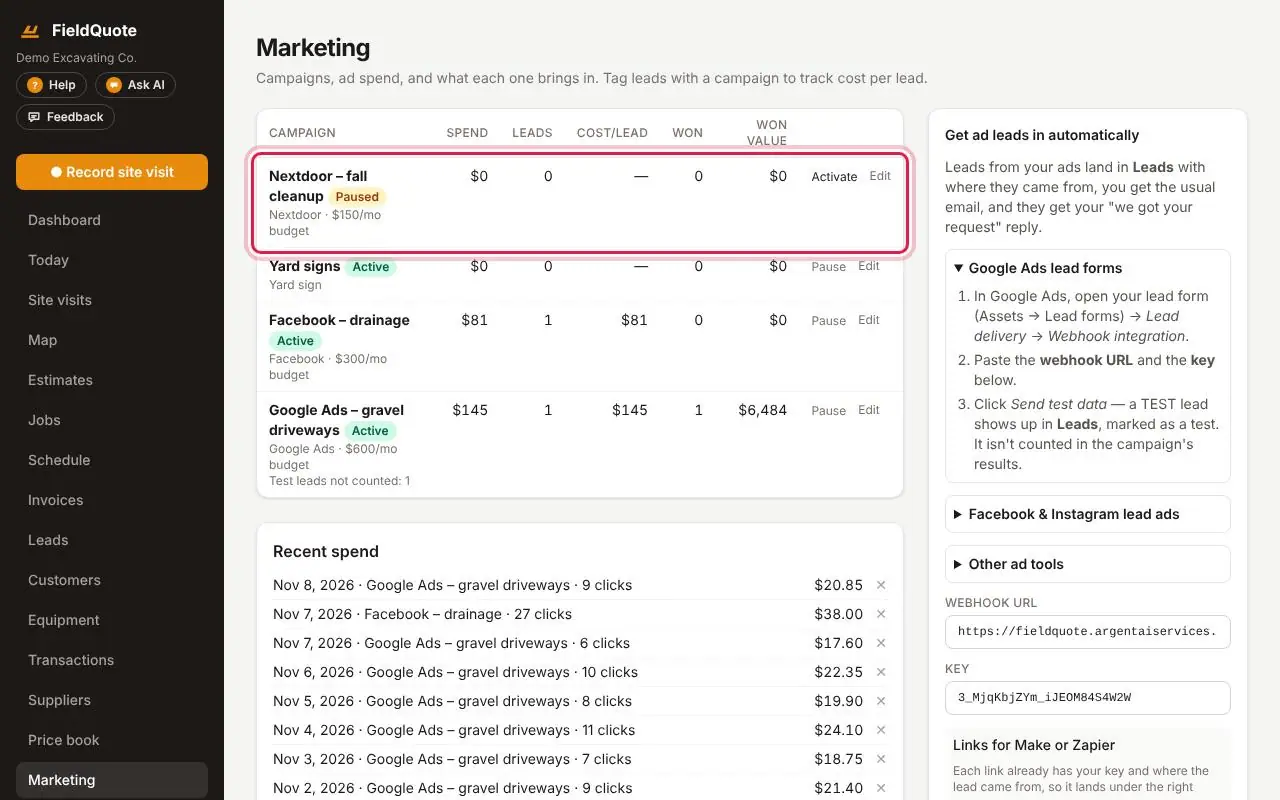
Tap Create campaign. It's added to the table with its channel and budget, marked Active.
Stopped running it for now? Tap Pause on its line; Activate turns it back on.
What you'll see
The campaign on Marketing with Spend, Leads, Cost/lead, Won and Won value, all zero until spend and leads come in.
It's in the Campaign list on Add lead and Log ad spend.
Common mistakes
Two active campaigns on the same channel. Ad leads that don't name their campaign can only be matched when there's one active campaign on that channel — pause the old one.
A name that doesn't match the ad report. Import spend matches campaigns by name; a different name makes a second campaign.
Limits
Only the owner and admins can rename a campaign, change its channel or budget, pause it or delete it: Pause and Edit on its line (see Rename or delete a campaign).
The monthly budget is for your reference; nothing stops spending at the budget.
Only the owner or an admin can add campaigns or ad spend. Team members see the results but not these boxes: "View only. Only the owner or an admin can add campaigns or ad spend."
Checked against the app on Nov 9, 2026. Pictures are from Demo Excavating Co., a made-up company.