Marketing, leads & ad spend
Guide 10 of 11
What it's for
Keeping cost per lead honest. A typo in an amount, a day logged twice, or a report imported into the wrong campaign throws off every number on Marketing and the Dashboard until it's gone.
Where
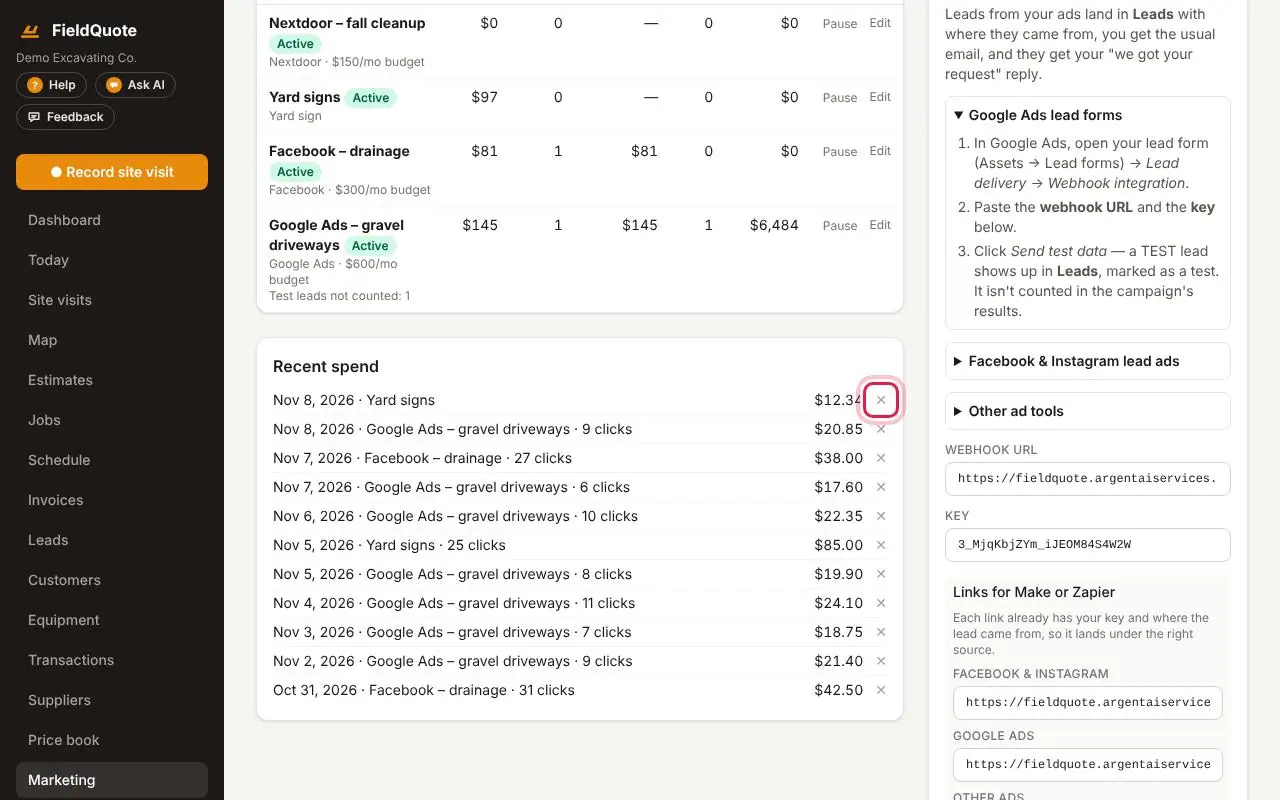
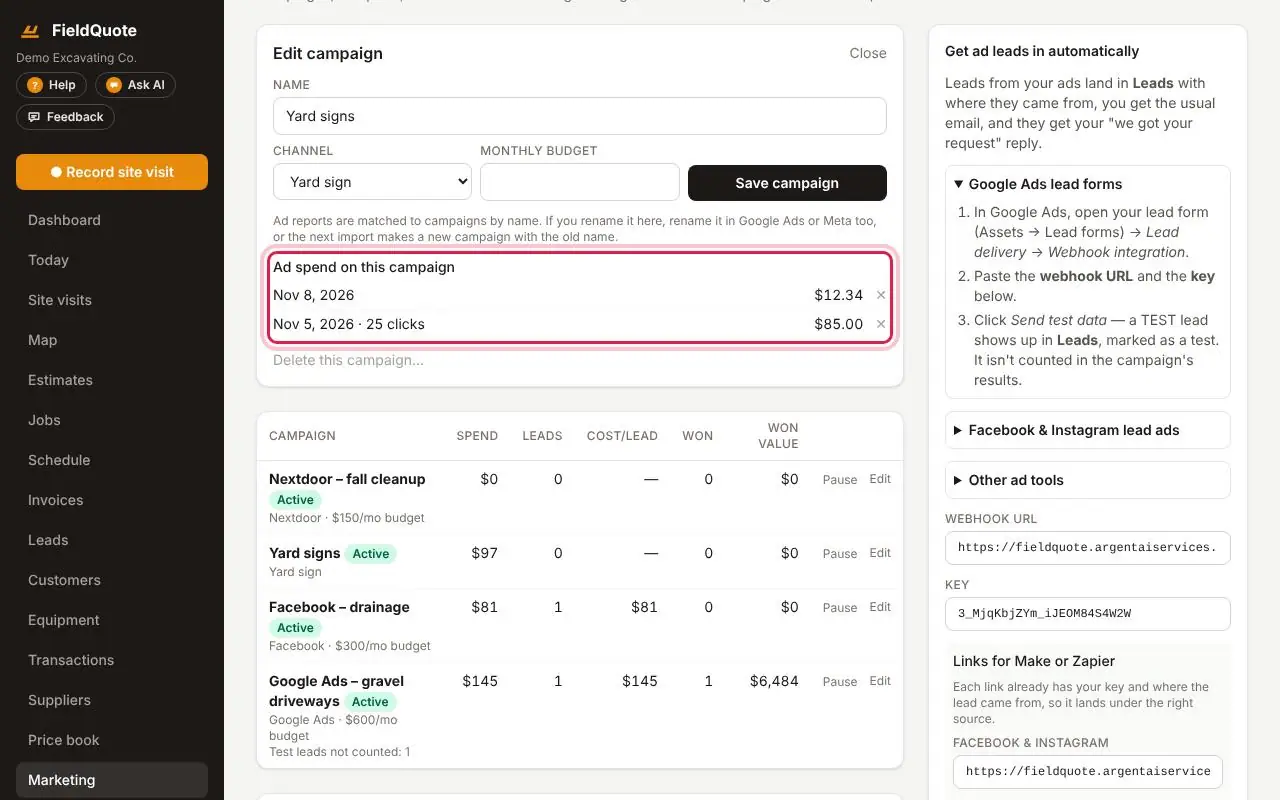
Marketing › Recent spend (the latest 15 days), or Marketing › Edit on the campaign › Ad spend on this campaign (every day). Only the owner and admins see the ✕.
Watch it
Steps
Find the day under Recent spend and tap the ✕ at the end of its line.
Older days aren't under Recent spend. Tap Edit on the campaign's line: Ad spend on this campaign lists every day, newest first, with a ✕ on each.
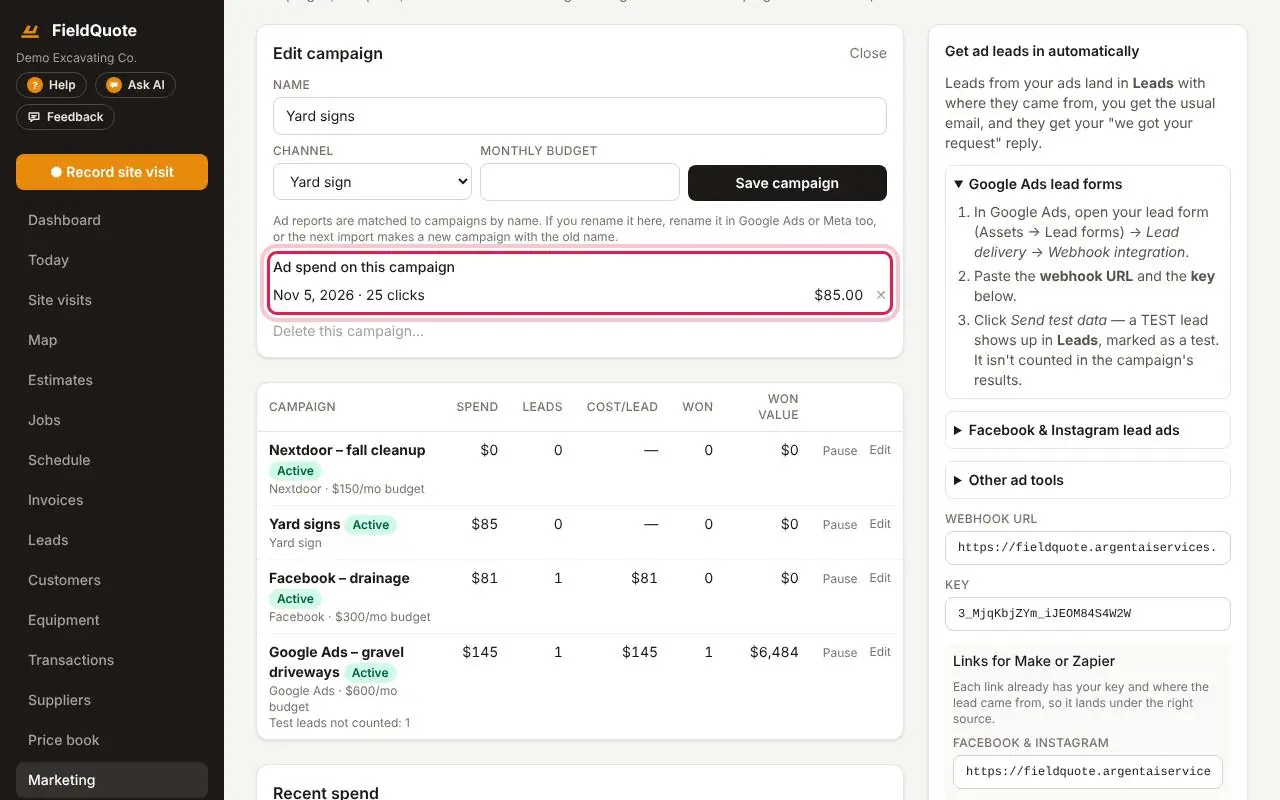
The day is gone right away, and the campaign's Spend and Cost/lead change with it. If the amount was just wrong, add the right one under Log ad spend.
What you'll see
The campaign's numbers on Marketing and the source's numbers under Where jobs come from on the Dashboard go down by the deleted amount.
Imported days say "imported" in the campaign's list, so you can tell them from days typed in by hand.
Common mistakes
Deleting a day you'll import again. Importing a report puts back every day it covers, so delete the wrong day after fixing the report, not before.
Deleting a whole campaign's worth of spend day by day. To get rid of a campaign that shouldn't be there, delete the campaign (see Rename or delete a campaign); its spend goes with it.
Limits
There's no second question: the ✕ deletes the day right away.
Spend can't be edited. Delete it and add it again.
Team members don't see the ✕.
Checked against the app on Nov 9, 2026. Pictures are from Demo Excavating Co., a made-up company.