Marketing, leads & ad spend
Guide 3 of 11
What it's for
A lead's stage tells you who to call next. Won and lost — and why you lost — are what the marketing numbers are built on.
Where
Leads › the stage box and Save on the lead's card.
Watch it
Steps
On Leads, find the lead. Use the stage box on its card to pick where it stands: new, contacted, visit scheduled, estimated, not now, won or lost.
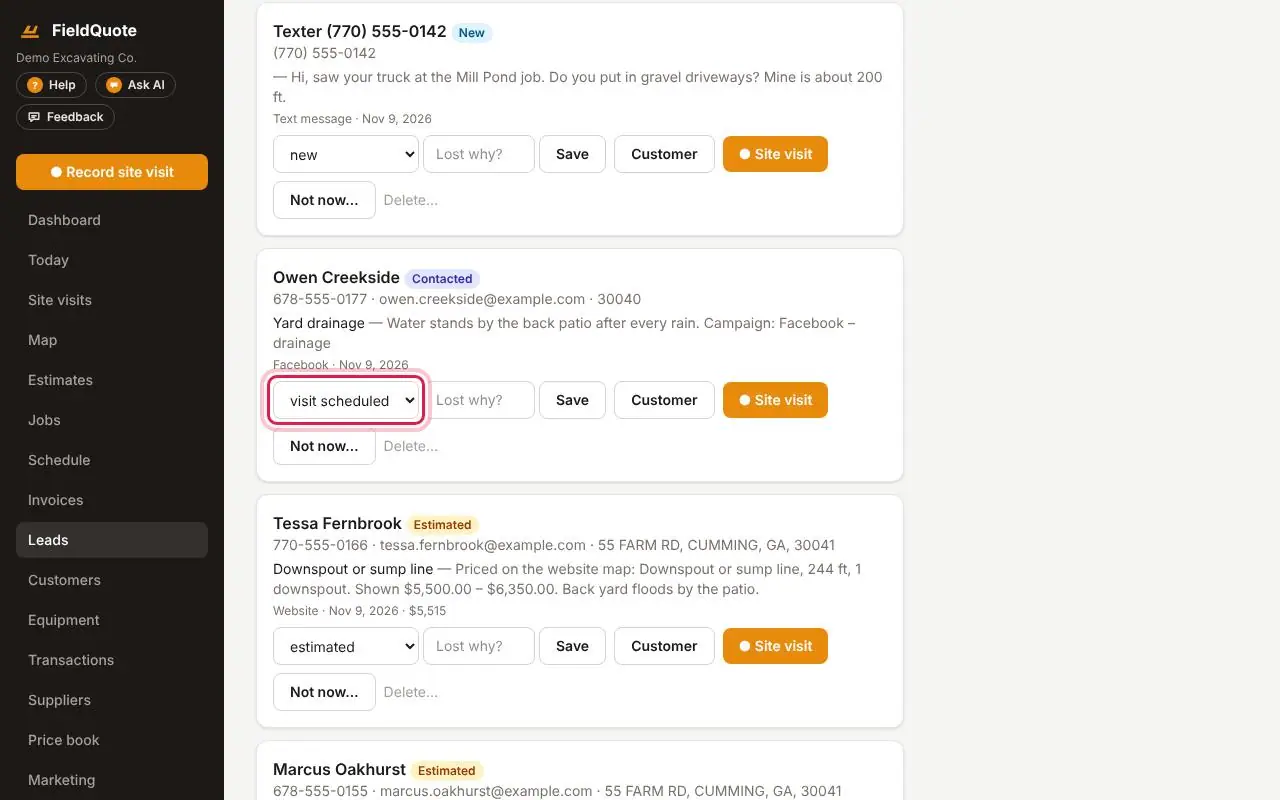
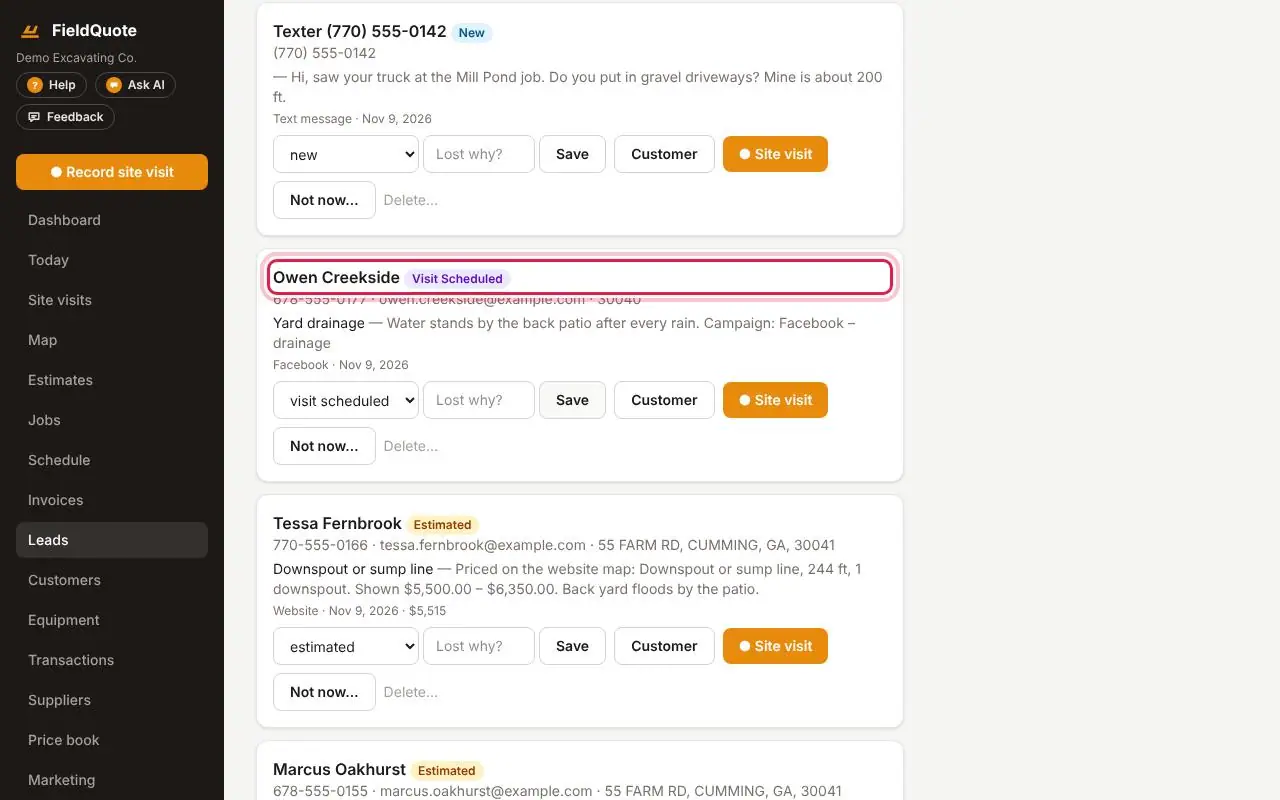
Tap Save. The badge next to the name changes.
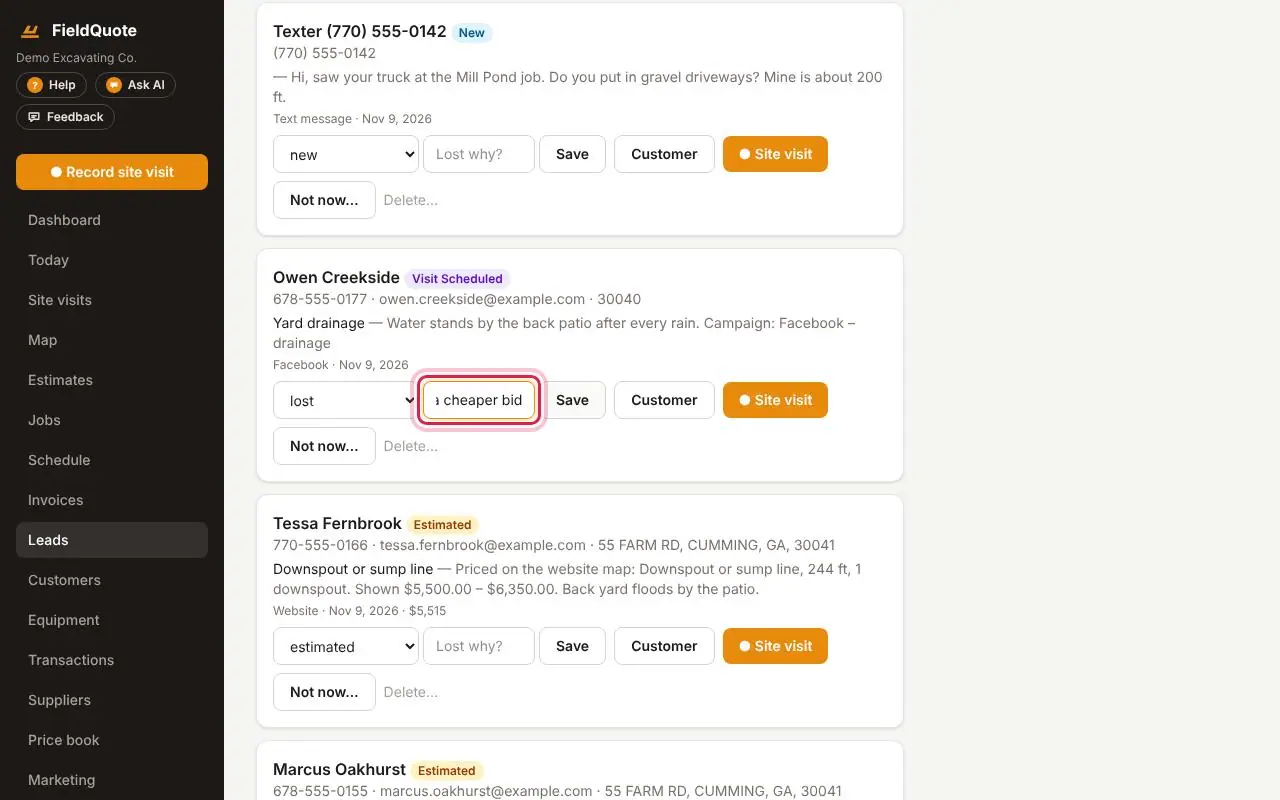
For a lost lead, pick lost and type the reason in Lost why?, like went with a cheaper bid, then tap Save.
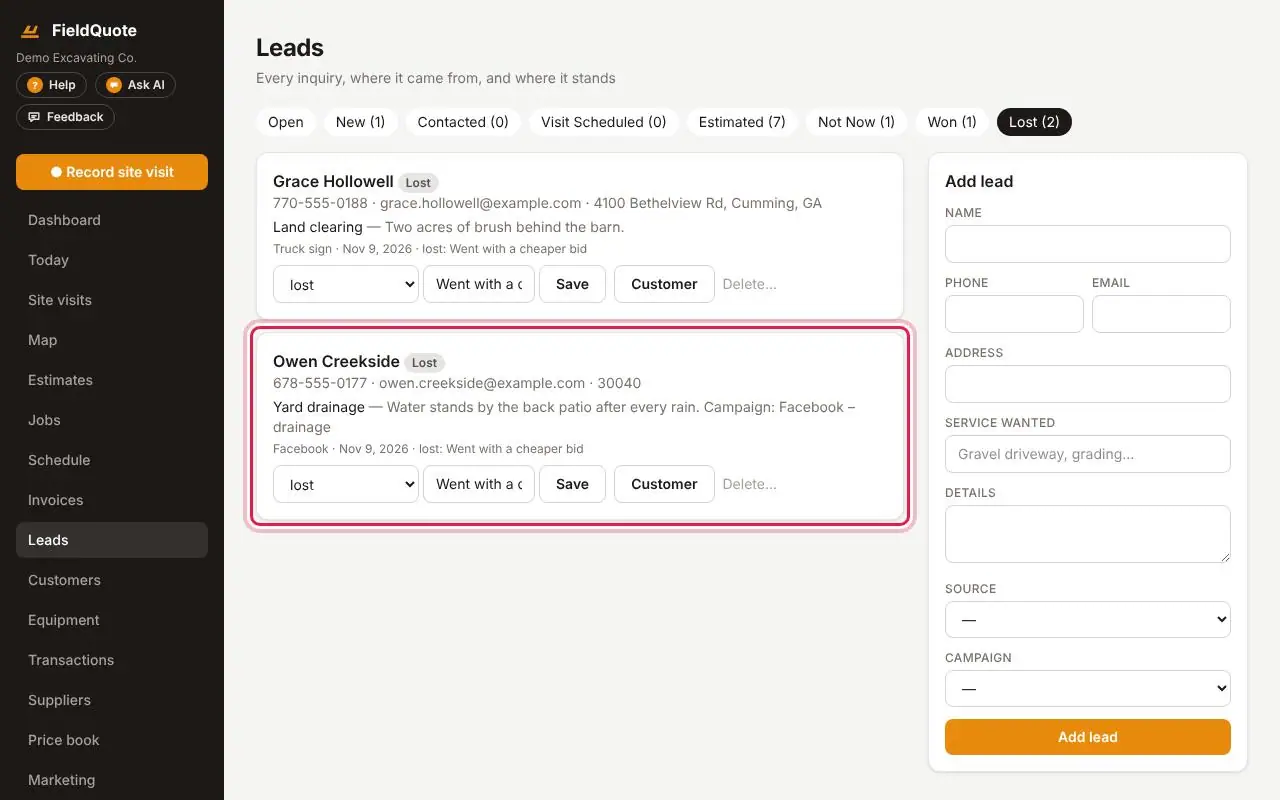
The lead leaves Open. Tap Lost at the top to see it, with the reason at the end of its bottom line.
Customer not ready yet? Tap Not now… and pick Check back in 3 months or Check back in 6 months. The lead is parked as Not now until then.
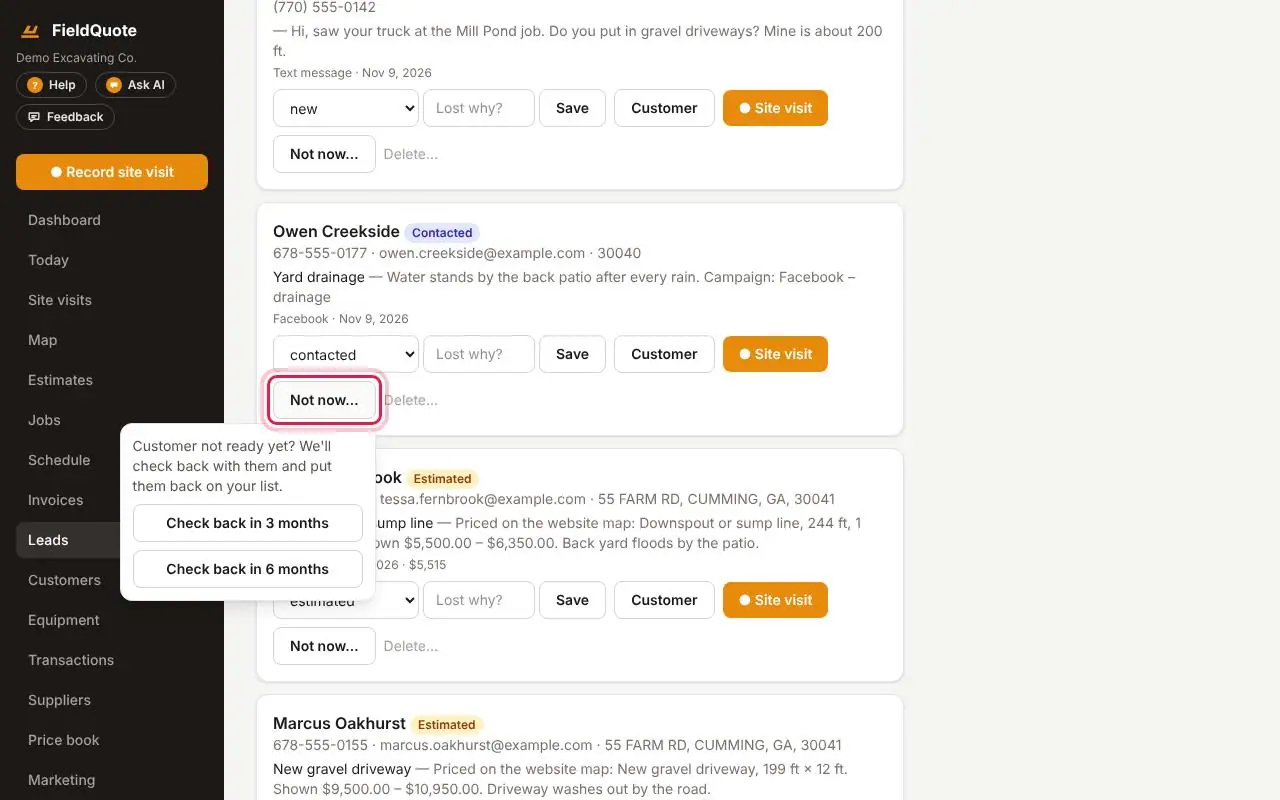
What you'll see
FieldQuote moves leads along on its own:
When an estimate is made from a site visit that started from the lead, it's marked Estimated, with the estimate's total as its value.
When that estimate is accepted (signed, or Won (paper)), the lead is marked Won at the estimate's total. If it's declined, the lead is marked Lost with "Estimate declined" as the reason.
On a Not now lead's check-back date, it goes back on Open as Contacted. If the automatic check-back message is switched on (Settings › Open message settings), the customer gets it that day.
● Site visit on a lead opens the recorder with the customer picked.
Common mistakes
Marking a lead won by hand when the estimate isn't accepted yet. It counts as won, but with no value unless the lead already has one — accept the estimate instead.
Typing a reason without picking lost. The reason is only kept for lost leads.
Choosing a new stage and forgetting Save.
Limits
● Site visit and Not now… don't show on won or lost leads.
Moving a lead off Not now clears its check-back date.
Checked against the app on Nov 9, 2026. Pictures are from Demo Excavating Co., a made-up company.