Marketing, leads & ad spend
Guide 4 of 11
What it's for
Your website already has a "get a quote" form. Sending it to FieldQuote means each request lands in Leads with the customer made for you, instead of sitting in an inbox.
Where
Settings › Quote form on your website. The requests show up in Leads.
Watch it
Steps
Open Settings and scroll to Quote form on your website. The address in the gray box is your company's form address.
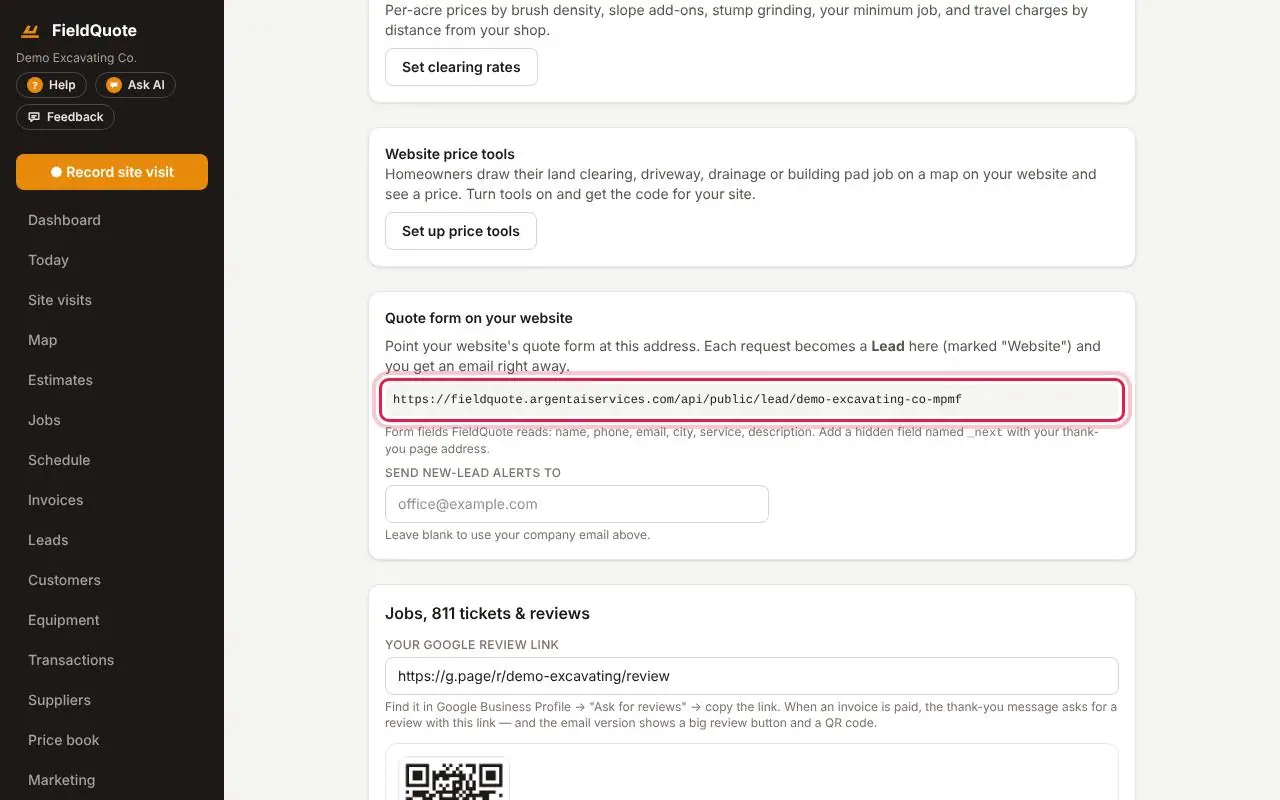
Give that address to whoever looks after your website. They set your form to send to it. The form's boxes should be named
name,phone,email,city,serviceanddescription, plus a hidden box named_nextwith the address of your thank-you page.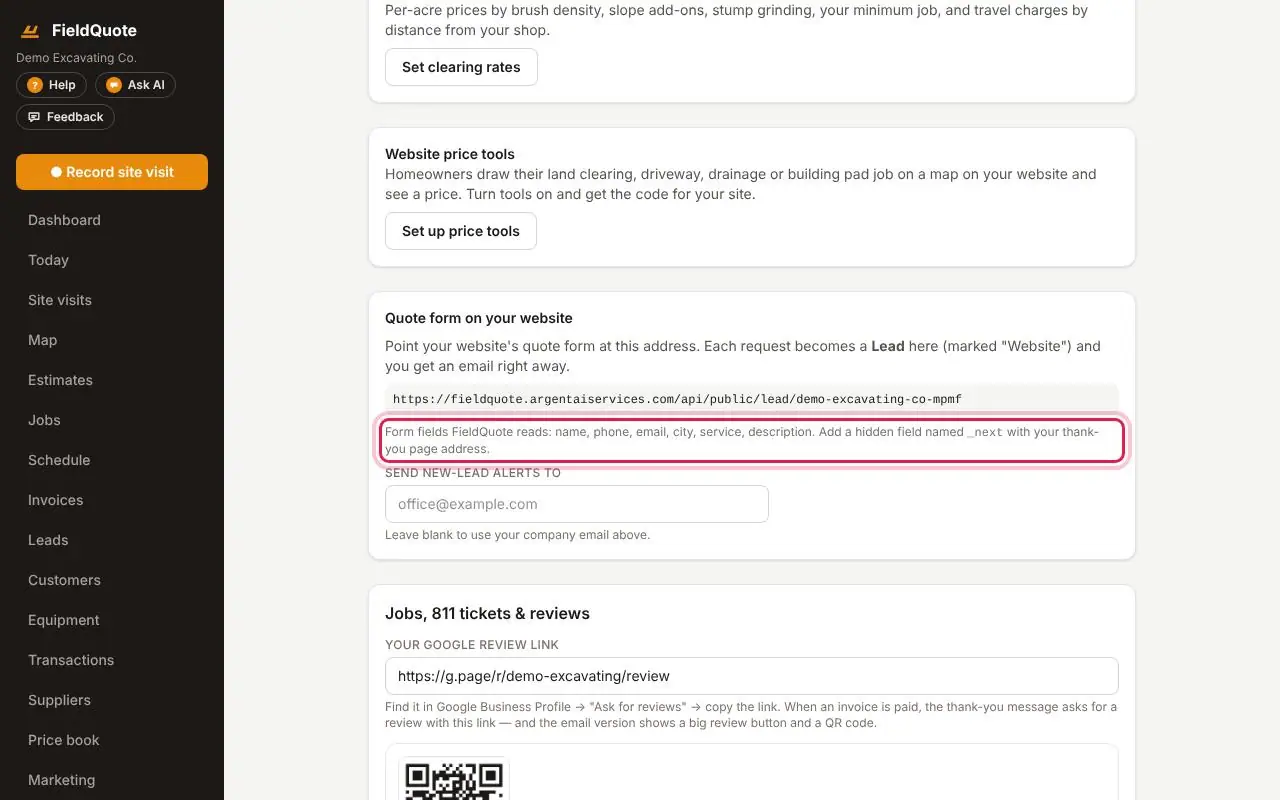
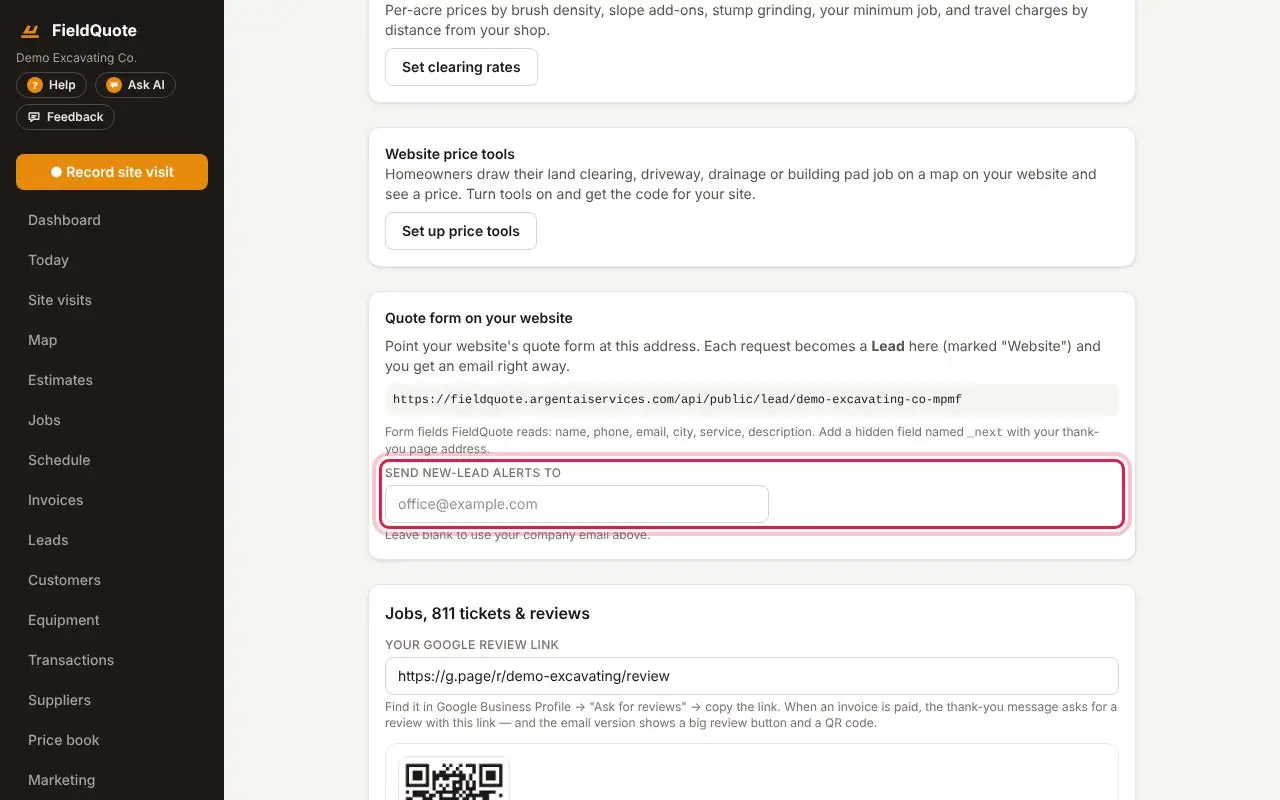
Under Send new-lead alerts to, type the email that should get an alert for every request, and tap Save settings. Leave it blank to use your company email.
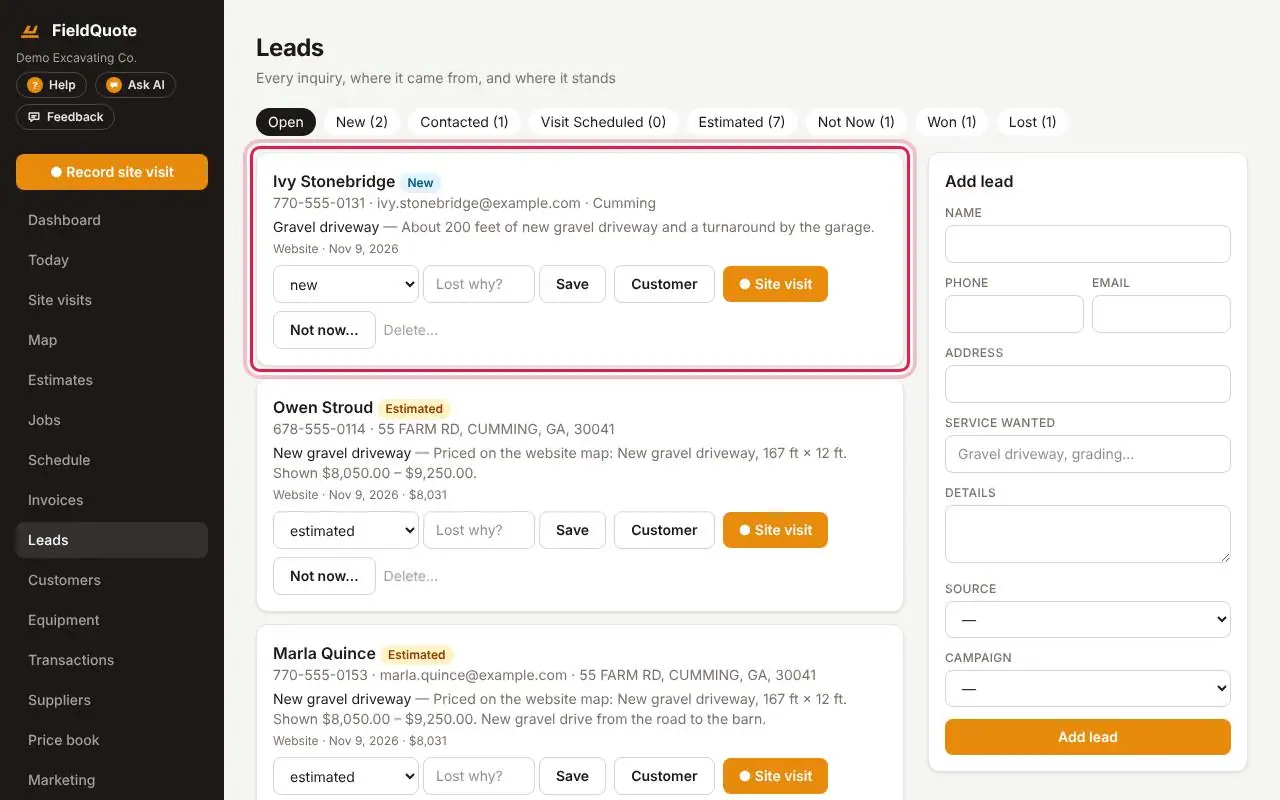
When someone sends your form, the request shows on Leads with Website as its source, what they want and their message. You get an email headed "New quote request from your website" with an Open your leads button.
A request that filled in the form's hidden spam trap is still saved. Its details start with a warning (Possible spam — hidden bot-trap field was filled), the alert email's subject starts with (possible spam), and no automatic reply is sent. Call or delete it.
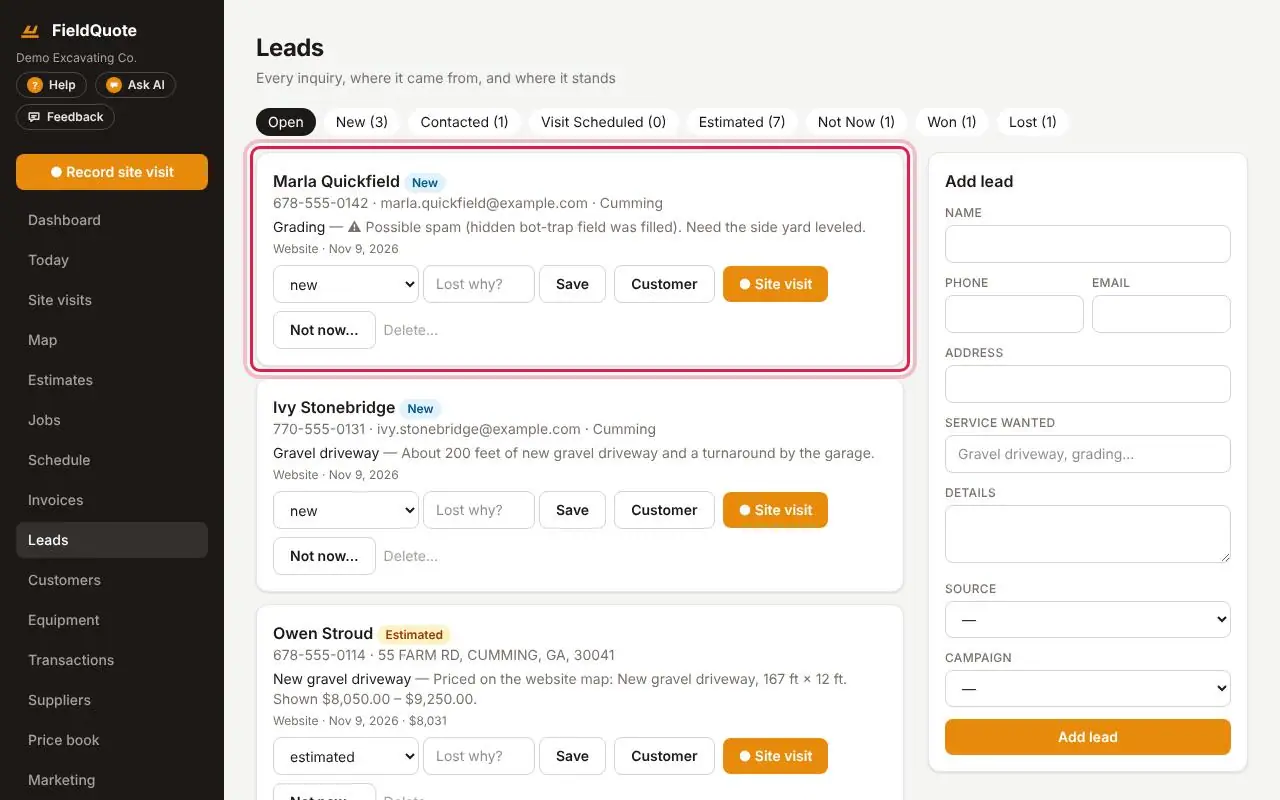
What you'll see
A customer for each request. If someone sends the form again with the same phone or email, the customer you already have is used.
The visitor is sent on to your thank-you page. Without
_next, they're sent back to the page the form was on.If your automatic "we got your request" reply is switched on, the visitor gets it.
Common mistakes
Naming the boxes differently. FieldQuote also understands
addressin place ofcityandmessagein place ofdescription; other names aren't read.A form without a phone or email. The request is turned away with "Please include your name and a phone number or email."
Deleting flagged requests without a look. Browsers' autofill sometimes fills the hidden trap for real people.
Limits
Anyone can copy the form address. Only the owner or an admin can change Send new-lead alerts to.
The spam trap is a hidden box named
_gotchaon your form.To slow down robots, one connection can send five requests in ten minutes; after that the form says to call instead.
This form address is public, like any contact form. Ad leads use their own address with a key (see the related article).
Checked against the app on Nov 9, 2026. Pictures are from Demo Excavating Co., a made-up company.