Suppliers & material prices
Guide 1 of 14
What it's for
The people you buy from, and what they charge you, in one place. Their quotes set your costs in the price book, so your estimates show your real margin.
Where
Suppliers › Add supplier on the right.
Watch it
Steps
Open Suppliers. Your suppliers are listed on the left, with Add supplier on the right.
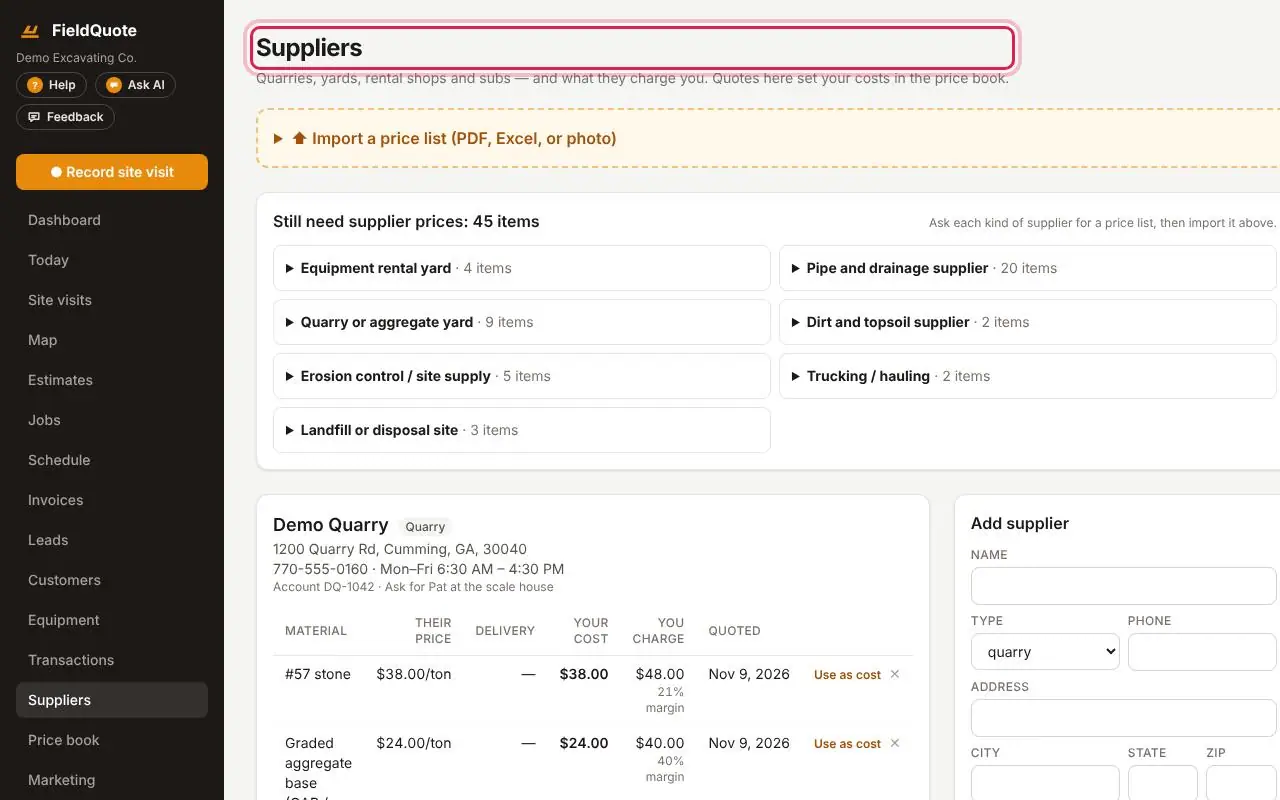
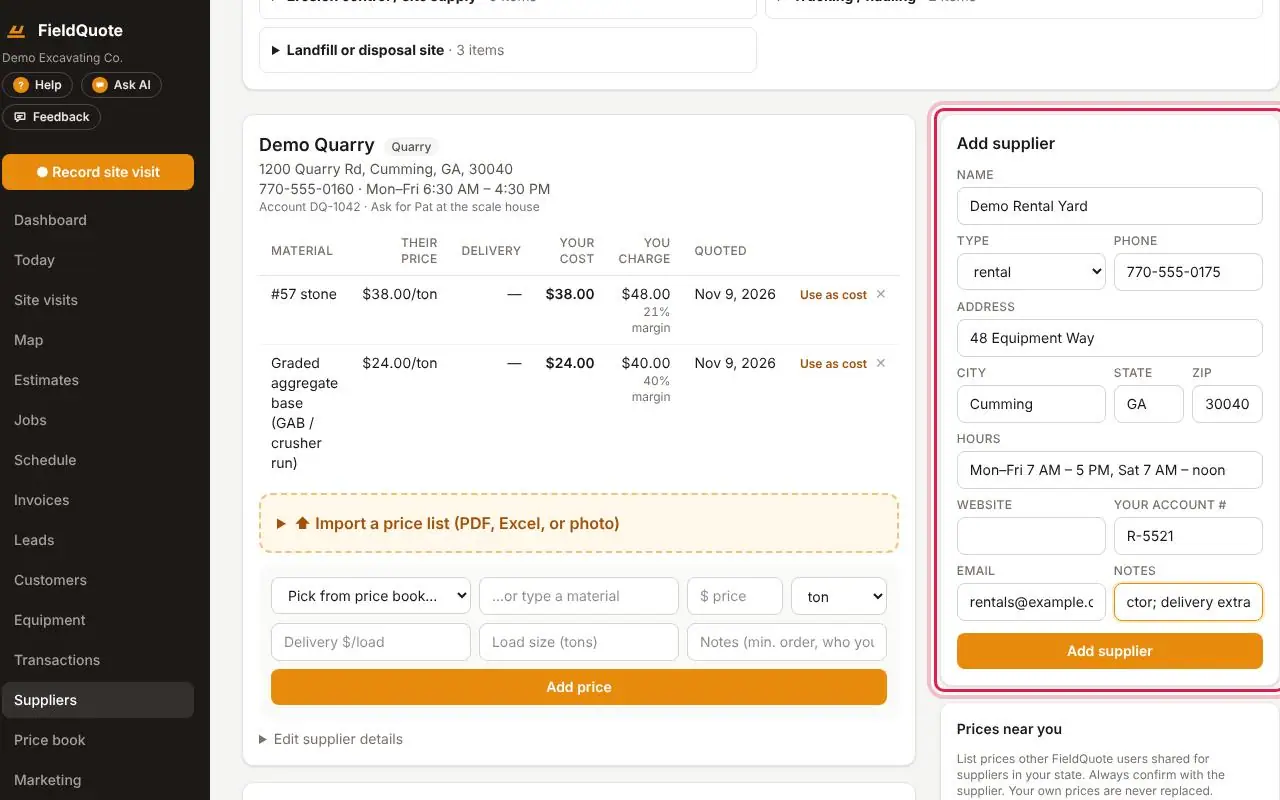
Fill in Add supplier: the Name, the Type (quarry, supplier, rental, subcontractor, fuel, insurance or other), Phone, Address, City, State, Zip, Hours, Website, Your account #, Email and Notes. Only the name is required. Then tap Add supplier.
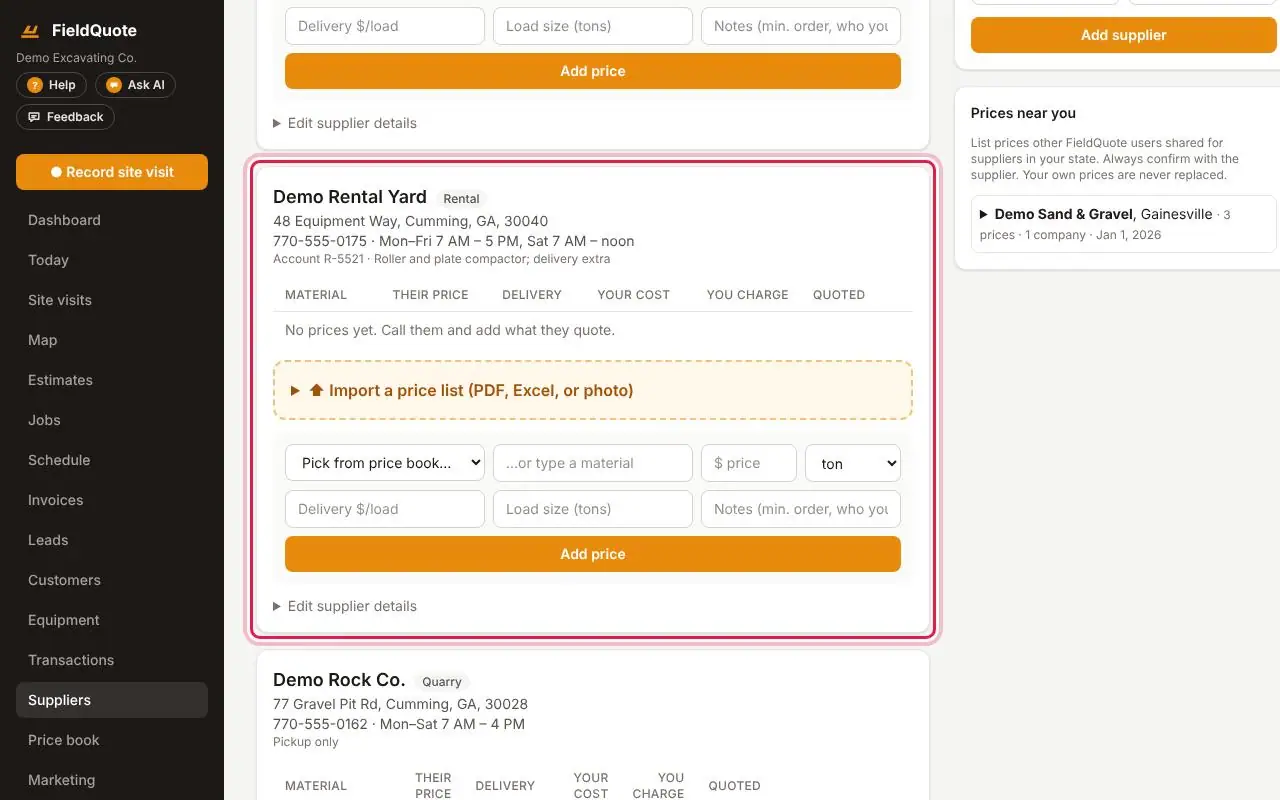
The supplier shows in the list with its details and an empty price table: "No prices yet. Call them and add what they quote."
What you'll see
Suppliers in name order, each with its type, address, phone, hours, account number and notes, then its prices.
Once you have at least one supplier, Import a price list (PDF, Excel, or photo) at the top of the page.
Common mistakes
Leaving out the email. The price request (see Ask a supplier for prices by email) fills it in for you when the supplier has one.
Leaving out the state. If you share a supplier's list prices, other contractors see them by the supplier's state, so without it nobody nearby does.
Limits
Only the owner or an admin can change suppliers and their prices, because they set your price-book costs. Team members see the suppliers and prices with "View only. Only the owner or an admin can change this."
There's no delete for a supplier.
The delivery charge per load is entered with each price, not on the supplier (see Add a price a supplier quoted you).
Checked against the app on Nov 9, 2026. Pictures are from Demo Excavating Co., a made-up company.