Team, accounts & security
Guide 13 of 14
What it's for
So the whole crew can use it on the phones they already carry, and the office on whatever computer it has. Everyone's looking at the same records.
Where
Your phone's web browser (Safari on an iPhone, Chrome on Android), at the same address you sign in to on a computer.
Watch it
Steps
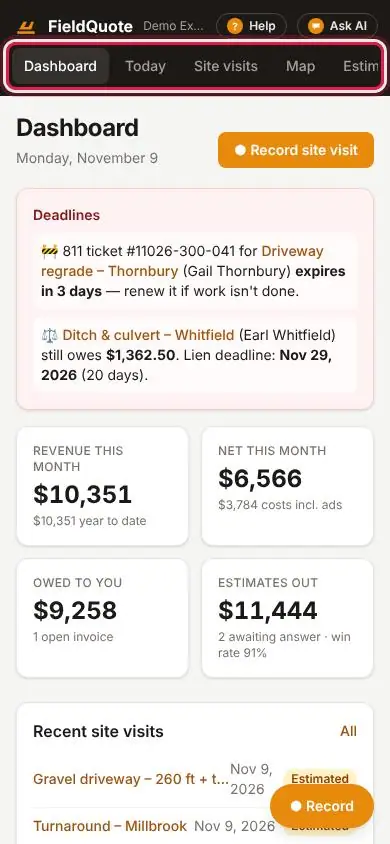
On your phone, open FieldQuote in the browser and sign in. The menu runs across the top of the screen; swipe it sideways to see the rest.
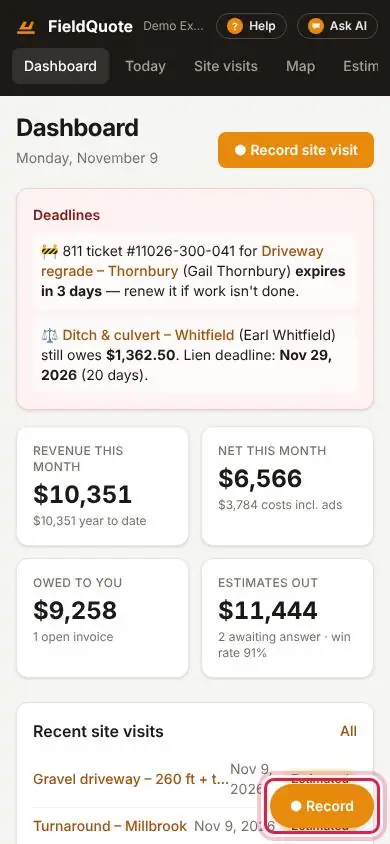
The round Record button in the bottom-right corner starts a site visit from most screens.
Put it on your home screen. On an iPhone in Safari: tap the Share button, then Add to Home Screen. On Android in Chrome: tap the ⋮ menu, then Add to Home screen (or Install app). From then on, tap the FieldQuote icon and it opens full-screen, without the browser's address bar.
What you'll see
The same pages as on a computer, laid out for a small screen.
You stay signed in on that phone for 30 days at a time.
Common mistakes
Looking for FieldQuote in the App Store or Google Play. There's nothing to download; use the browser.
Locking the phone while recording a site visit. Keep the screen on — see the recording article.
Limits
It needs a signal (or Wi-Fi) to load pages. A recording made without signal is kept on the phone and sent when it can be.
Checked against the app on Nov 9, 2026. Pictures are from Demo Excavating Co., a made-up company.