Team, accounts & security
Guide 4 of 14
What it's for
Closing the door when an employee leaves, so your customers, prices and books are only open to the people working for you now.
Where
Team, billing & sign-in › Team › Remove next to the person.
Watch it
Steps
Under Team, find the person and tap Remove at the end of their line.
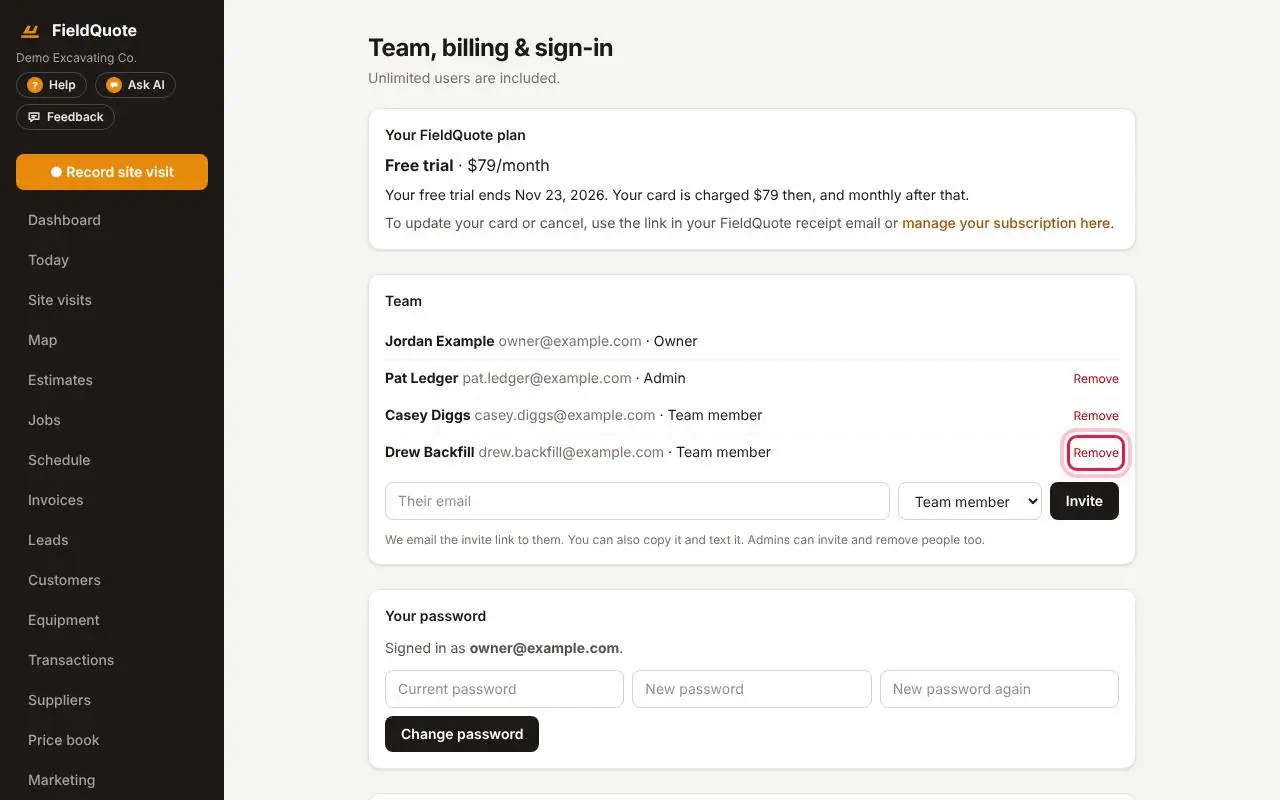
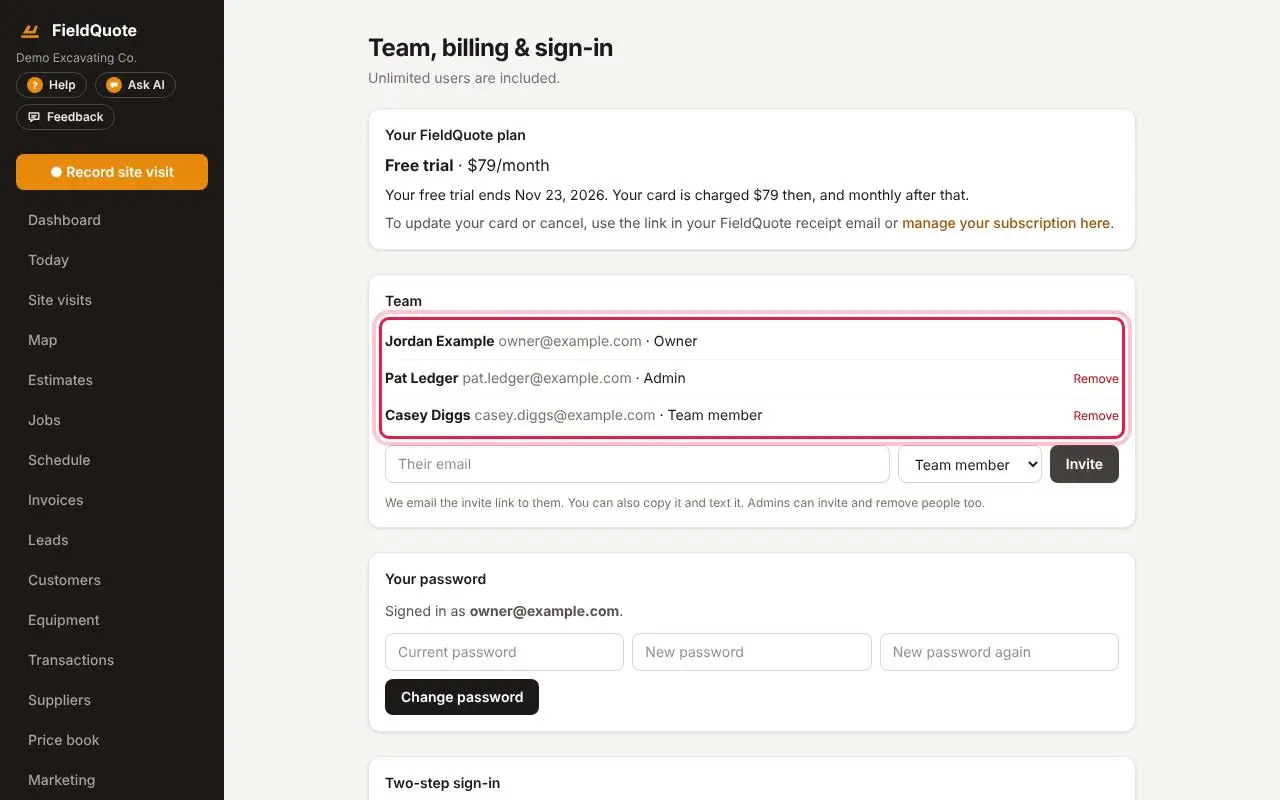
They're gone from the list right away.
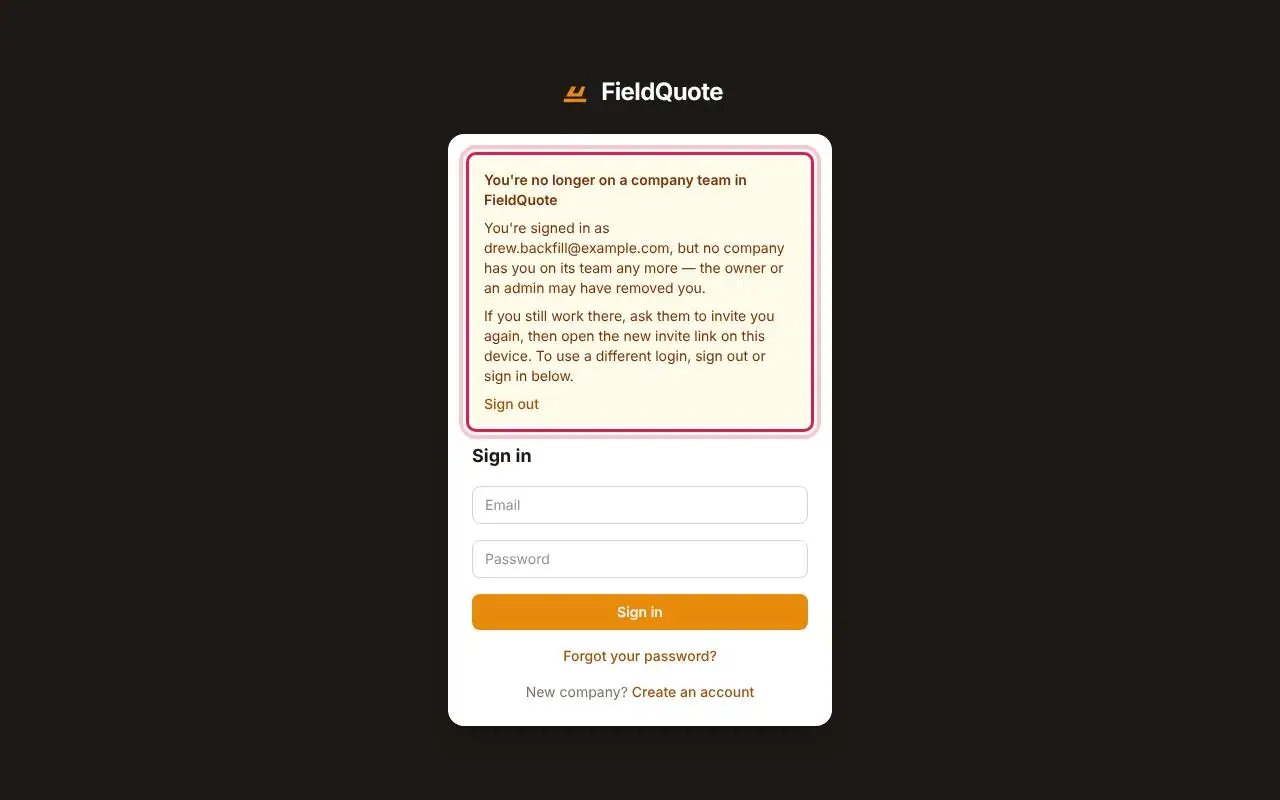
On their next click, they land on the sign-in page with "You're no longer on a company team in FieldQuote", which tells them to ask the owner or an admin for a new invite if they still work there.
What you'll see
From their next click, FieldQuote sends them to the sign-in page with that message. Signing in again shows the same message; it doesn't get them back into your company.
Visits they recorded, estimates they wrote and hours they logged stay in FieldQuote.
Common mistakes
Looking for Remove next to yourself or the owner. You can't remove yourself, and nobody can remove the owner.
Removing someone to change their role. That works — invite them again with the new role — but they'll need the new invite link. They sign in as usual, open the new link and tap Join …, and they're back on the team.
Limits
There's no second question — Remove works right away. Invite them again to undo it.
Their FieldQuote login itself isn't deleted; it just isn't part of your company any more.
Only the owner and admins see Remove. It works even after the subscription has ended.
Checked against the app on Nov 9, 2026. Pictures are from Demo Excavating Co., a made-up company.