Team, accounts & security
Guide 2 of 14
What it's for
Give your office manager, estimator or operators their own login, so everyone records visits, logs hours and sees the schedule under their own name — and nobody shares a password.
Where
Team, billing & sign-in › Team.
Watch it
Steps
Under Team, type the person's email in Their email.
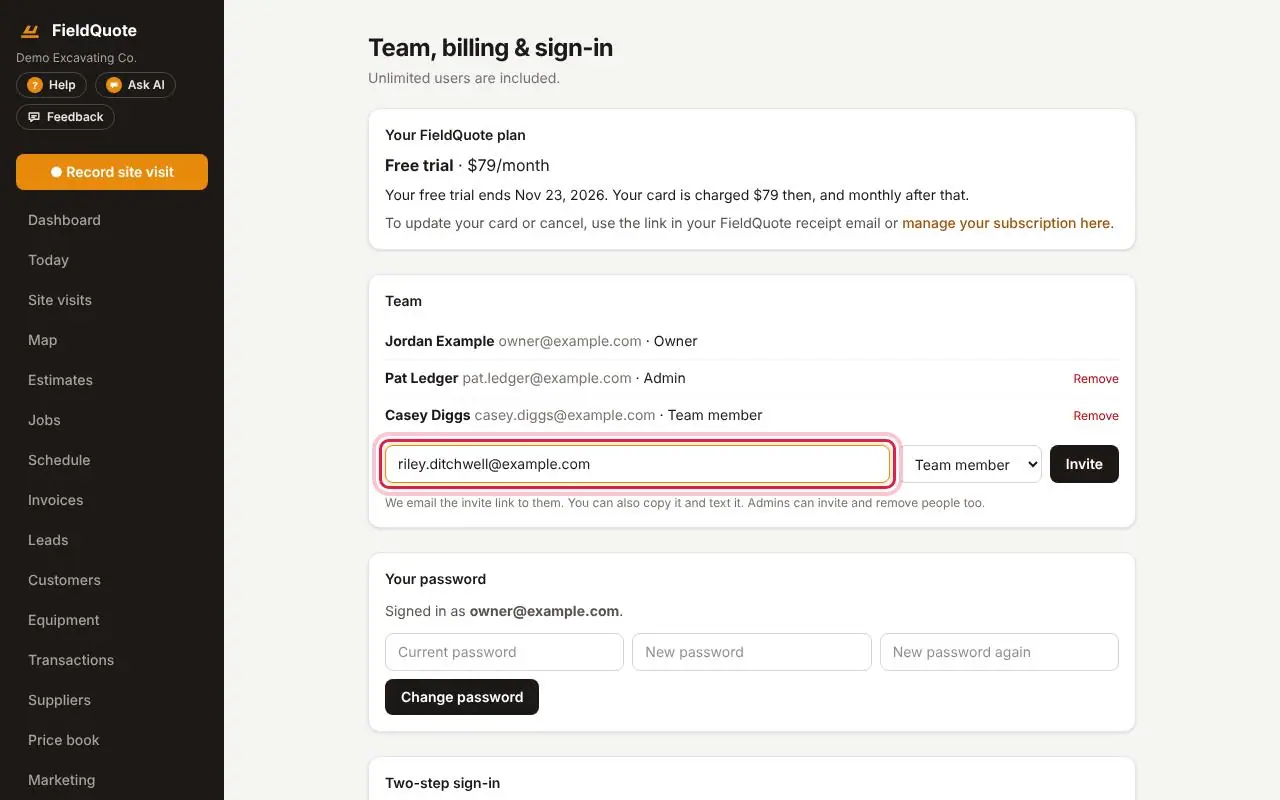
Pick their role: Team member for most people, Admin for someone who should manage the settings, prices, team, billing and payments with you.
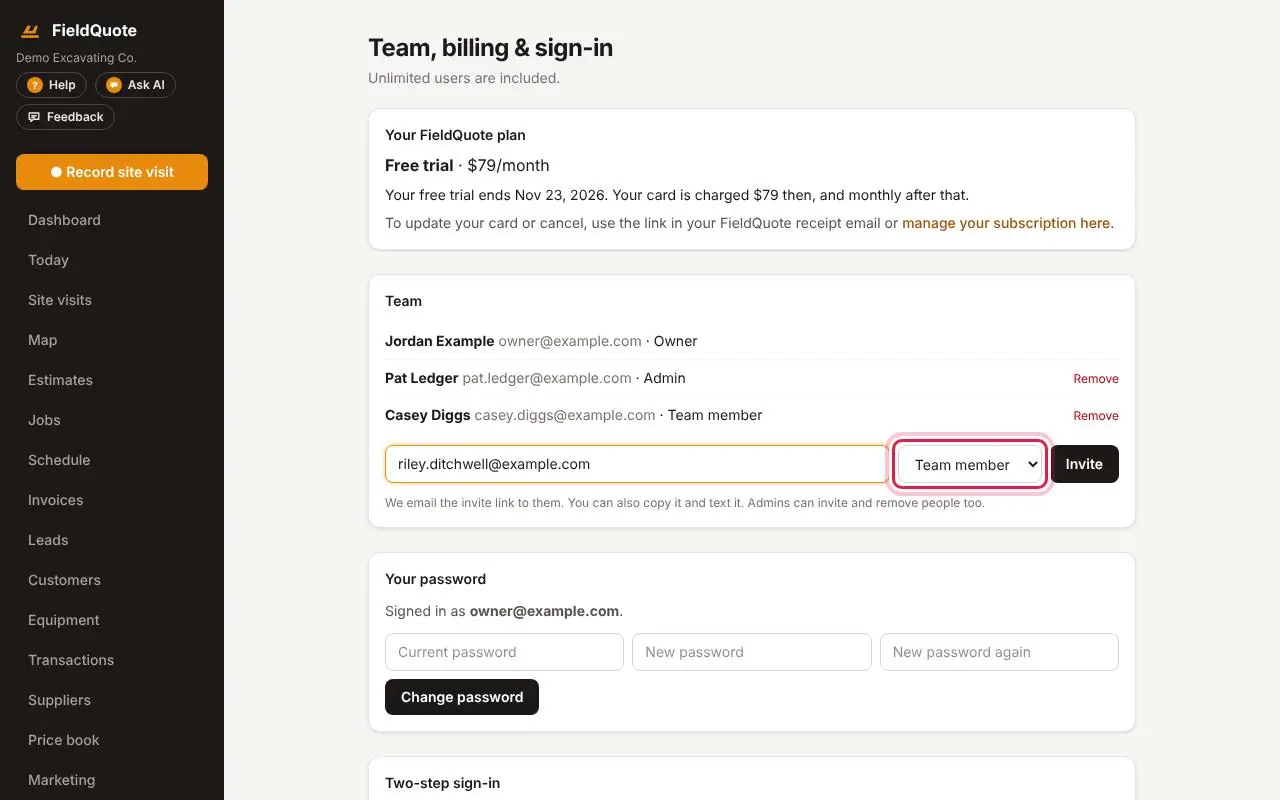
Tap Invite. They get an email with a link to join, and they're listed under Waiting to join with when the link expires.
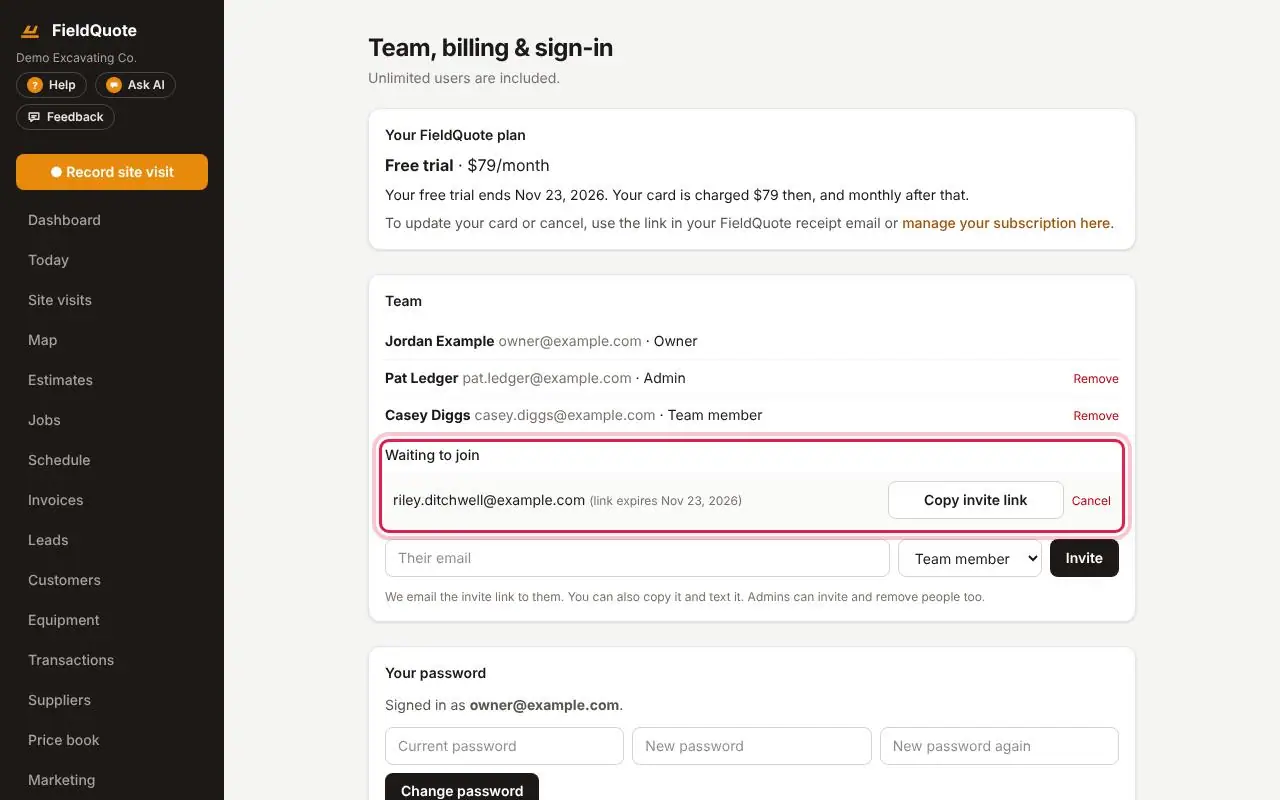
To text it instead, tap Copy invite link and paste it into a text. The button says Link ready ✓.
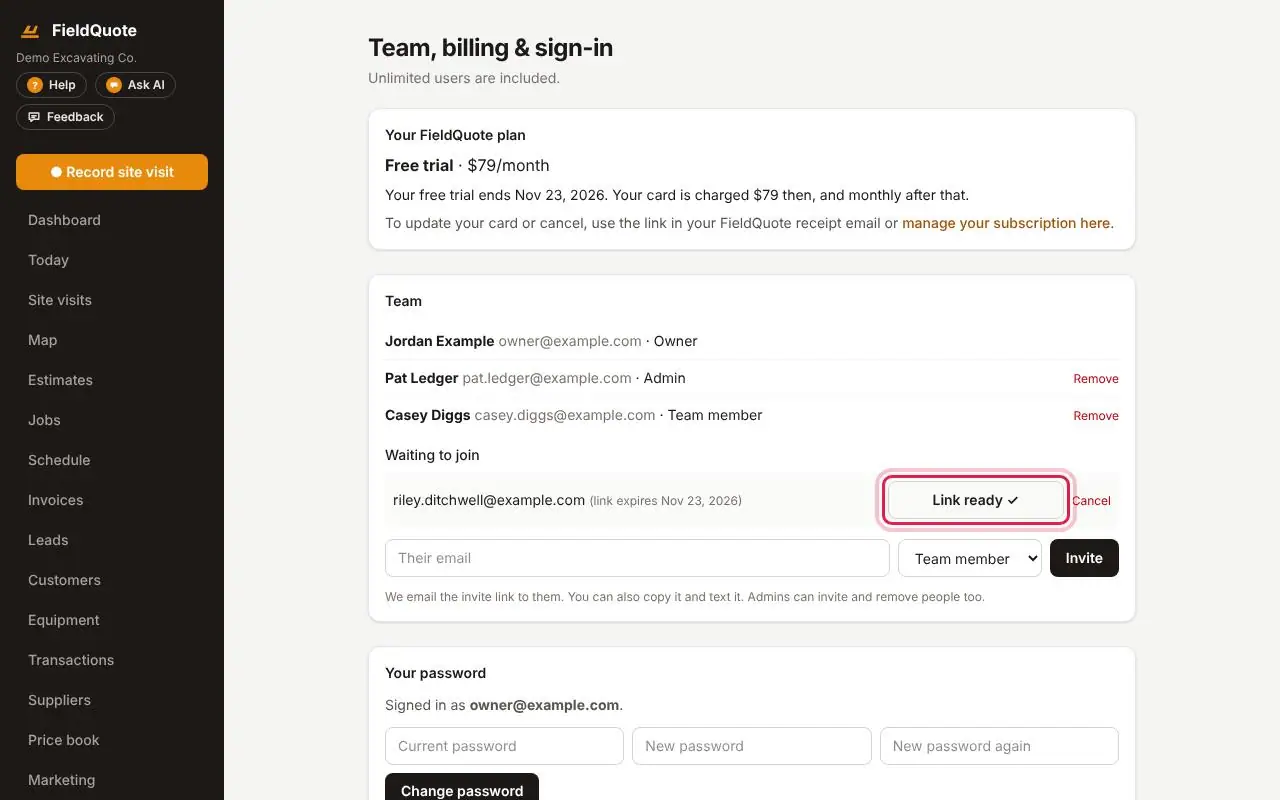
Invited the wrong address? Tap Cancel on that line; the link stops working.
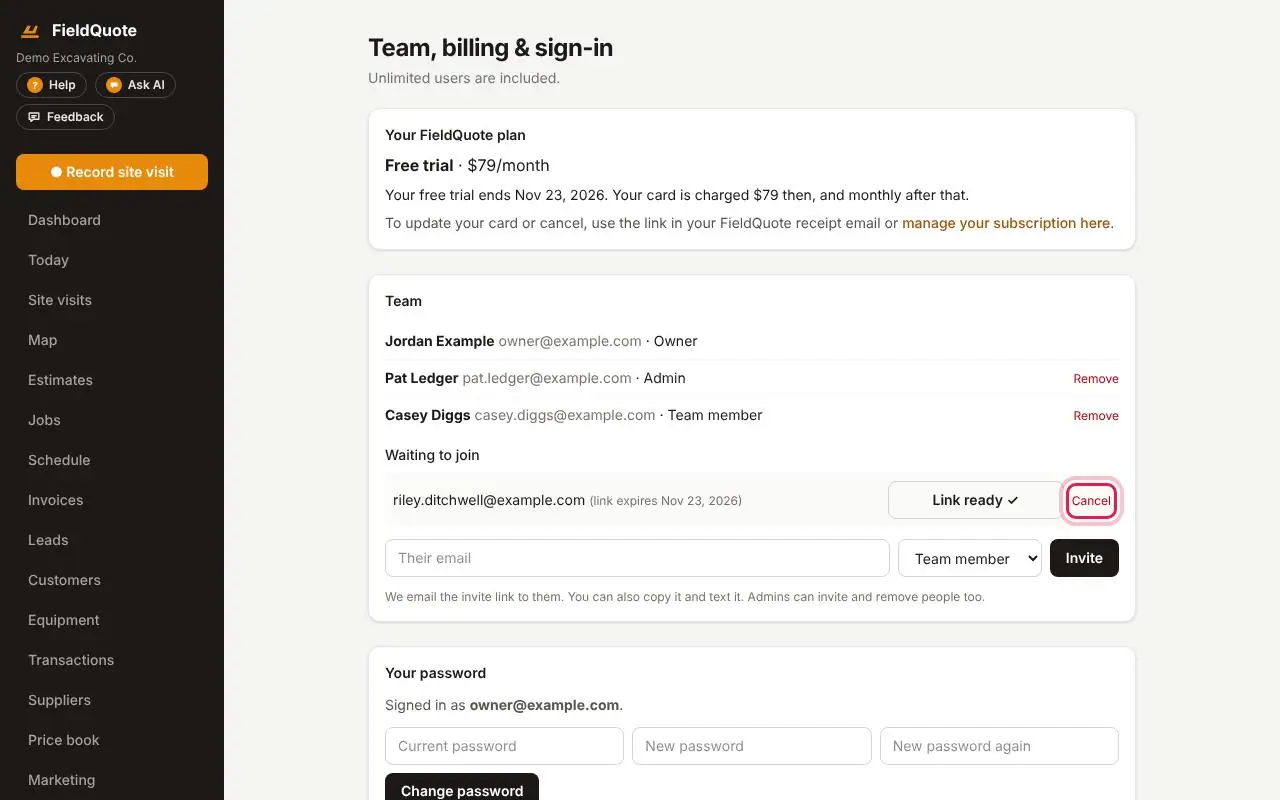
What you'll see
When they join, they move from Waiting to join to the team list with their role: Owner, Admin or Team member.
The email comes from FieldQuote and says who invited them; the link works for 14 days.
Common mistakes
A typo in the email. The person has to join with the exact email the invite was sent to. Cancel it and invite the right address.
Making everyone an admin. Admins can change every setting (prices, the contract, where customer payments go, texting, your books connections), the price book, suppliers, machines' money details and the team. Most crew members only need Team member: they can still do visits, estimates, change orders, jobs, invoices, payments and expenses.
An expired link. Cancel it and invite them again.
Limits
Only the owner and admins see the invite box and Cancel.
A role can't be changed after someone joins. To change it, remove them and invite them again with the other role.
Everyone you add is included in your plan.
Checked against the app on Nov 9, 2026. Pictures are from Demo Excavating Co., a made-up company.