Change orders & job photos
Guide 1 of 8
What it's for
The contract says changes have to be agreed before the extra work is done. A change order puts the extra work, the reason and the added cost in writing, and the customer approves it on their phone.
Where
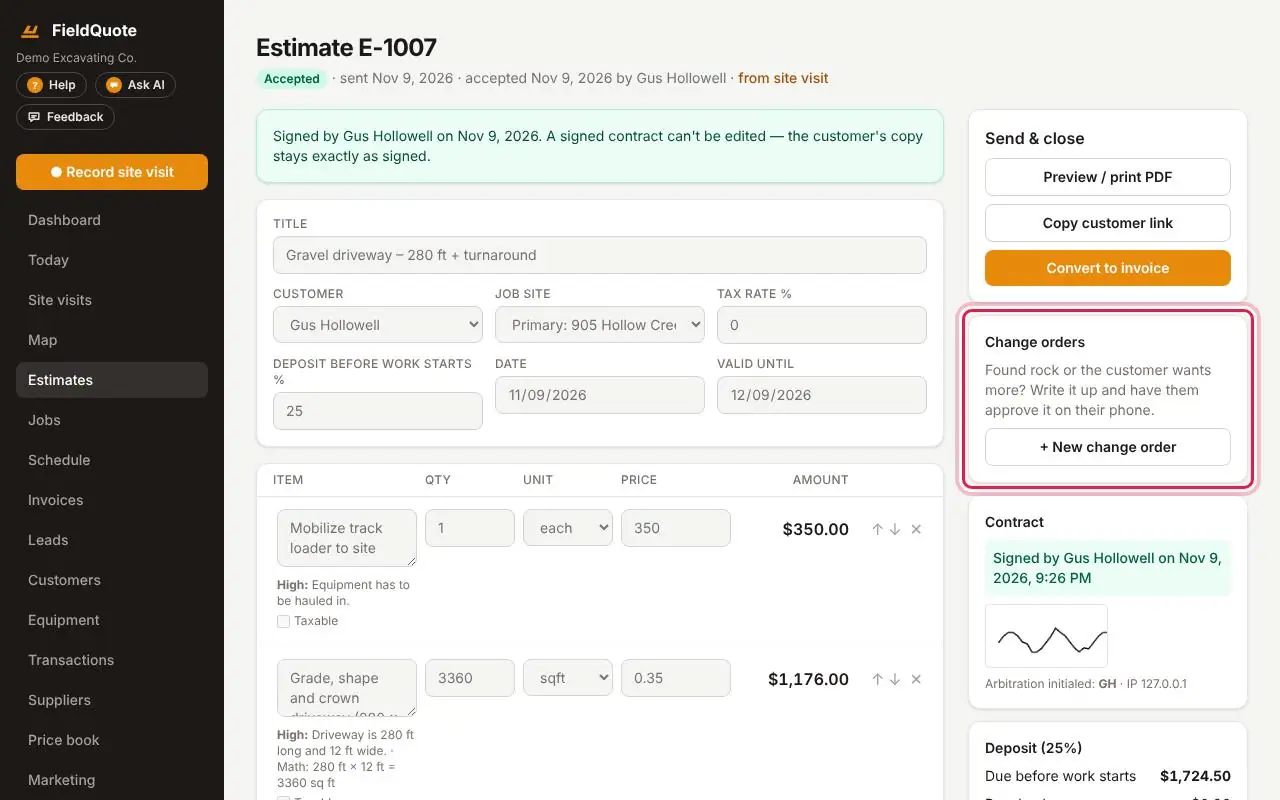
On an accepted estimate: the Change orders box on the right › + New change order.
Watch it
Steps
Open the job's estimate. In the Change orders box, tap + New change order.
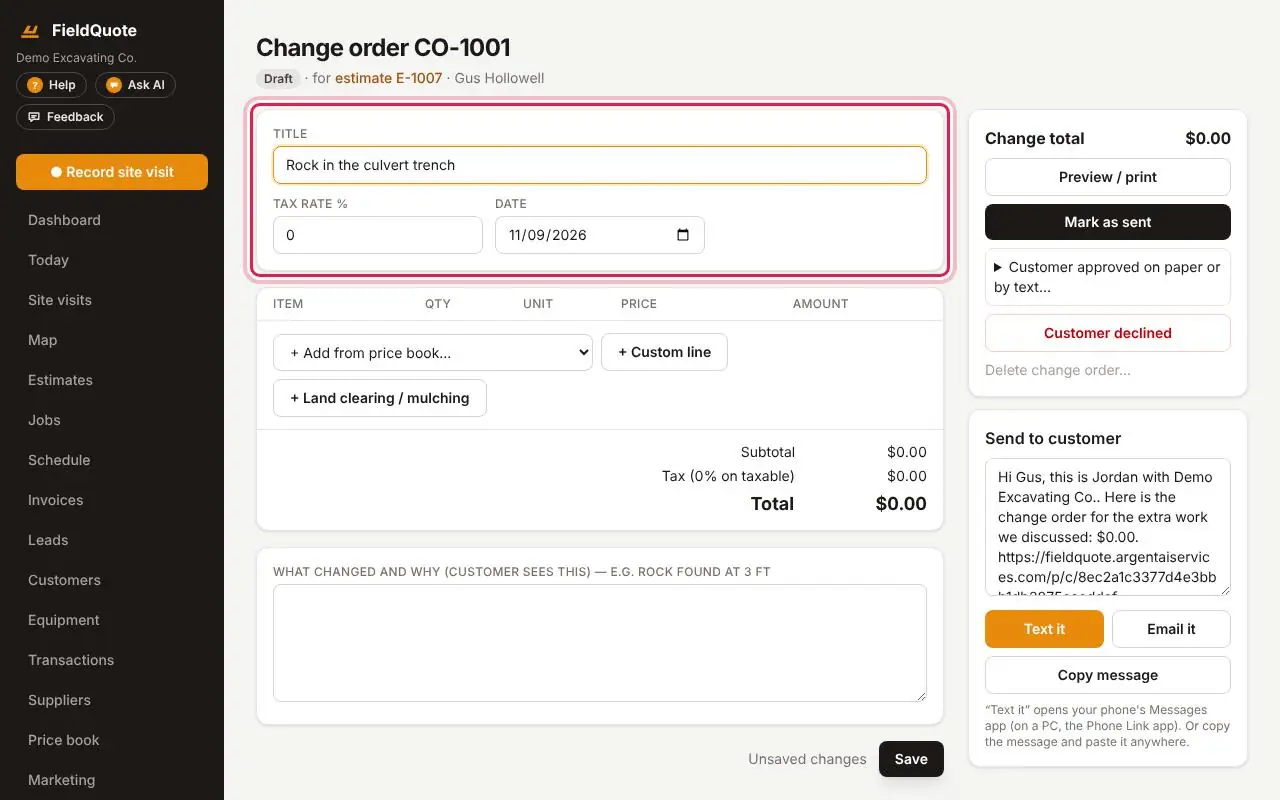
The change order opens with its own number (CO-1001, CO-1002 …). Type a short Title for the extra work. The Tax rate % starts the same as the estimate's.
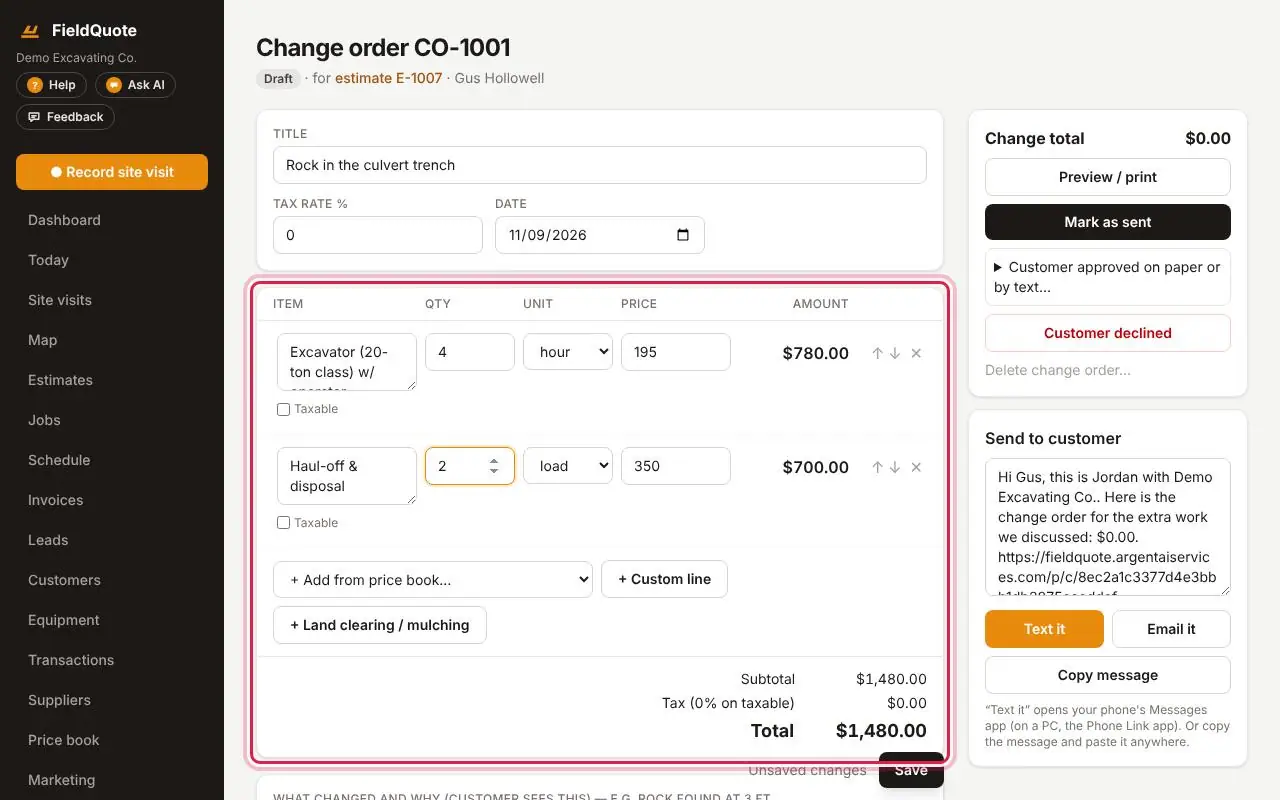
Add the lines for the extra work, from + Add from price book… or + Custom line, just like on an estimate.
In What changed and why (customer sees this) — e.g. rock found at 3 ft, say what you found or what the customer asked for.
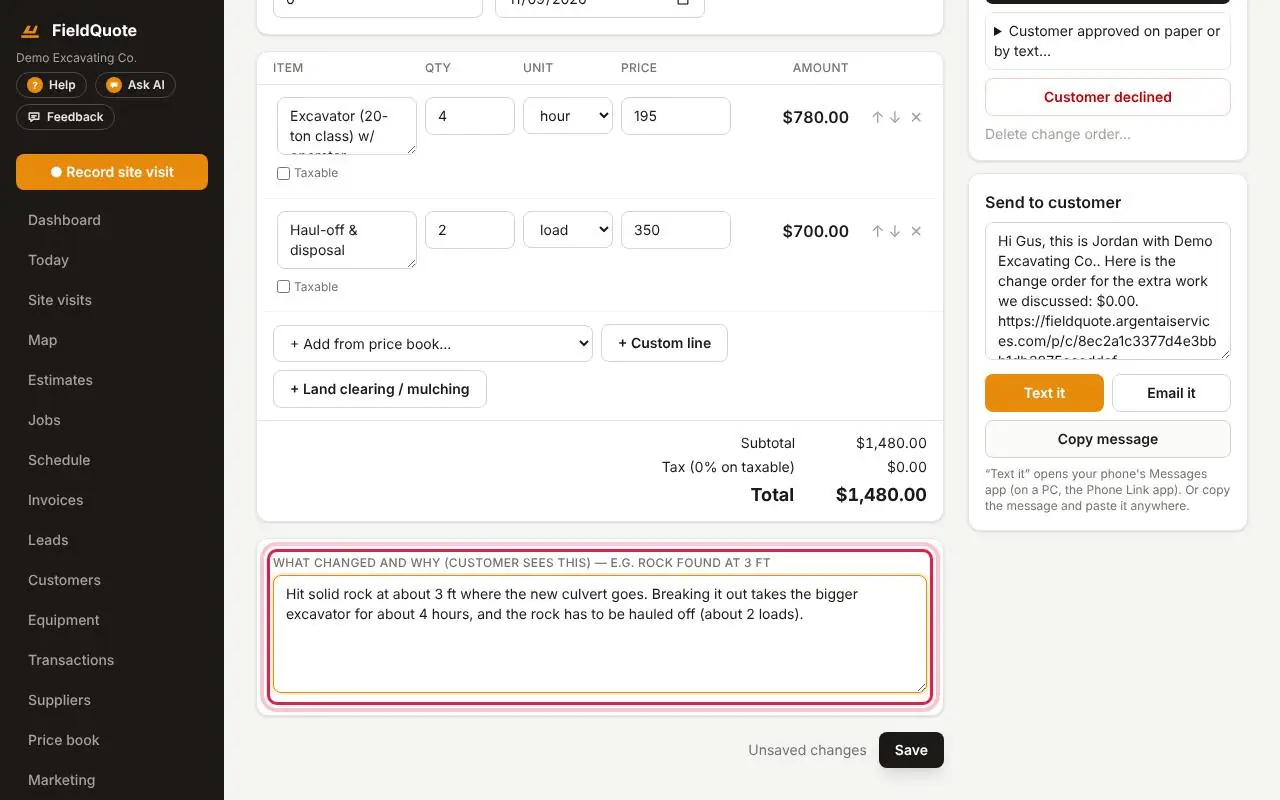
Tap Save. The Change total on the right shows the added cost.
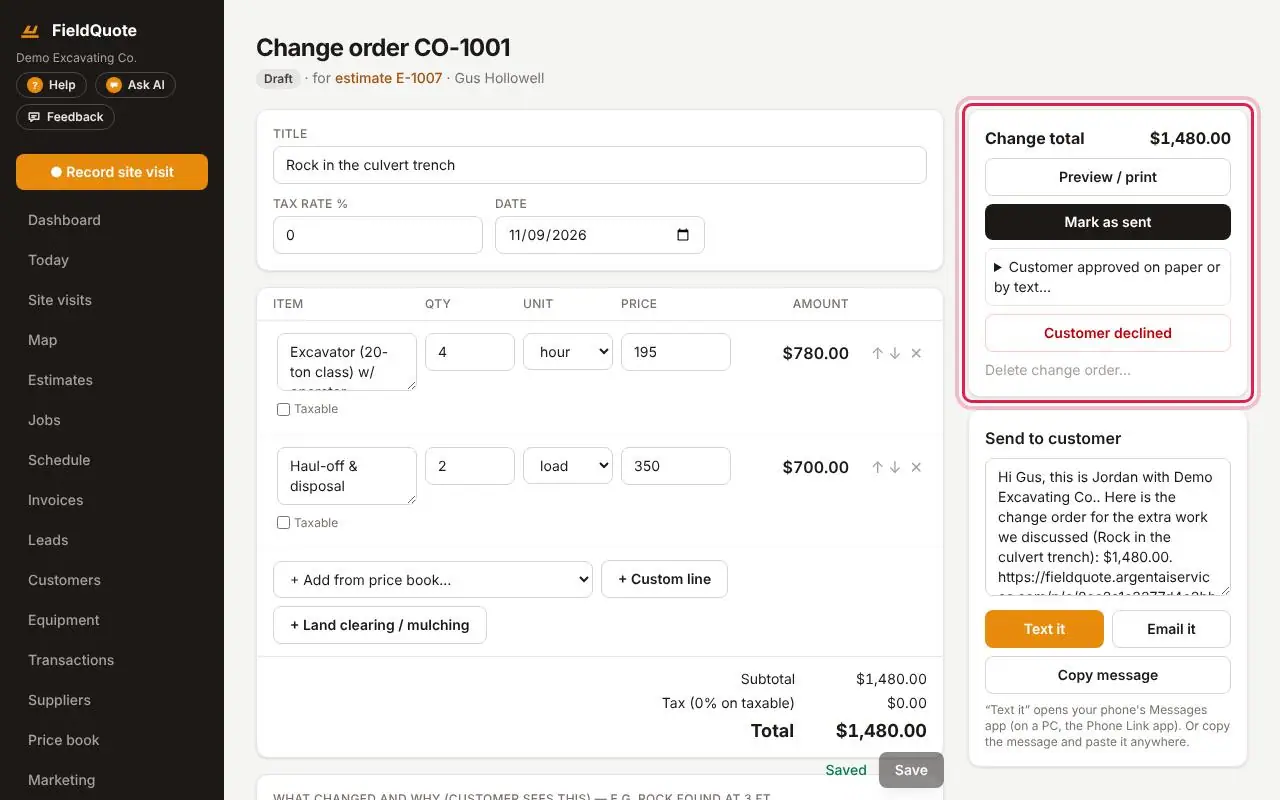
What you'll see
Under the title at the top: the status (Draft to start), a link to the estimate it belongs to, and the customer.
On the estimate, the Change orders box lists each one with its number, status and total.
Common mistakes
Putting the whole job on the change order. List only what's added (or a credit for what's taken off, as a line with a minus price).
Doing the extra work before it's approved. Get the approval first, online or on paper or by text.
Limits
Change orders are only for accepted estimates. The Change orders box shows once the estimate is signed or won.
A change order uses the estimate's customer and job site. There's no travel charge button on a change order.
Once approved, a change order can't be edited.
Checked against the app on Nov 9, 2026. Pictures are from Demo Excavating Co., a made-up company.