Estimating & price book
Guide 17 of 18
What it's for
See everything you've priced in one place, and open any estimate to change it, send it or turn it into an invoice.
Where
Estimates in the menu.
Watch it
Steps
Open Estimates. The newest estimates are at the top. Each row shows the number, Title, Customer, date, Total and Status. Estimates the AI drafted say AI draft under the total.
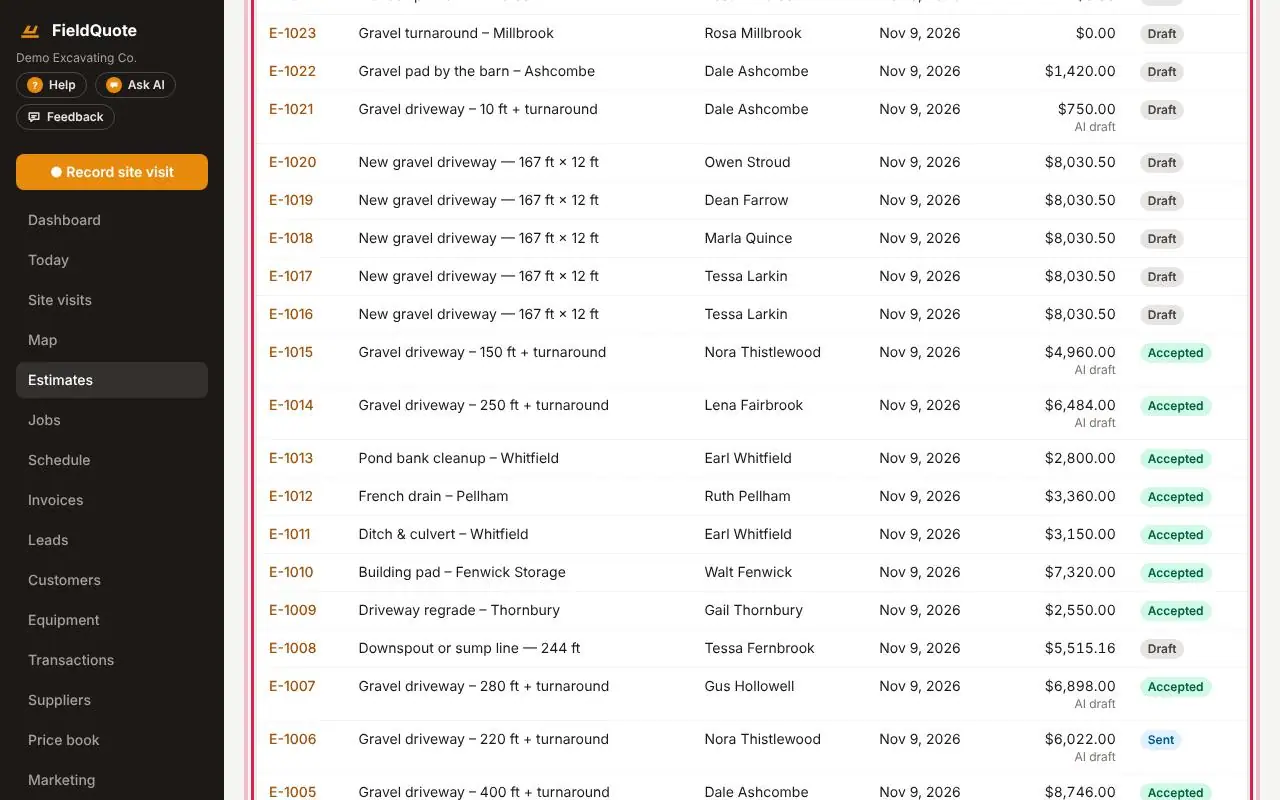
Tap the number to open it.
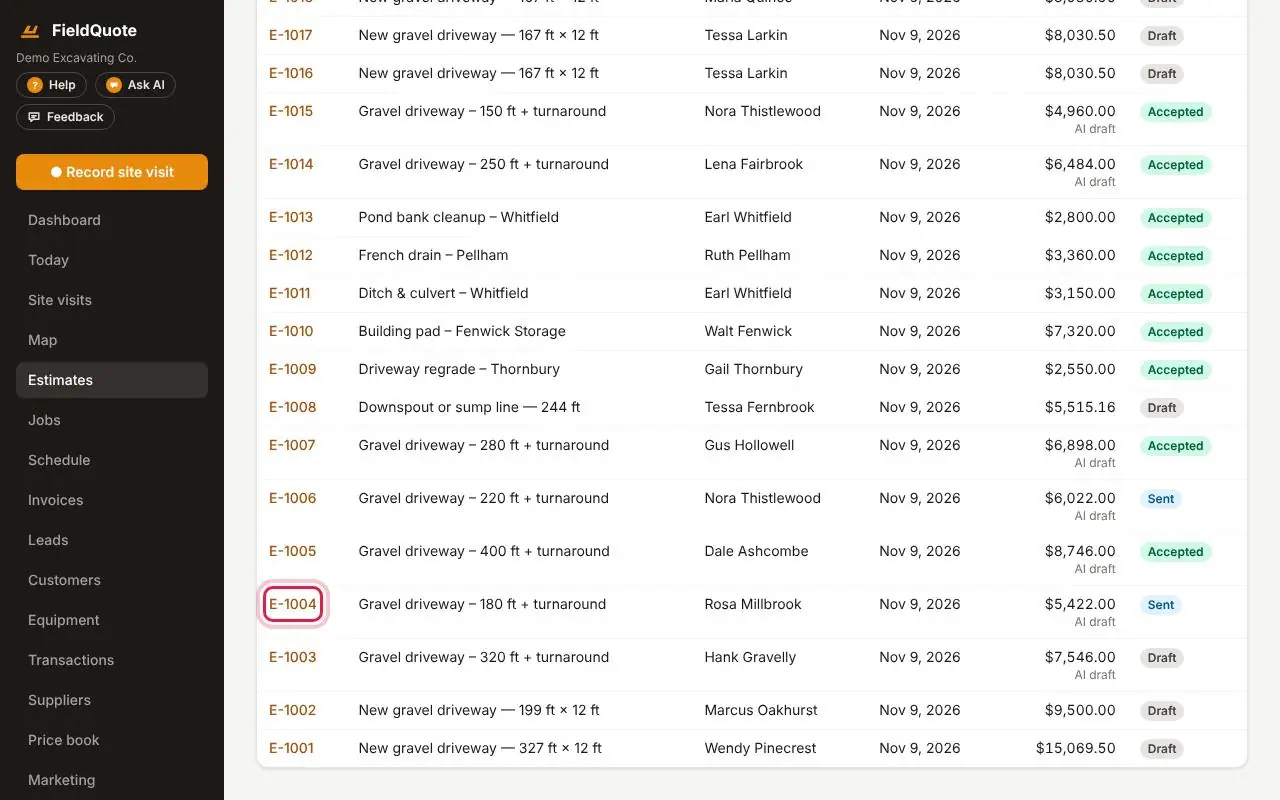
What you'll see
Statuses: Draft (not sent yet), Sent, Accepted (signed online, won on paper, or turned into an invoice), Declined (lost) and Expired (its Valid until date has passed and it wasn't won or lost; change the date and save to open it again).
You can also open an estimate from its site visit (Estimates from this visit) or from the customer's page.
Common mistakes
Looking for an estimate by the visit's name. The estimate's title can be different. Look for the customer's name in the Customer column, or open it from the visit.
Limits
The list shows every estimate the company has, with no filter. Newest first.
Checked against the app on Nov 9, 2026. Pictures are from Demo Excavating Co., a made-up company.