Invoicing & online payments
Guide 8 of 12
What it's for
Get paid the day you finish. Customers pay from the link on their phone, no PayPal account needed to pay by card, and the payment records itself in FieldQuote. PayPal's usual processing fees apply.
Where
Settings › Online payments (PayPal).
Watch it
Steps
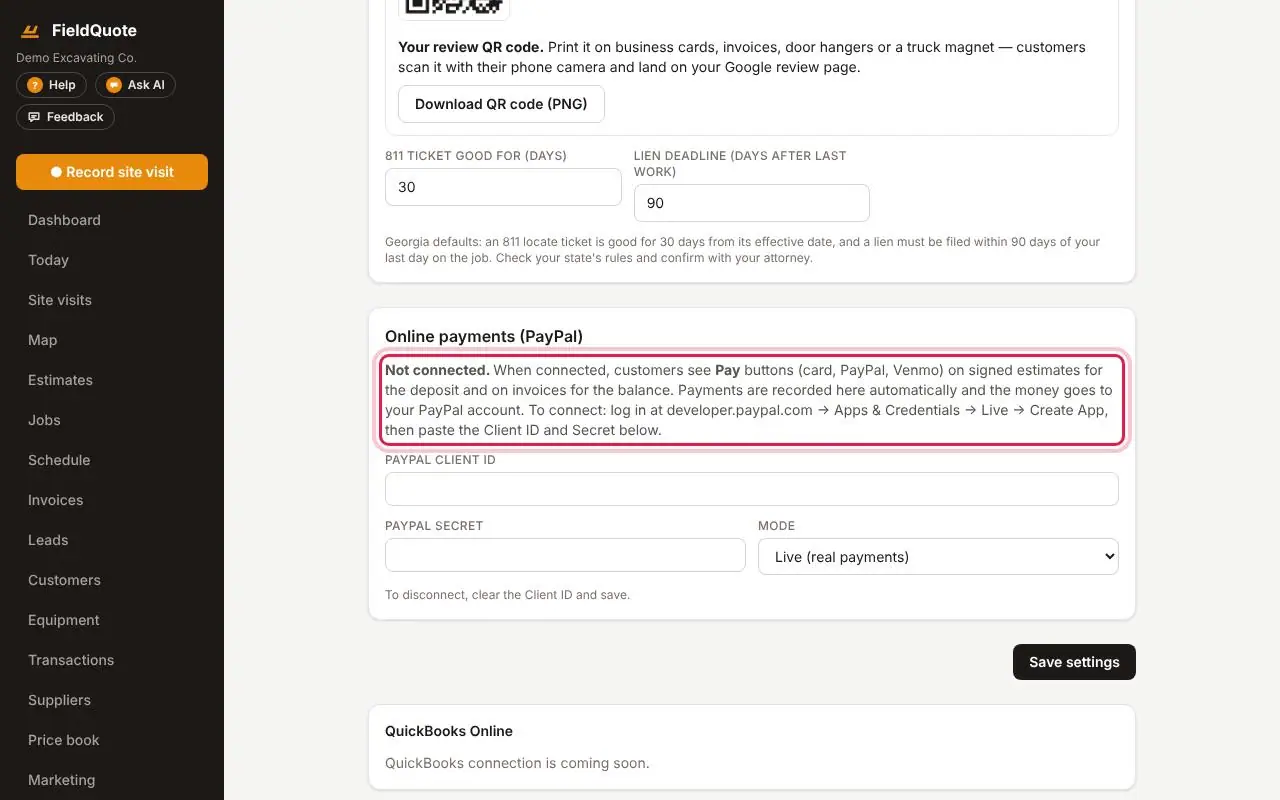
Find Online payments (PayPal). It says "Not connected." and how to get your details: log in at developer.paypal.com, Apps & Credentials, Live, Create App.
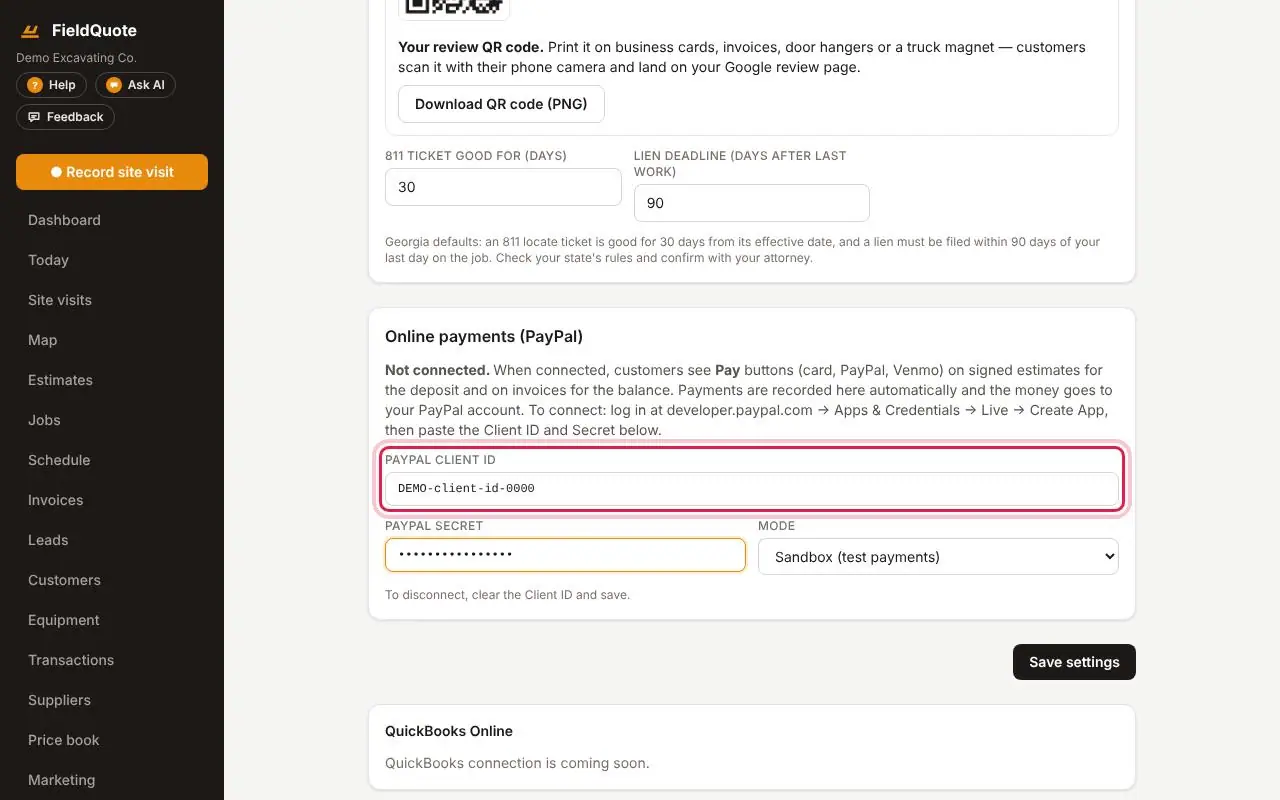
Paste the app's PayPal Client ID and PayPal Secret. Leave Mode on Live (real payments), or pick Sandbox (test payments) to try it with PayPal's test accounts first.
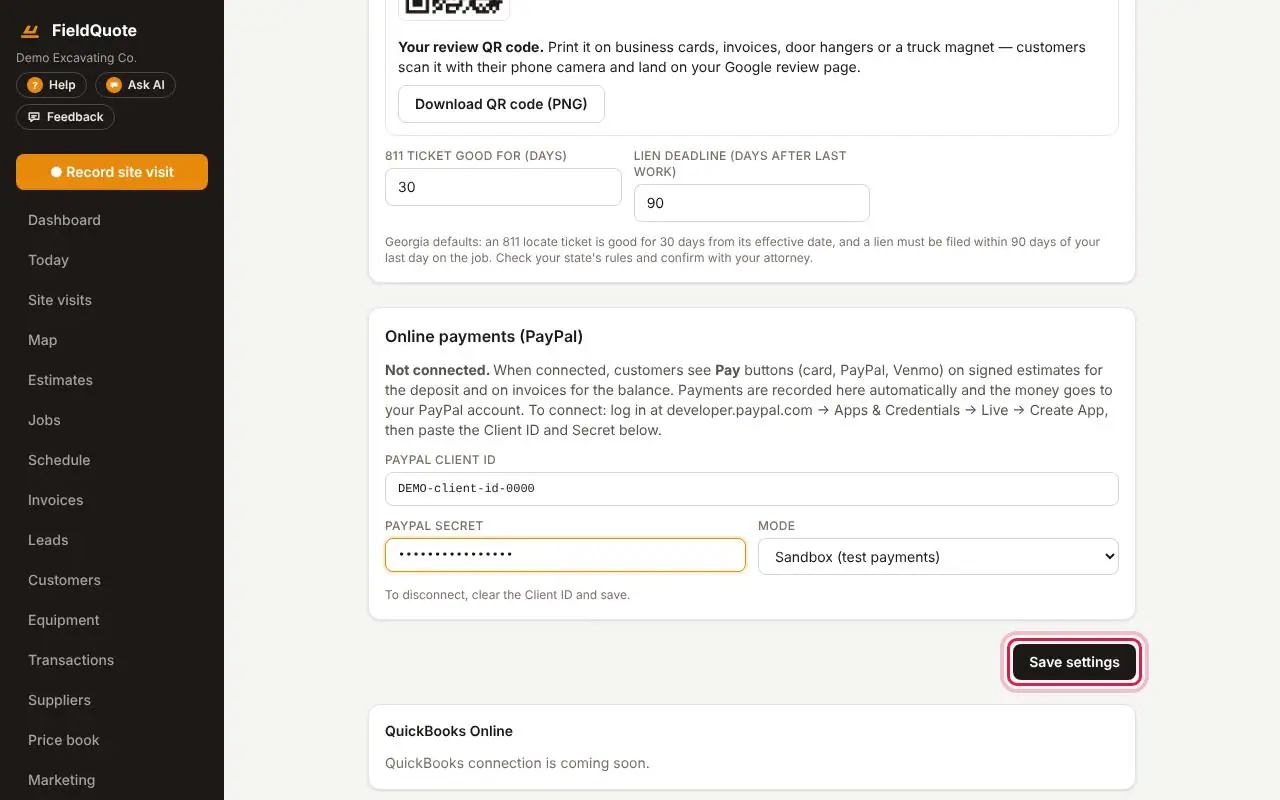
Tap Save settings.
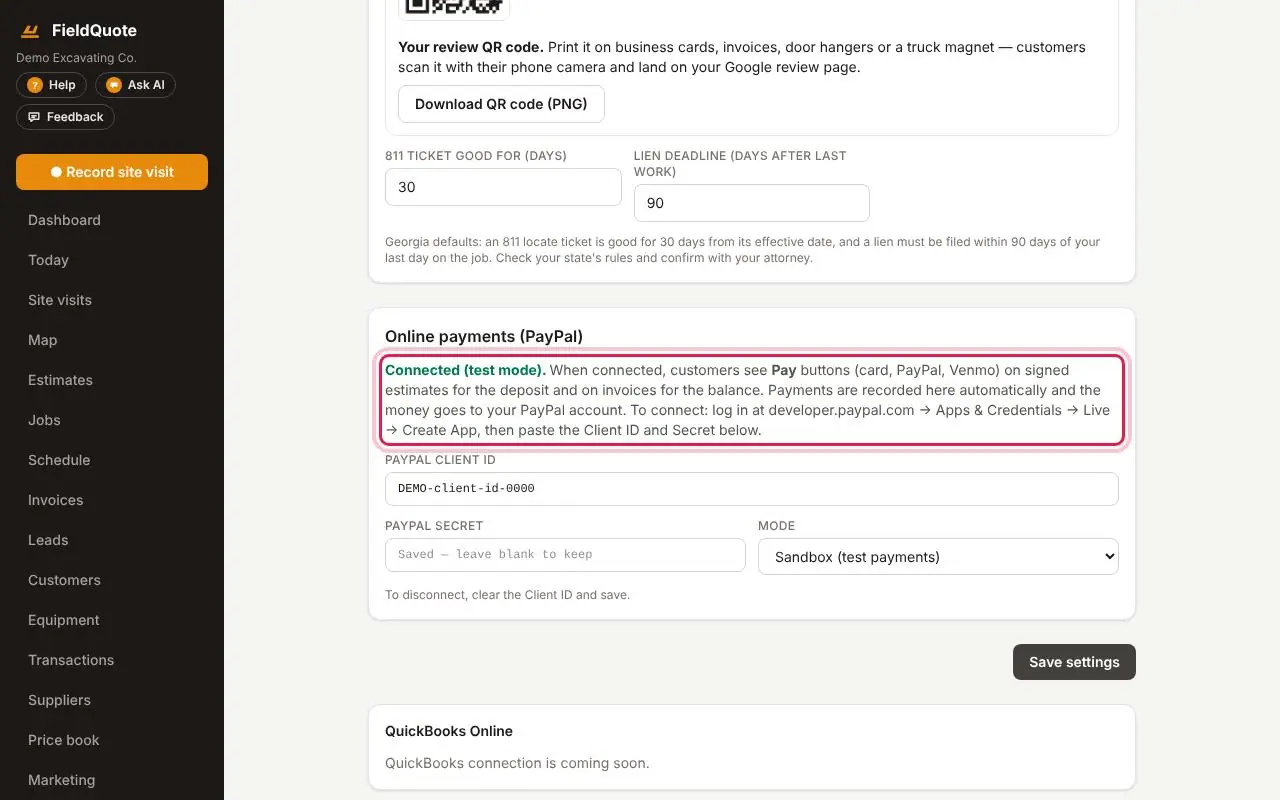
It now says "Connected" (live or test mode).
What you'll see
Pay buttons for the deposit on signed estimates and for the balance on invoices, on the customer's link.
Estimate and invoice messages mention paying online.
The "Take payments online" step of the setup guide ticks off.
Common mistakes
Pasting Sandbox details with Mode on Live (or the other way round). PayPal refuses them and your customer sees "Something went wrong with the payment. Please try again, or call us." FieldQuote doesn't test the details when you save, so pay a small test invoice yourself.
Leaving the Secret box empty when you change something else is fine: "Saved — leave blank to keep".
Limits
Only the owner or an admin can change where payments go. Team members see Settings grayed out, with "View only. Only the owner or an admin can change this."
To disconnect, clear the Client ID and save.
The Client ID and Secret in the pictures are made up. Use the ones from your own PayPal app.
Checked against the app on Nov 9, 2026. Pictures are from Demo Excavating Co., a made-up company.