Today screen & dashboard
Guide 6 of 8
What it's for
Get from a new account to your first sent estimate without missing a setting that matters.
Where
At the top of Settings right after you sign up, and at the top of the Dashboard until you're set up. Only the owner and admins see it.
Watch it
Steps
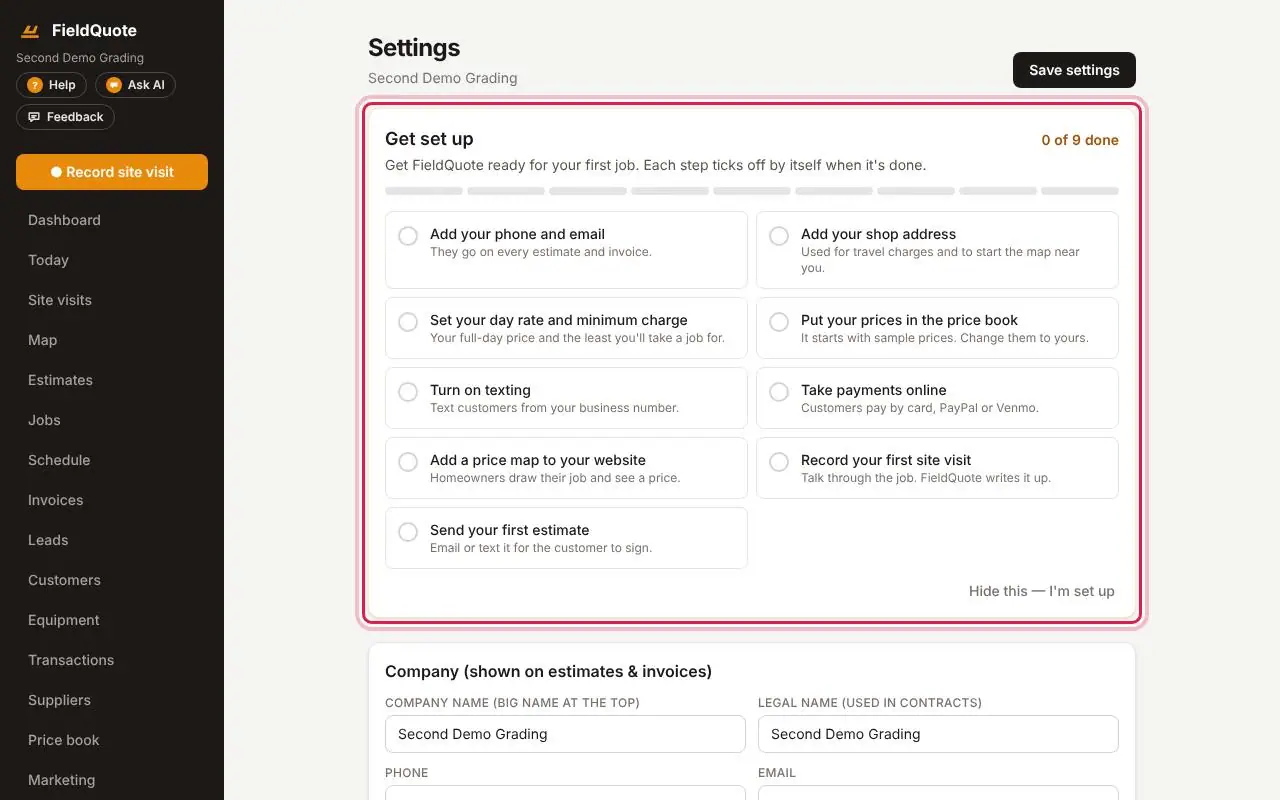
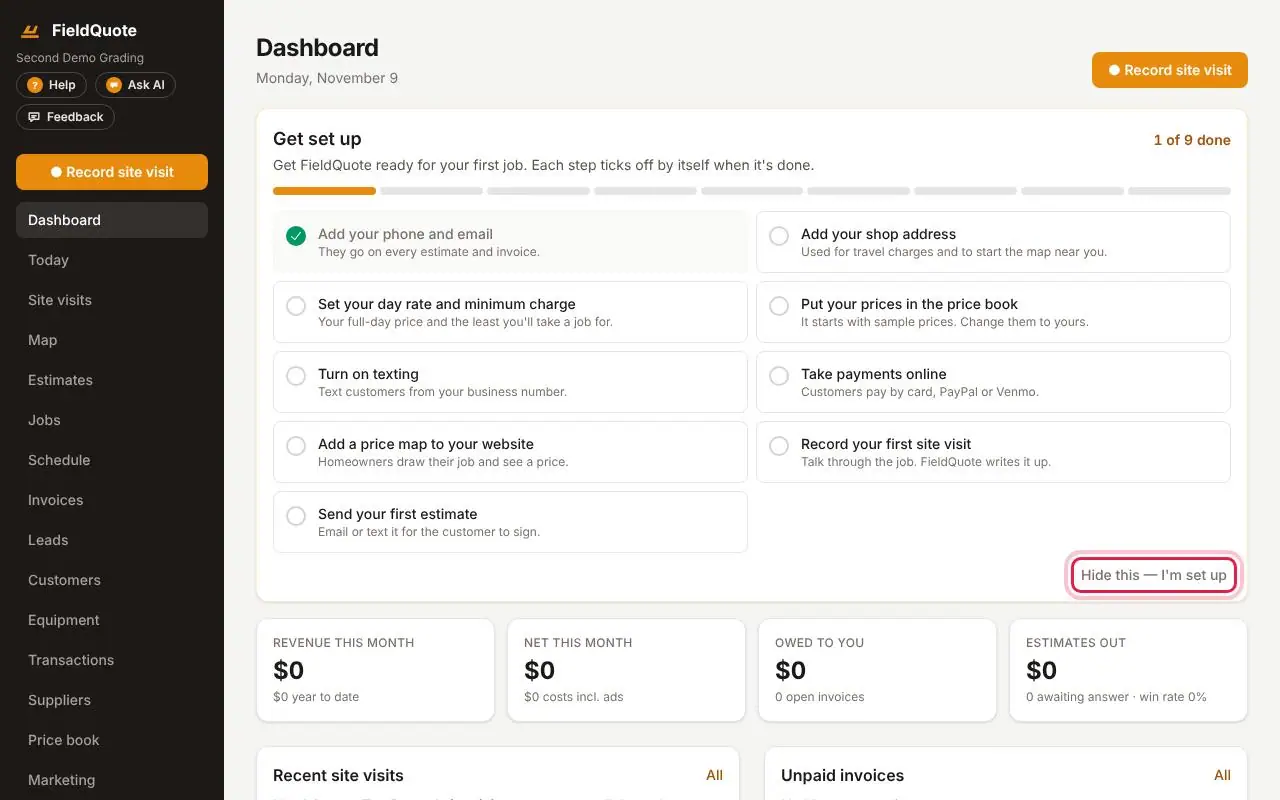
Right after you create your account, Settings opens with Get set up: nine steps and how many are done.
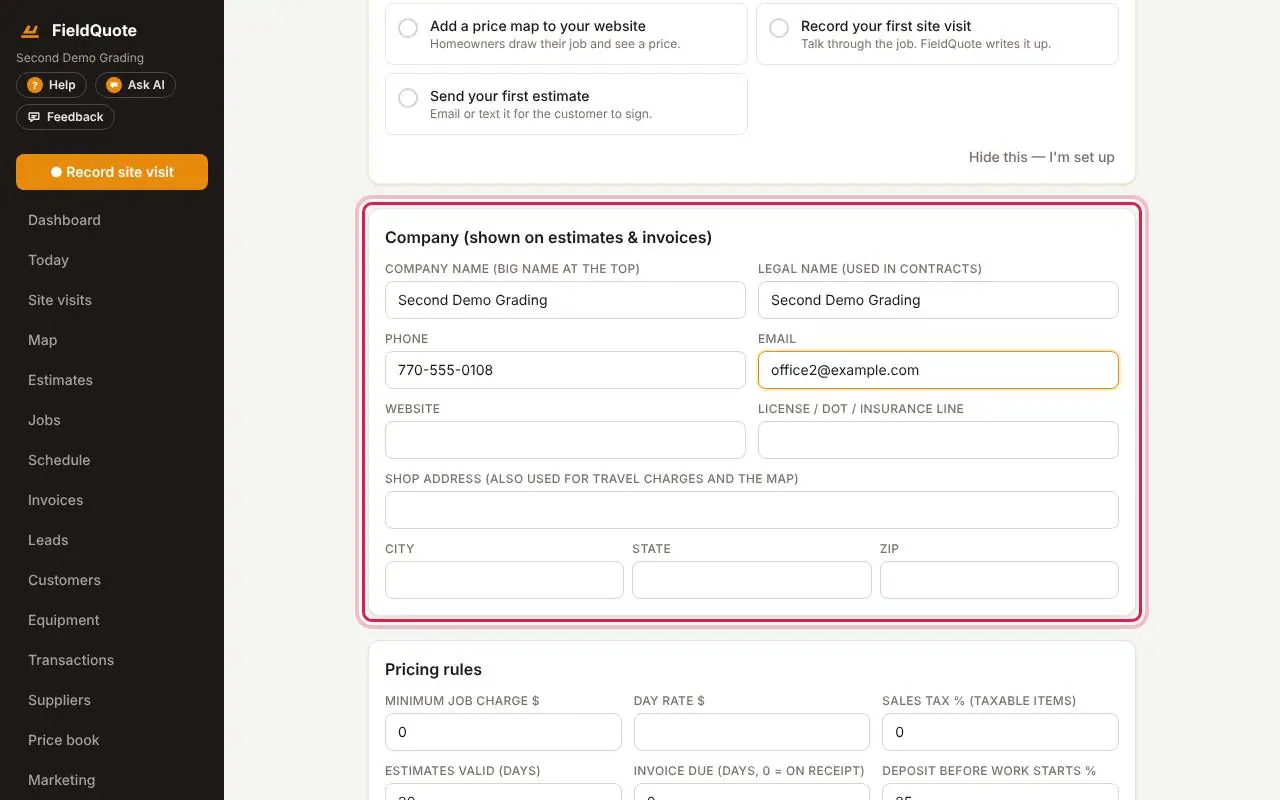
Do a step. For the first one, fill in your Phone and Email under Company (shown on estimates & invoices) and tap Save settings.
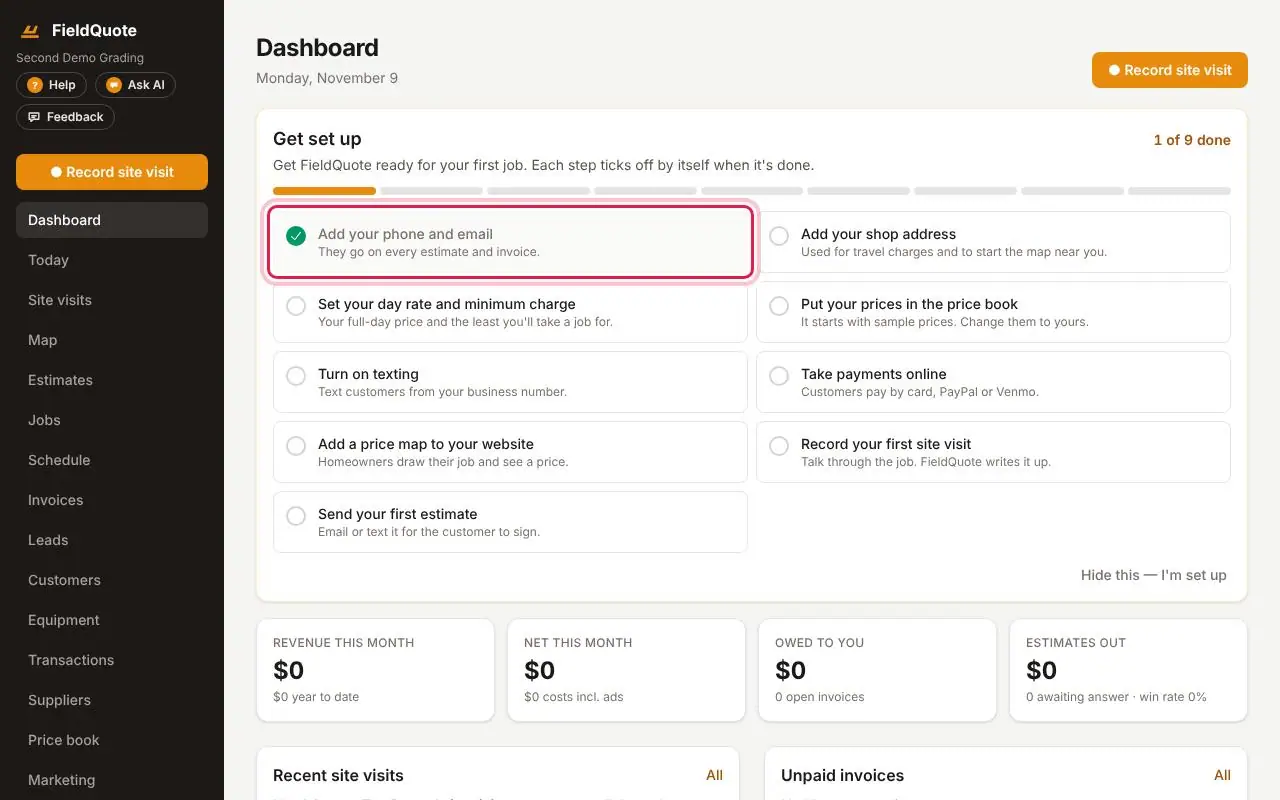
The step ticks itself off; there's nothing to check. The bar and the count ("… of 9 done") move on.
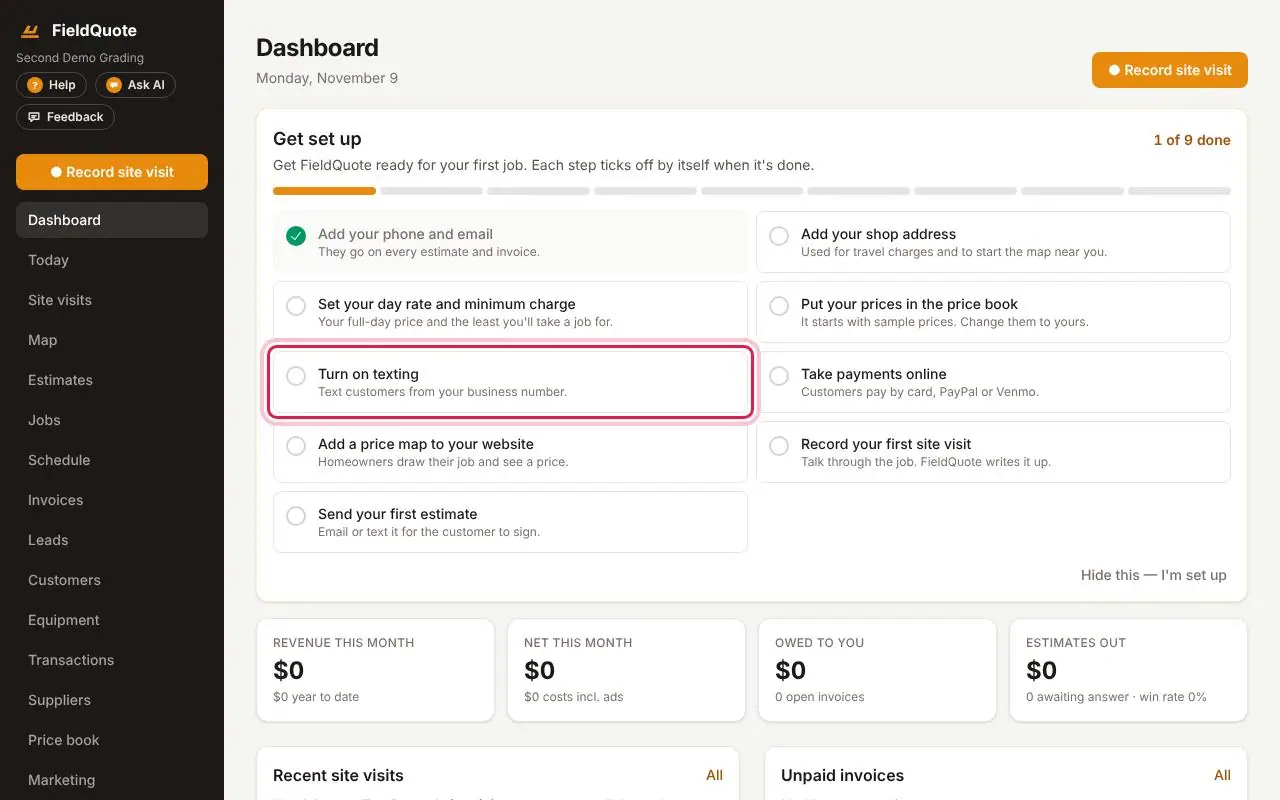
Tap any step to go straight to the place where it's done (for example Turn on texting opens the texting settings).
When you don't need it any more, tap Hide this — I'm set up. It's hidden for everyone in your company.
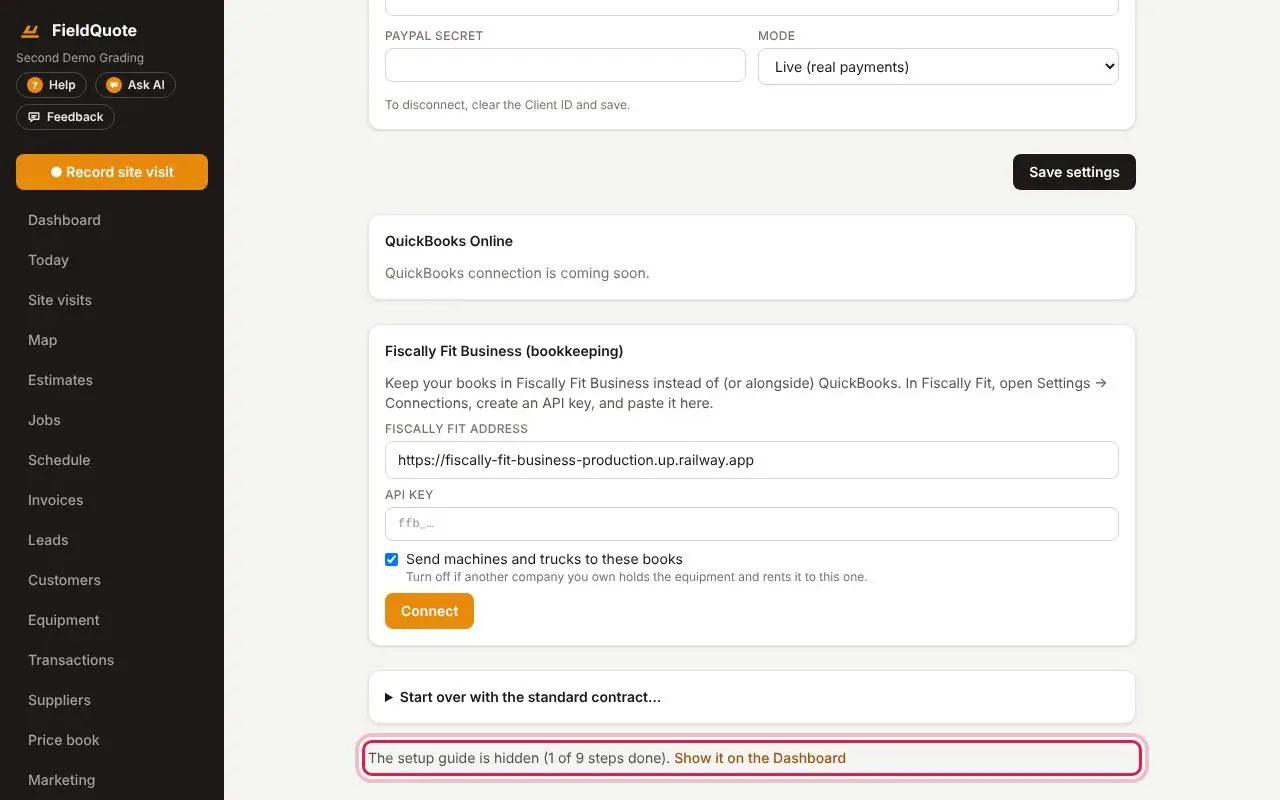
To bring it back, go to the bottom of Settings and tap Show it on the Dashboard.
What you'll see
The steps: Add your phone and email, Add your shop address, Set your day rate and minimum charge, Put your prices in the price book, Turn on texting, Take payments online, Add a price map to your website, Record your first site visit, Send your first estimate.
Once every step is done, the guide goes away by itself.
Stuck on a step? Tap Ask AI at the top of the screen and type your question (see Ask the assistant a question), or tap Help for the step-by-step guides.
Right after you sign up, FieldQuote emails you a welcome with a link to confirm your email (it works for 7 days). Until you tap it, a yellow note at the top of every screen asks you to; Send it again sends a new link.
The first time you sign in after your free trial starts, a one-minute welcome video opens: a job from the first visit to getting paid. Close it any time. To watch it again, tap Help, then Watch the welcome video (1 minute).
Common mistakes
Thinking a step is broken because it isn't ticked. For prices, at least one price-book price must be your own (different from the sample price), or a supplier's prices brought in.
Hiding it on the first day. You can bring it back, but it's the quickest way to find each setting.
Limits
Only the owner and admins see the guide, and only they can hide it or bring it back. Team members don't see it on the Dashboard.
A company that has sent three estimates and has prices in its price book never sees the guide, even if some steps aren't done.
On Settings it only shows while you're being welcomed (right after sign-up, or when you came from one of its steps).
Checked against the app on Nov 9, 2026. Pictures are from Demo Excavating Co., a made-up company.