Invoicing & online payments
Guide 7 of 12
What it's for
Keep what's owed right, so the Dashboard, the Today screen and the lien warnings are right too.
Where
The invoice's page › Record payment.
Watch it
Steps
Under Record payment, type the amount (the balance is filled in), pick how it was paid, the date it came in, and the check number or reference in Check # / reference.
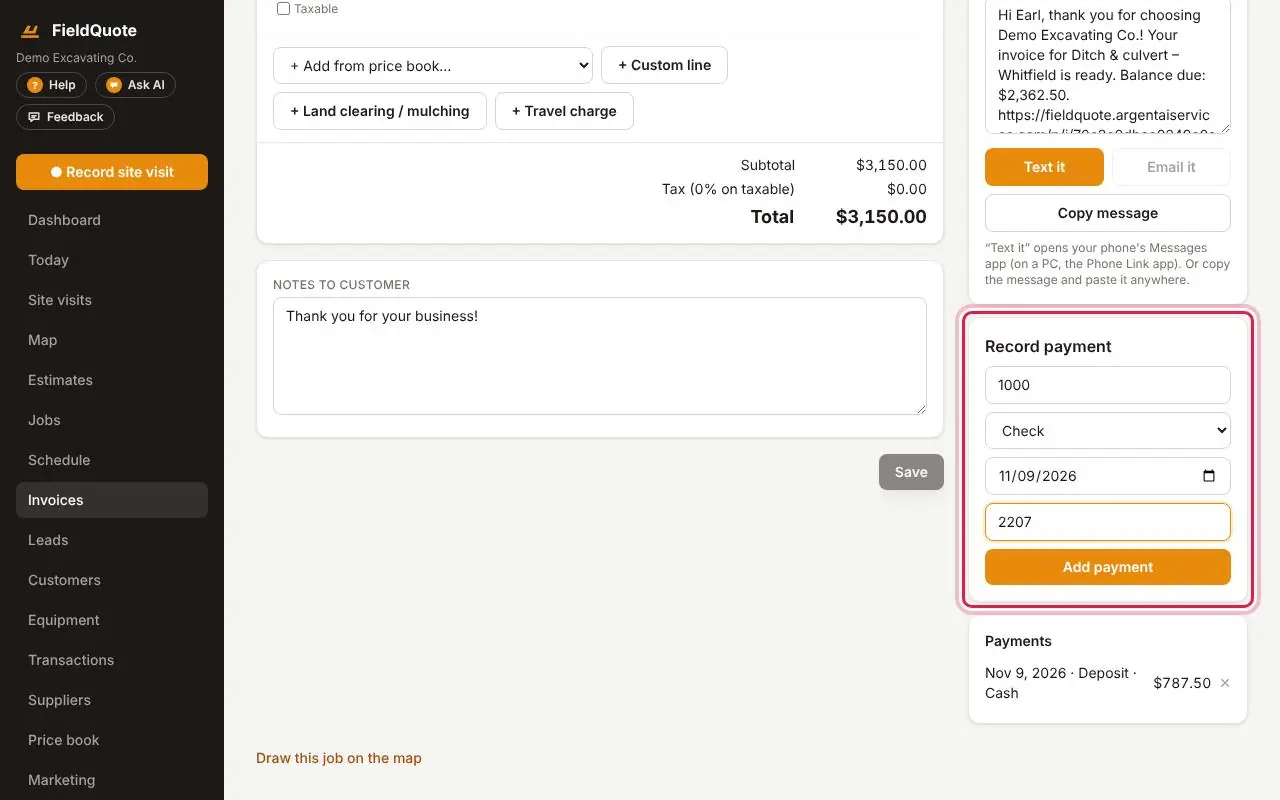
Tap Add payment.
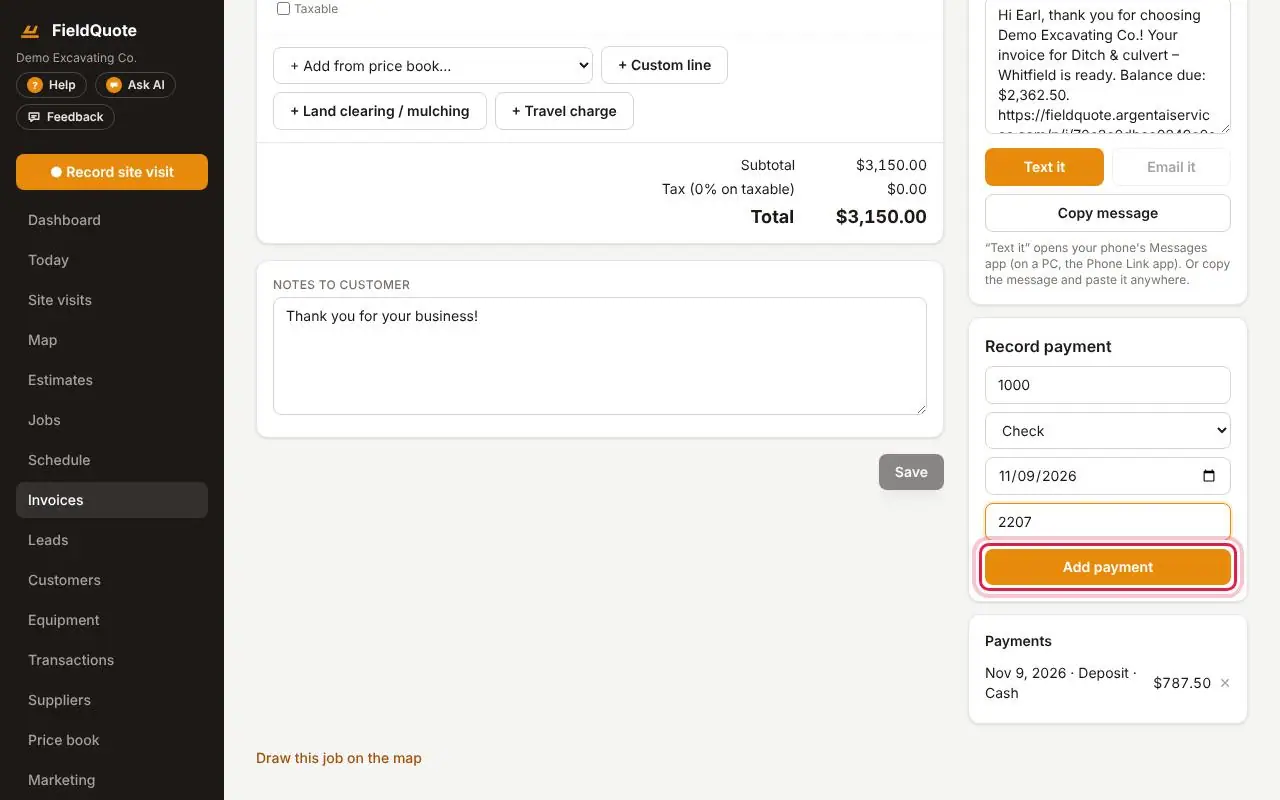
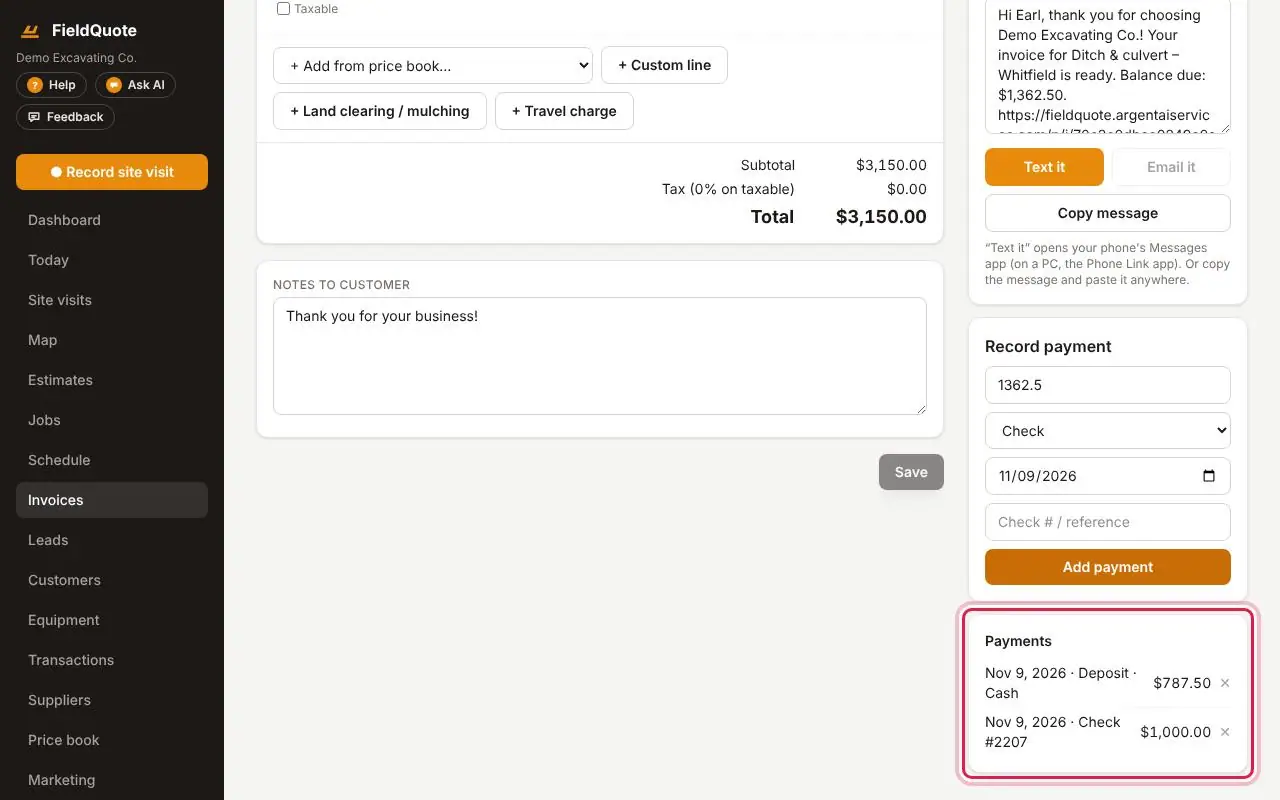
It's listed under Payments with the date, how it was paid and the number.
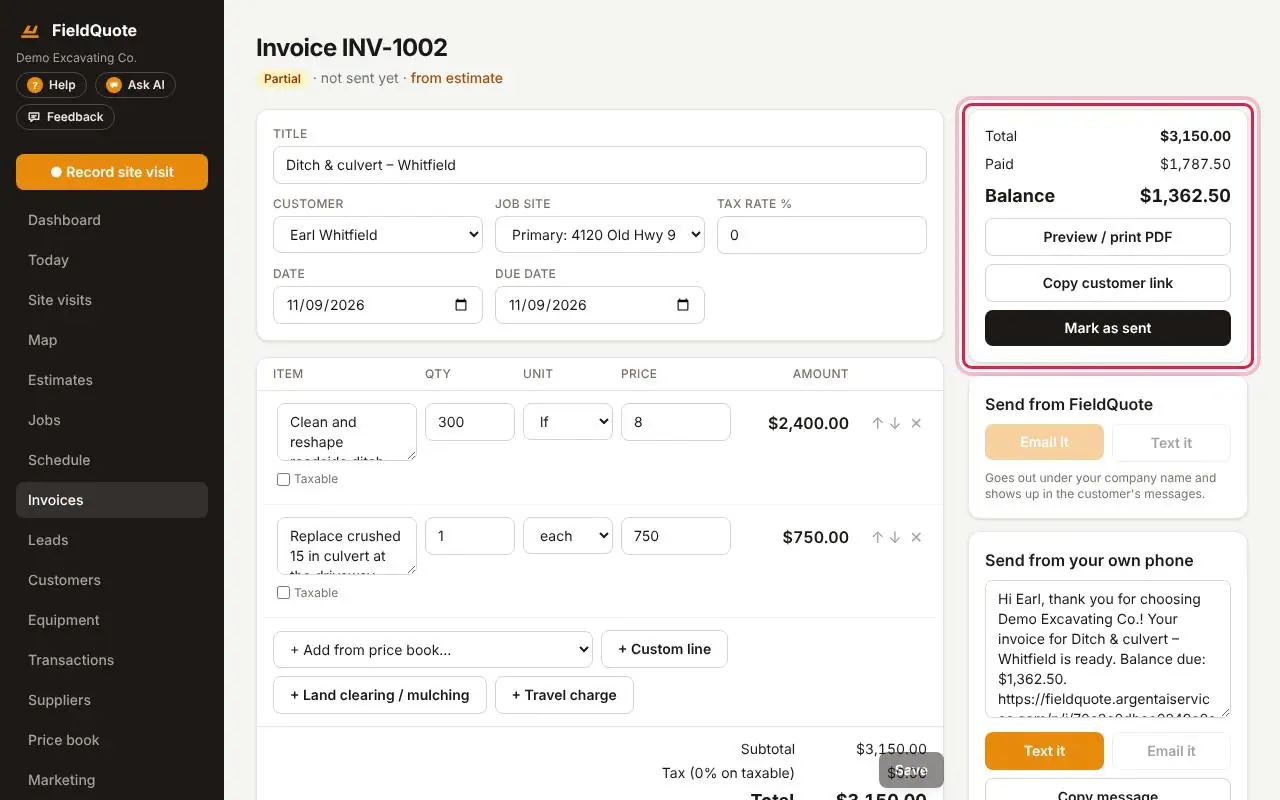
Paid and Balance update. A part payment makes the invoice Partial; the full amount makes it Paid.
What you'll see
On Invoices, a part-paid invoice shows how much is still due under its total.
When the invoice is paid in full, its job is marked complete, and the review request appears (see Ask for a Google review when an invoice is paid).
With QuickBooks or Fiscally Fit Business connected, the payment is sent there.
Common mistakes
Recording the deposit here. Record deposits on the estimate; they're credited when you make the invoice.
A payment entered twice: tap ✕ next to it to delete it, and the balance is worked out again.
Limits
The ways to pay are Check, Cash, Card, Bank transfer (ACH), Zelle, Venmo, PayPal and Other.
Payments through the Pay online button record themselves; don't add them again.
Recording a payment doesn't send the customer a receipt.
Checked against the app on Nov 9, 2026. Pictures are from Demo Excavating Co., a made-up company.