Site visits, recording & AI write-ups
Guide 5 of 14
What it's for
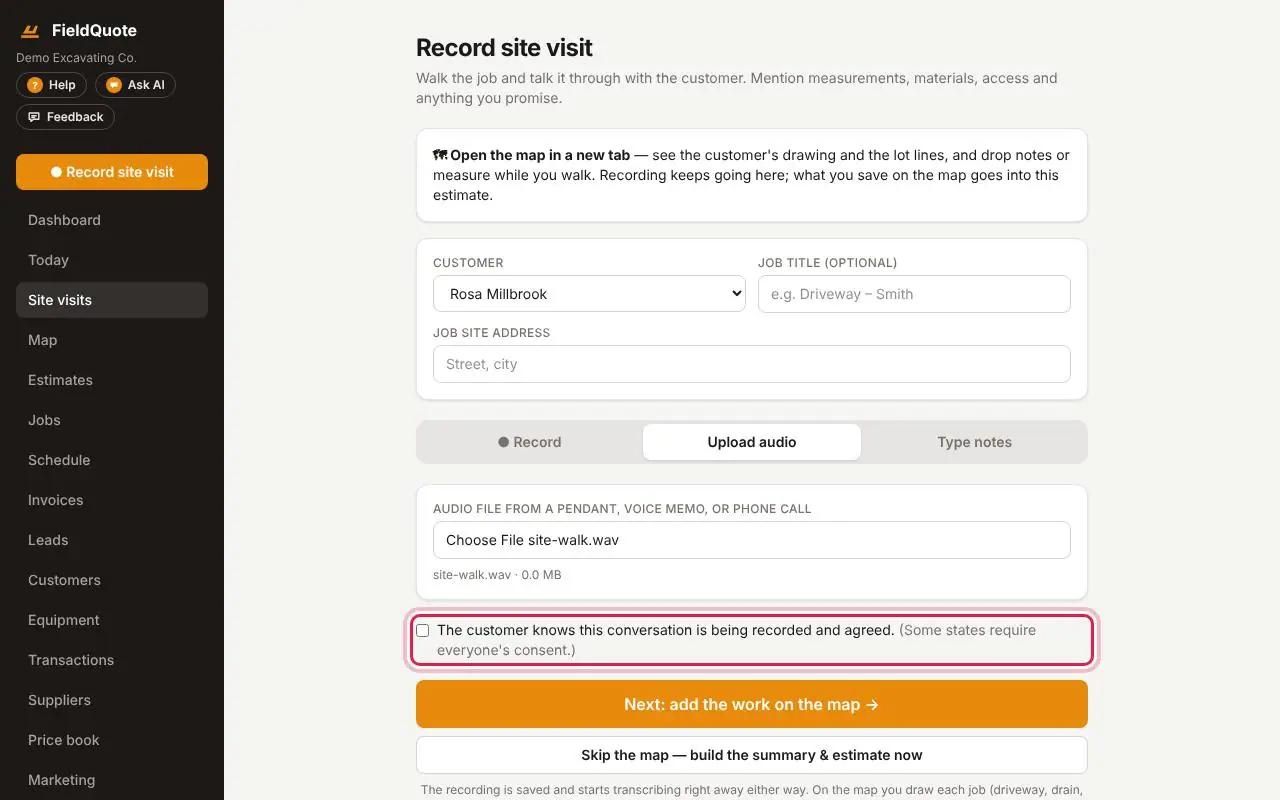
Tell the customer you're recording, and get their OK. The consent box is your record that you did. Georgia only needs one person's consent, but some states need everyone's.
Where
The checkbox at the bottom of Record site visit, on the Record and Upload audio tabs.
Watch it
Steps
Before you tap Start, tell the customer you're recording so the estimate is accurate, and ask if that's OK. When you send, check the box: "The customer knows this conversation is being recorded and agreed."
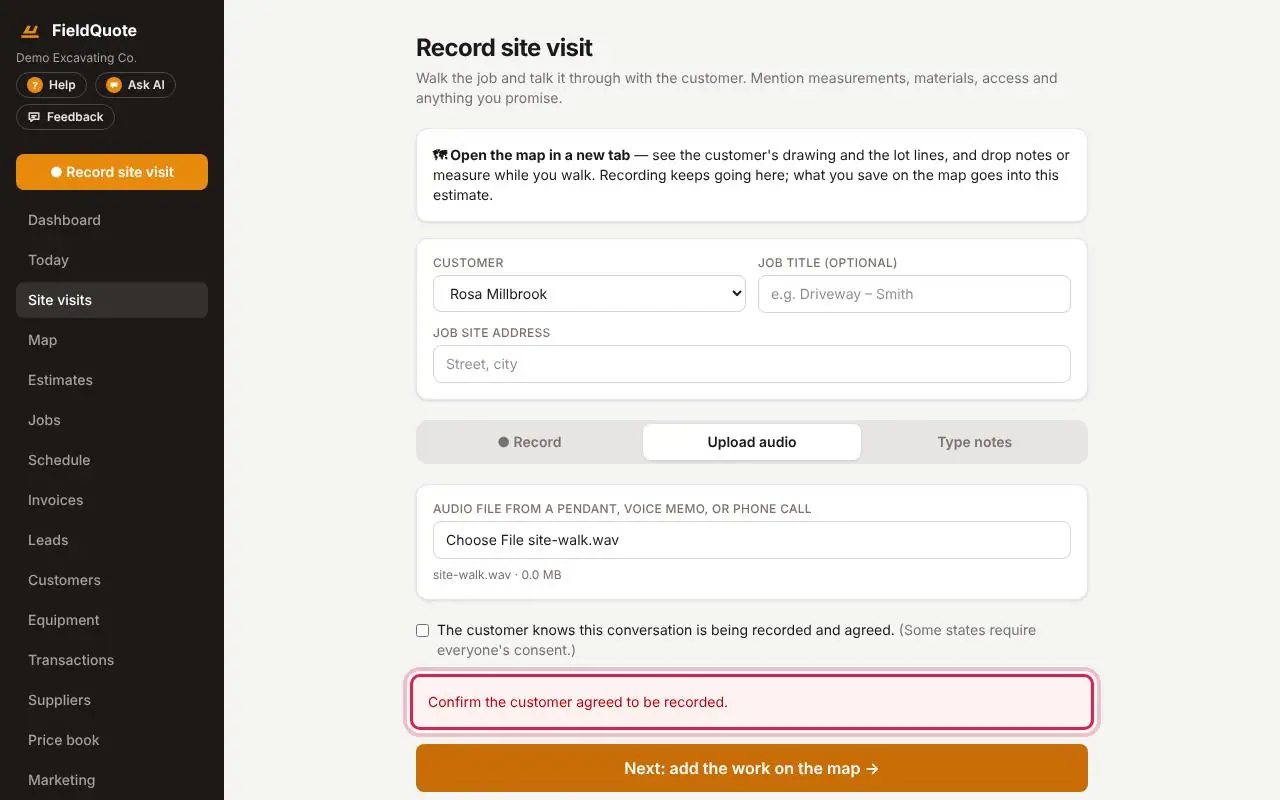
If you forget, FieldQuote won't send it. You'll see "Confirm the customer agreed to be recorded." Check the box and send again.
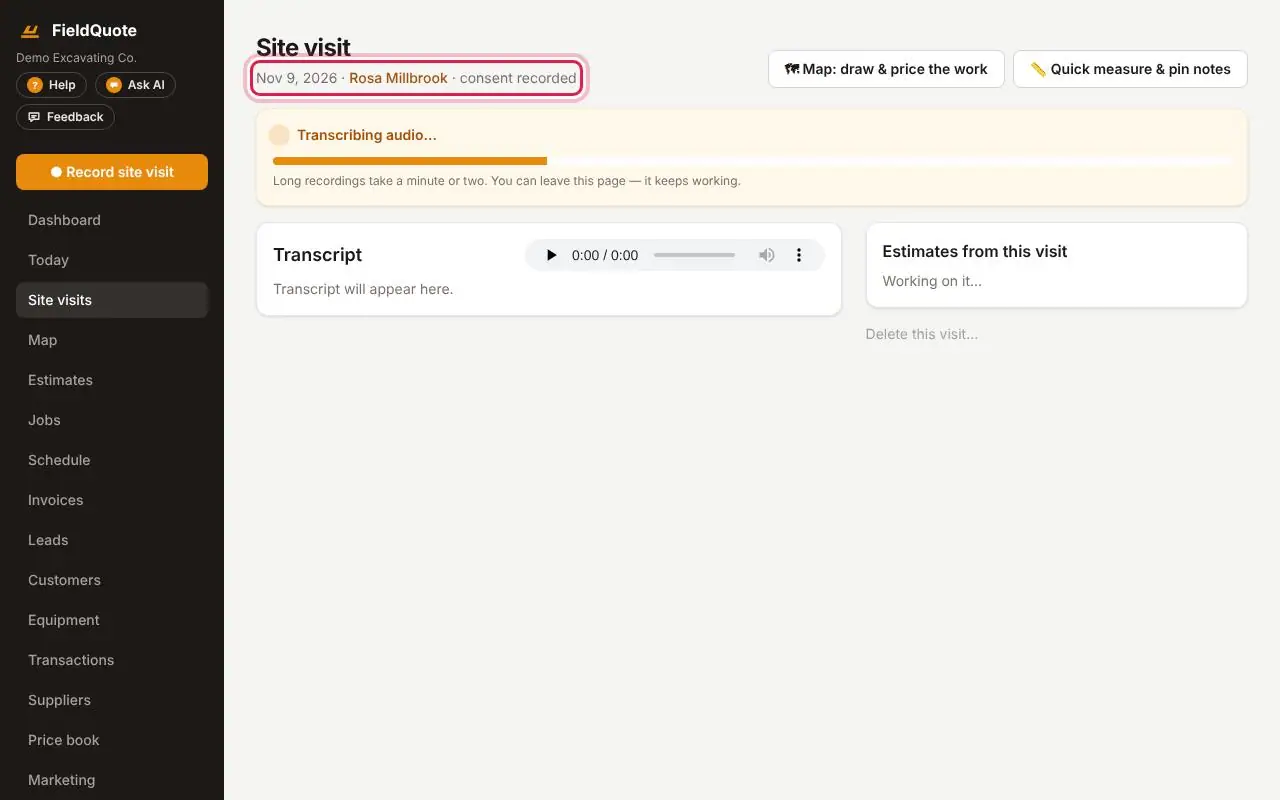
The visit page shows "consent recorded" at the top.
What you'll see
"consent recorded" next to the date and customer on the visit page.
If a recording is waiting on the phone to be sent and the box wasn't checked, the yellow "A site visit recording hasn't been sent yet" box asks for it again.
Common mistakes
Checking the box without asking. The box is only your word that you asked.
Looking for the box on Type notes. It isn't there, because nothing is recorded.
Limits
FieldQuote doesn't record the customer saying yes. It only saves that you checked the box.
This isn't legal advice. If you work in a state that needs everyone's consent, make sure everyone on the call agrees.
Checked against the app on Nov 8, 2026. Pictures are from Demo Excavating Co., a made-up company.