Site visits, recording & AI write-ups
Guide 3 of 14
What it's for
Use a recording you already made: a pendant recorder, a voice memo on your phone, or a recorded phone call. FieldQuote types it up and builds the summary and estimate the same way it does for a recording made in the app.
Where
Site visits › Record site visit › Upload audio.
Watch it
Steps
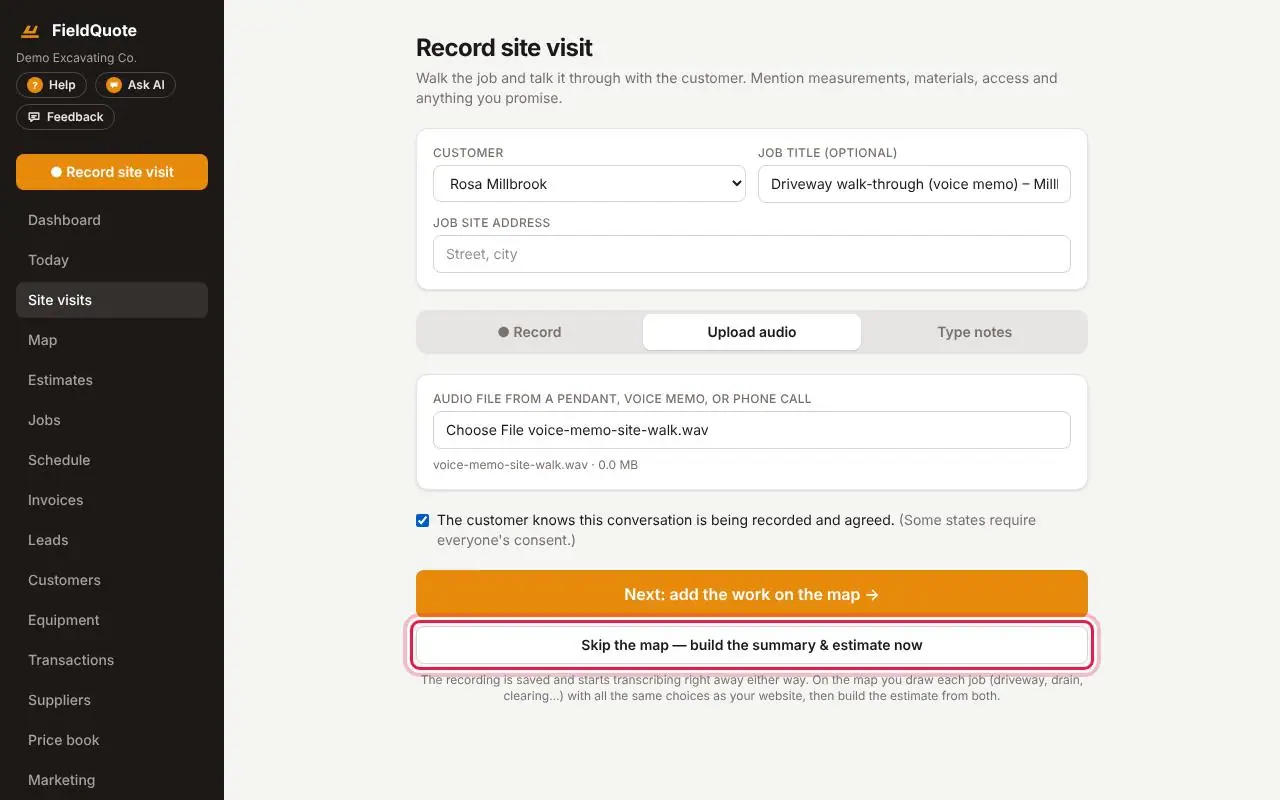
Go to Site visits and tap Record site visit.
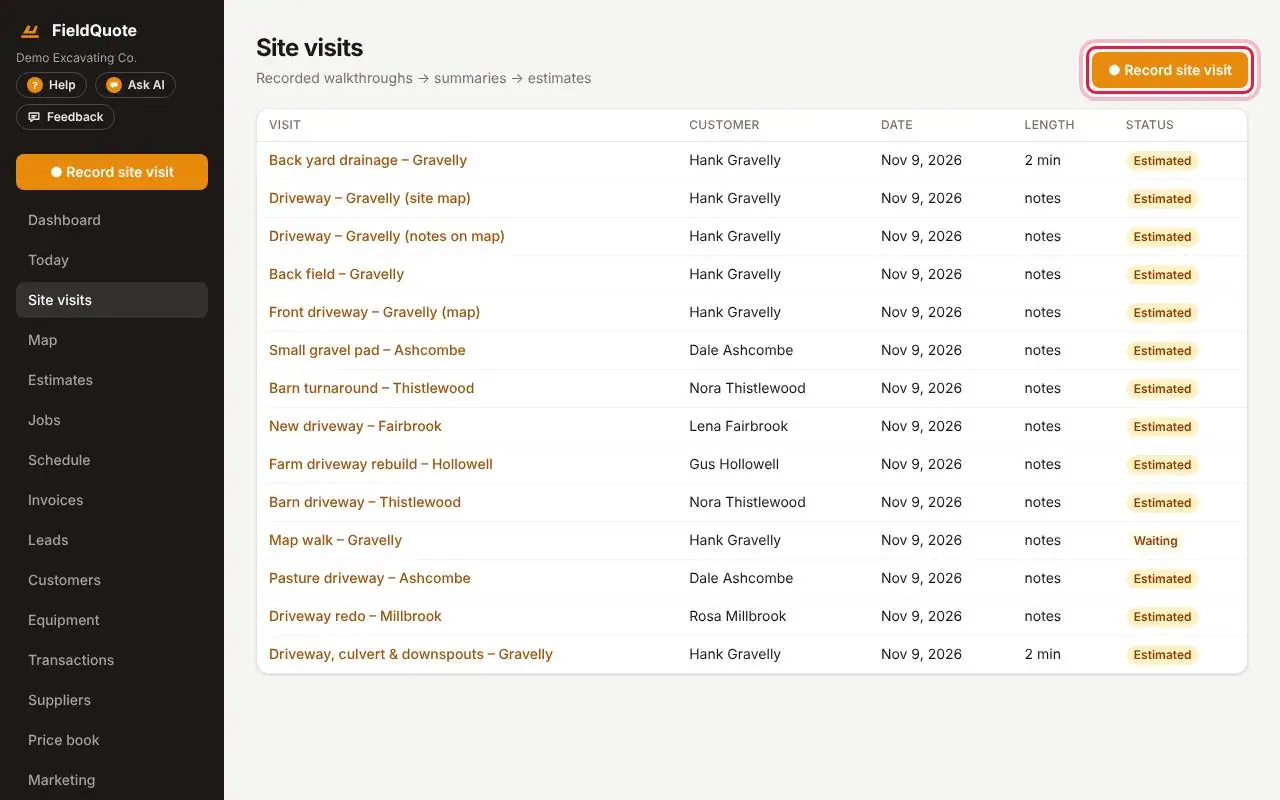
Under Customer, pick the customer (or fill in a new one). Add a Job title (optional) if you like.
Tap the Upload audio tab.
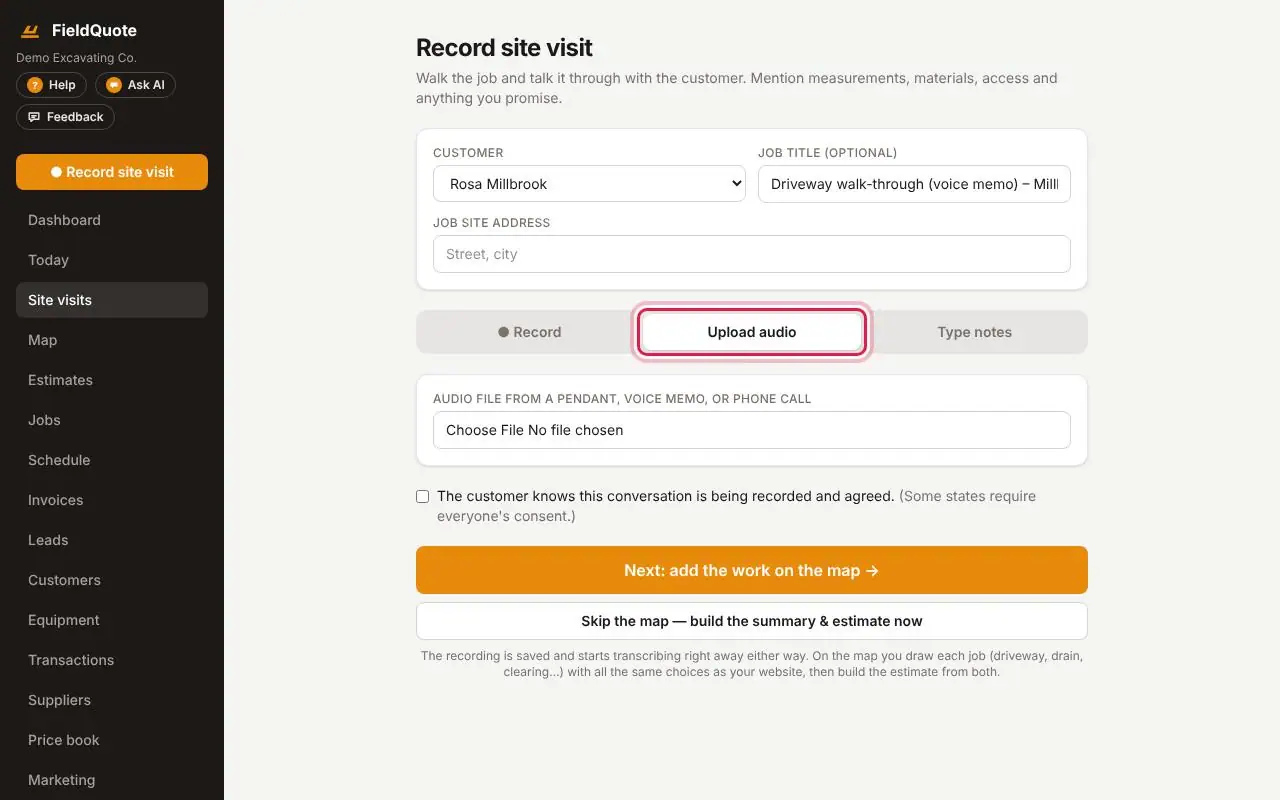
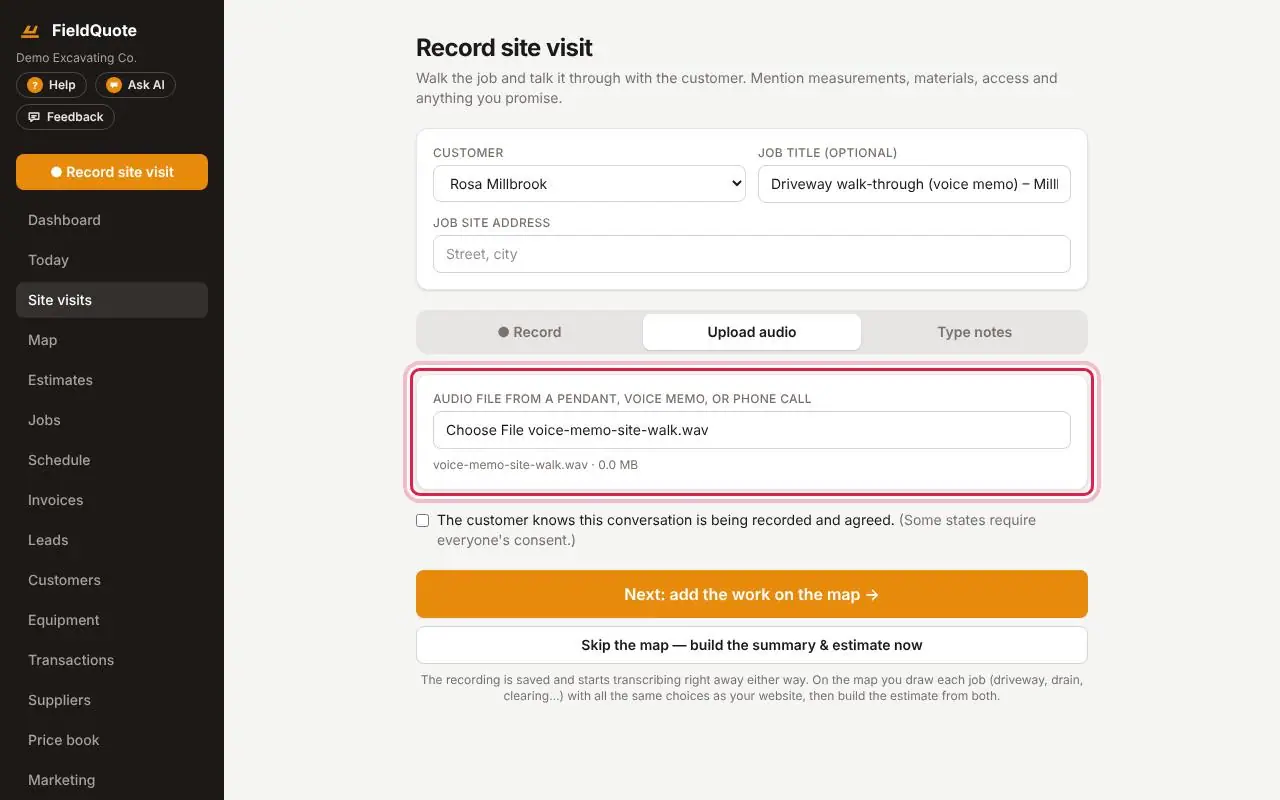
Under Audio file from a pendant, voice memo, or phone call, choose the file. Its name and size show underneath.
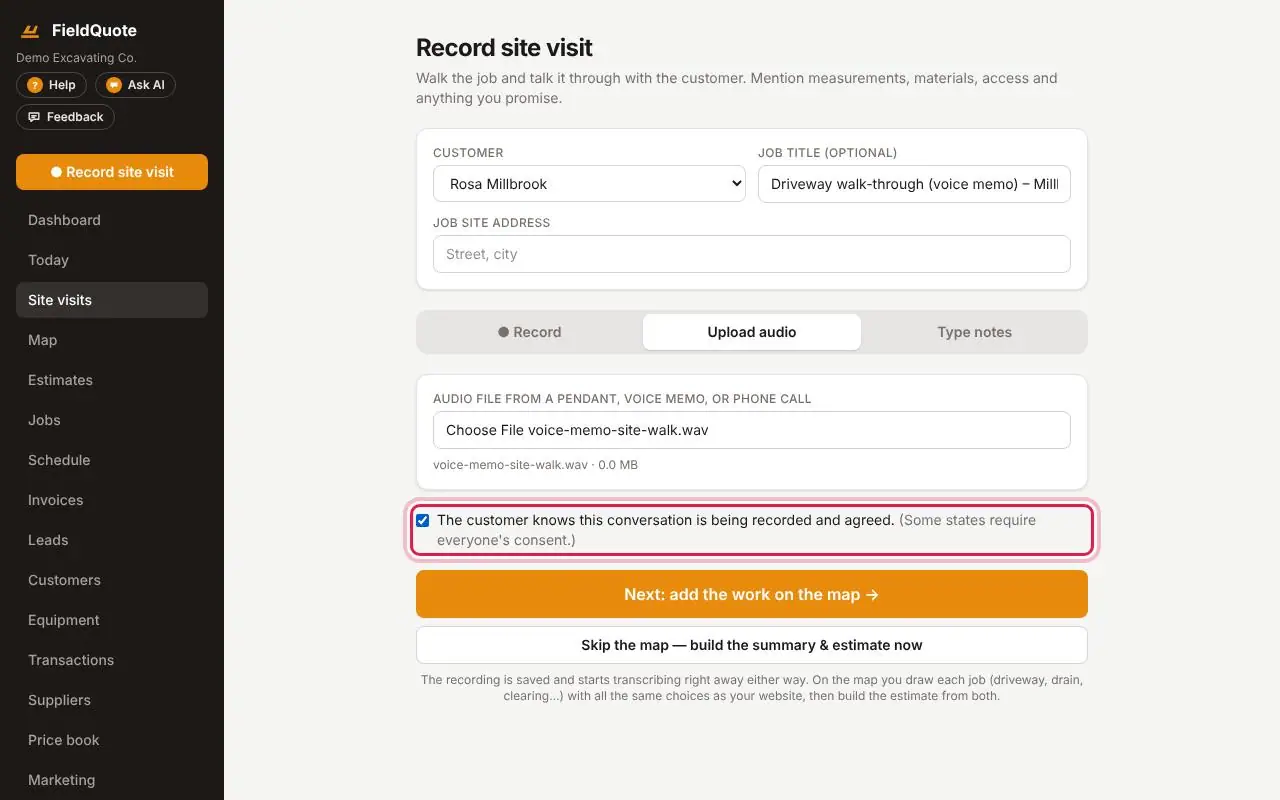
Check the box that says the customer knew the conversation was being recorded and agreed.
Tap Skip the map — build the summary & estimate now, or Next: add the work on the map to draw the job first.
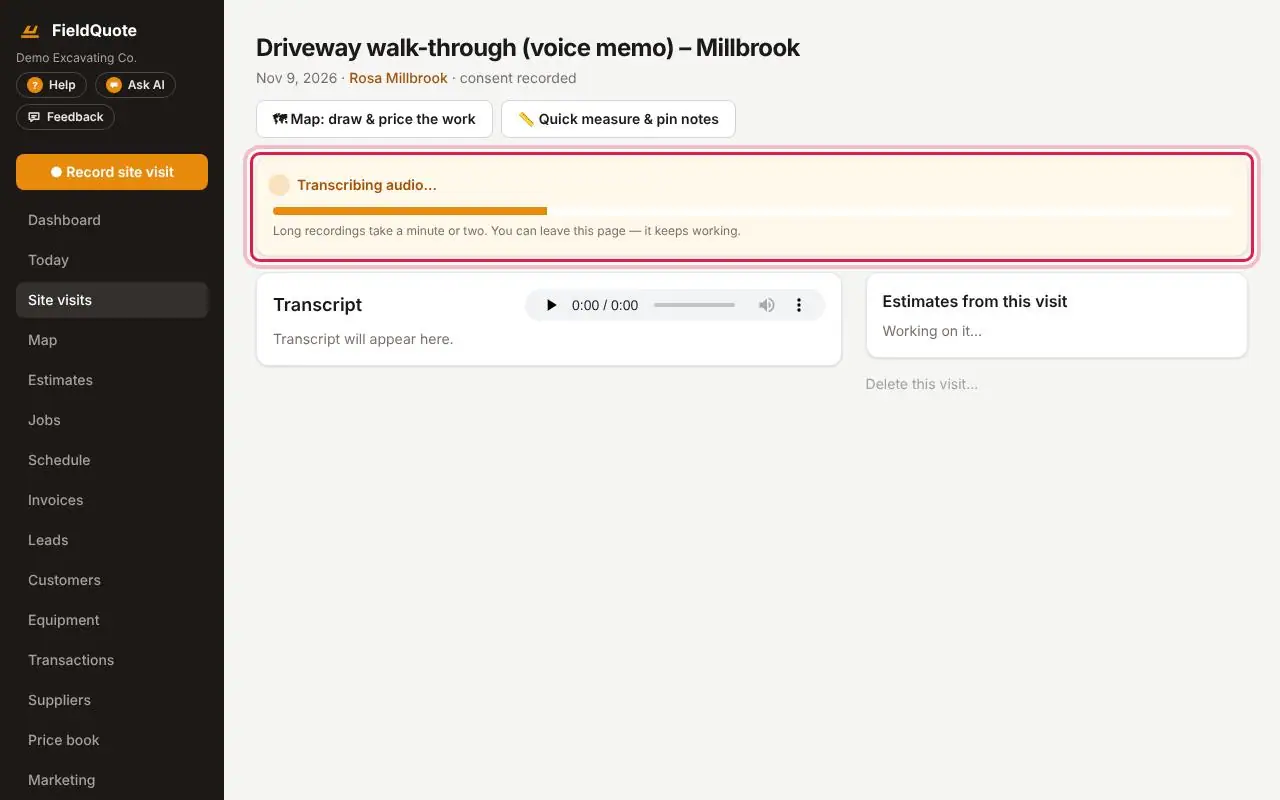
The visit page opens and shows what it's working on.
What you'll see
"Sending…" with a percent while the file uploads. Big files take a while on a weak signal.
On the visit page: "Transcribing audio…", then the write-up and the draft estimate.
The Transcript has a player so you can listen to the file again.
Common mistakes
Forgetting the consent box. You'll see "Confirm the customer agreed to be recorded."
Tapping send before picking a file. You'll see "Choose an audio file."
Uploading a recording where the customer can barely be heard. If no words come out of it, processing stops and says so.
Limits
Pick an audio file: m4a, mp3, wav, aac, ogg or webm.
Up to 250 MB per file. You'll see "That recording is over 250 MB." if it's bigger. Split it, or type notes.
One file per visit.
Typing it up and building the estimate need your FieldQuote subscription to be active.
Checked against the app on Nov 8, 2026. Pictures are from Demo Excavating Co., a made-up company.