Team, accounts & security
Guide 8 of 14
What it's for
Your FieldQuote login opens your customers, prices and money. With two-step sign-in on, someone who learns your password still can't get in without your phone. It's optional, and each person turns it on for their own login.
Where
Team, billing & sign-in › Two-step sign-in.
Watch it
Steps
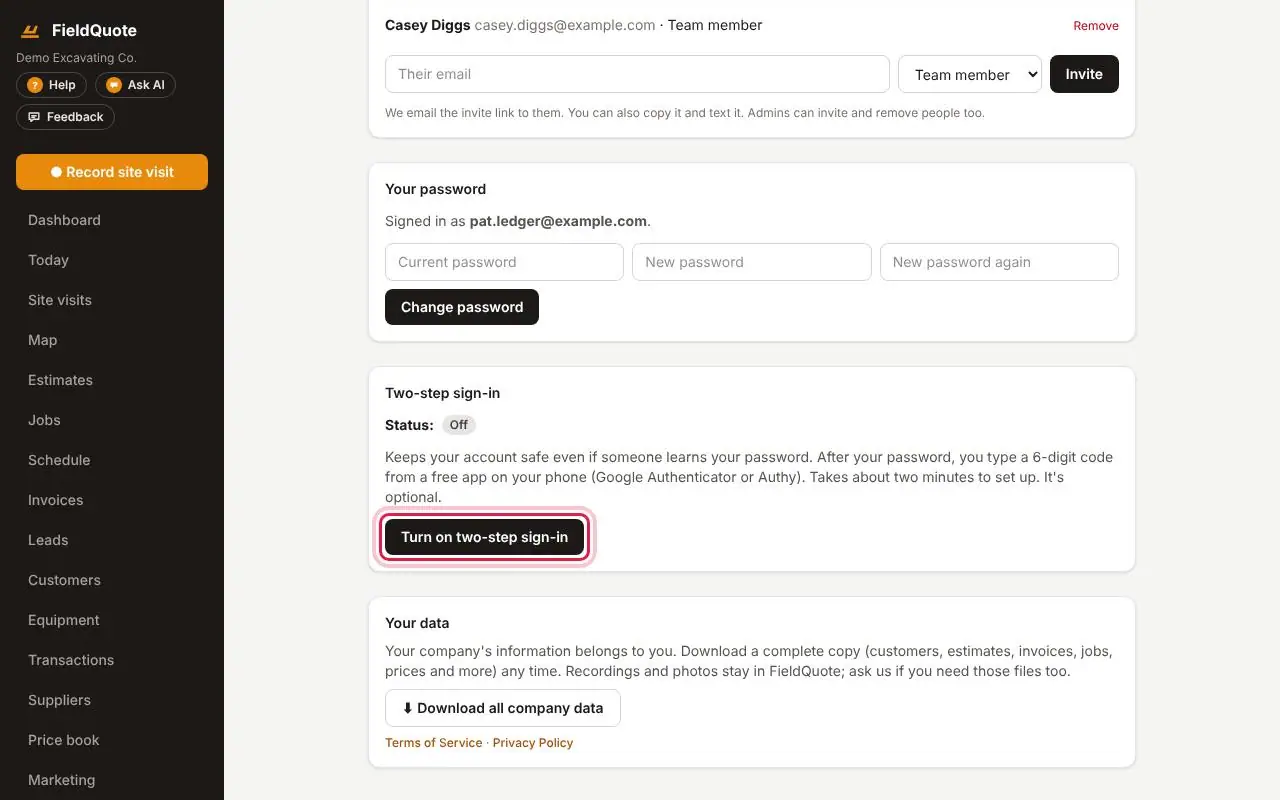
Under Two-step sign-in, the status says Off. Tap Turn on two-step sign-in.
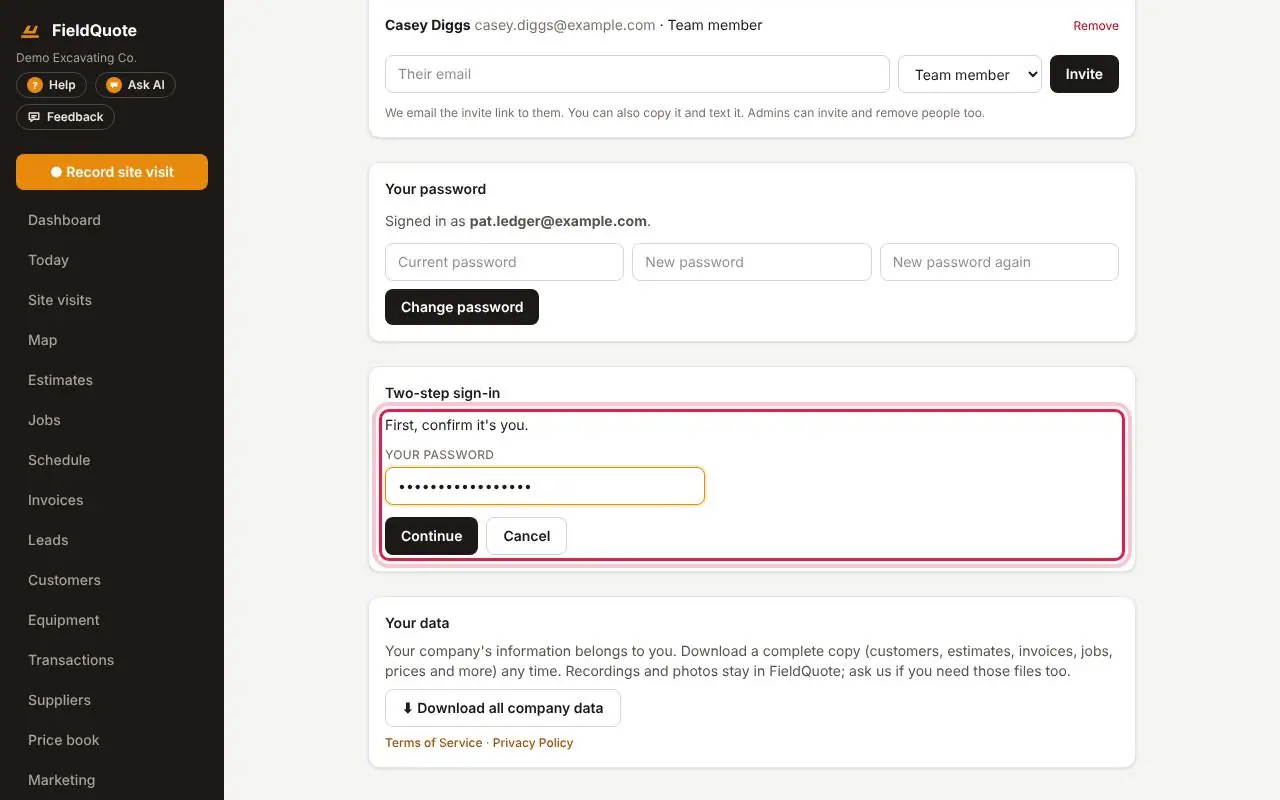
"First, confirm it's you." Type Your password and tap Continue.
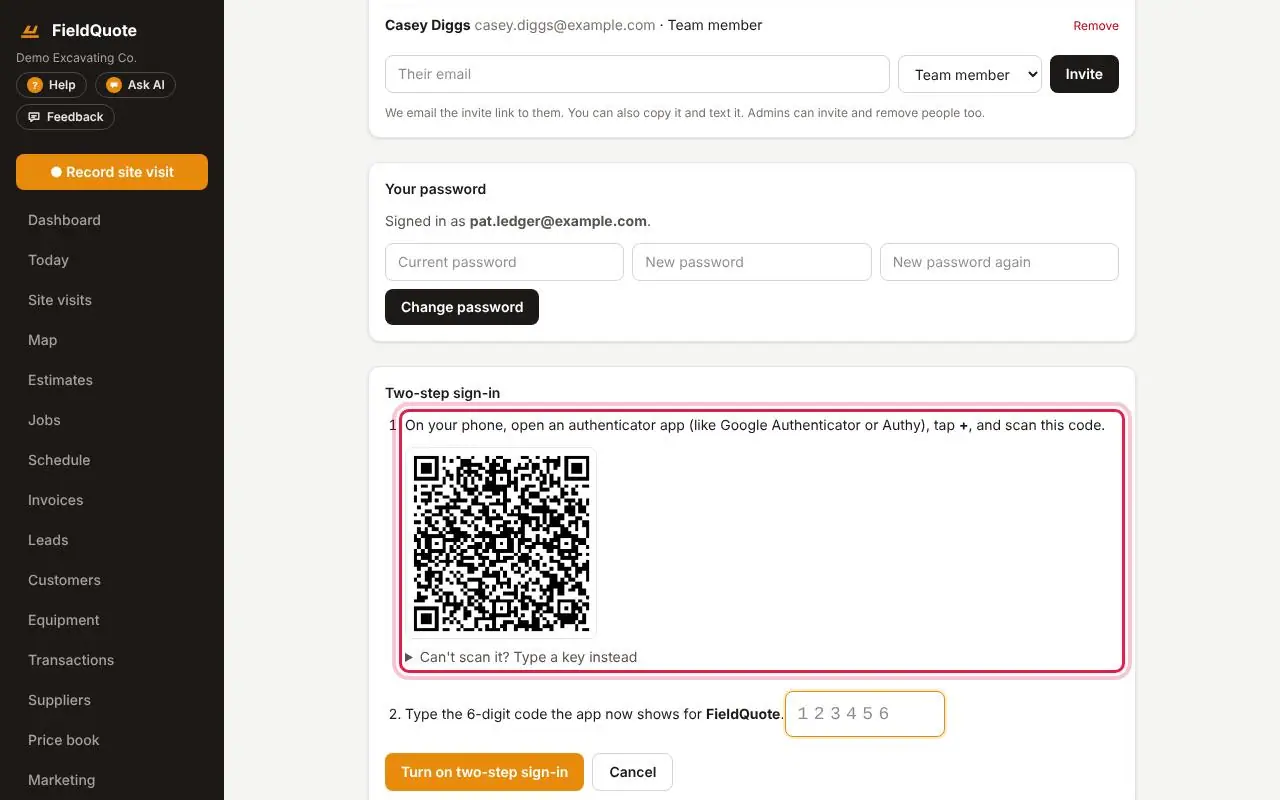
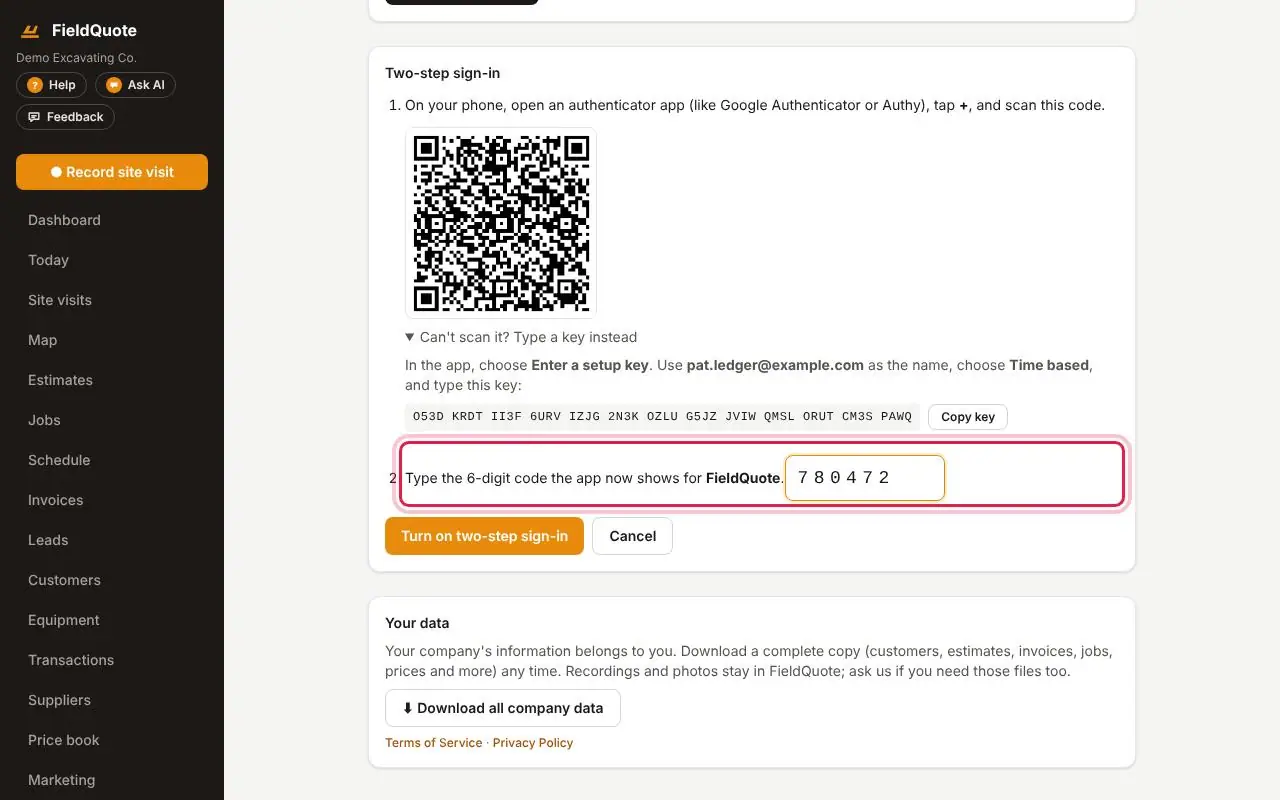
On your phone, open an authenticator app such as Google Authenticator or Authy, tap +, and scan the square code on the screen.
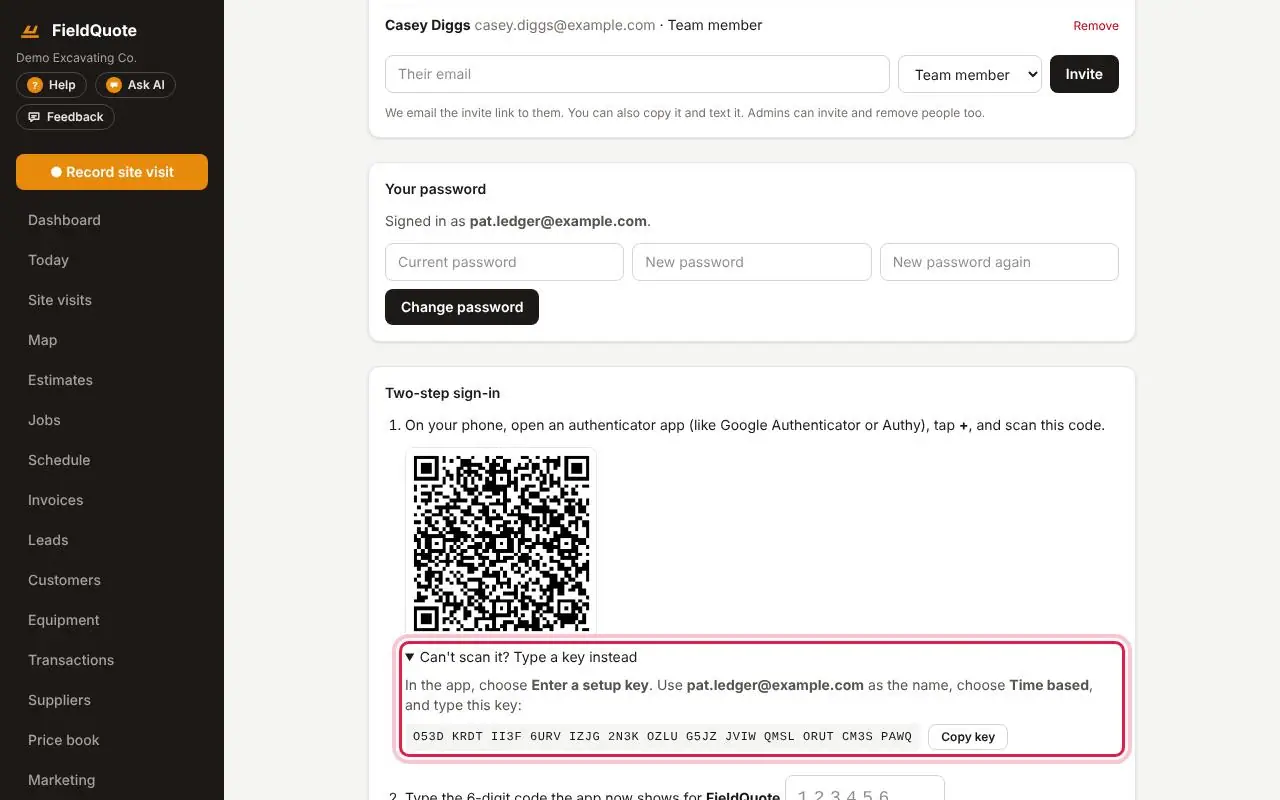
Can't scan it (say you're on the phone itself)? Tap Can't scan it? Type a key instead. In the app choose Enter a setup key, use your email as the name, choose Time based, and type the key shown, or tap Copy key.
Type the 6-digit code the app now shows for FieldQuote in the 6-digit code box and tap Turn on two-step sign-in.
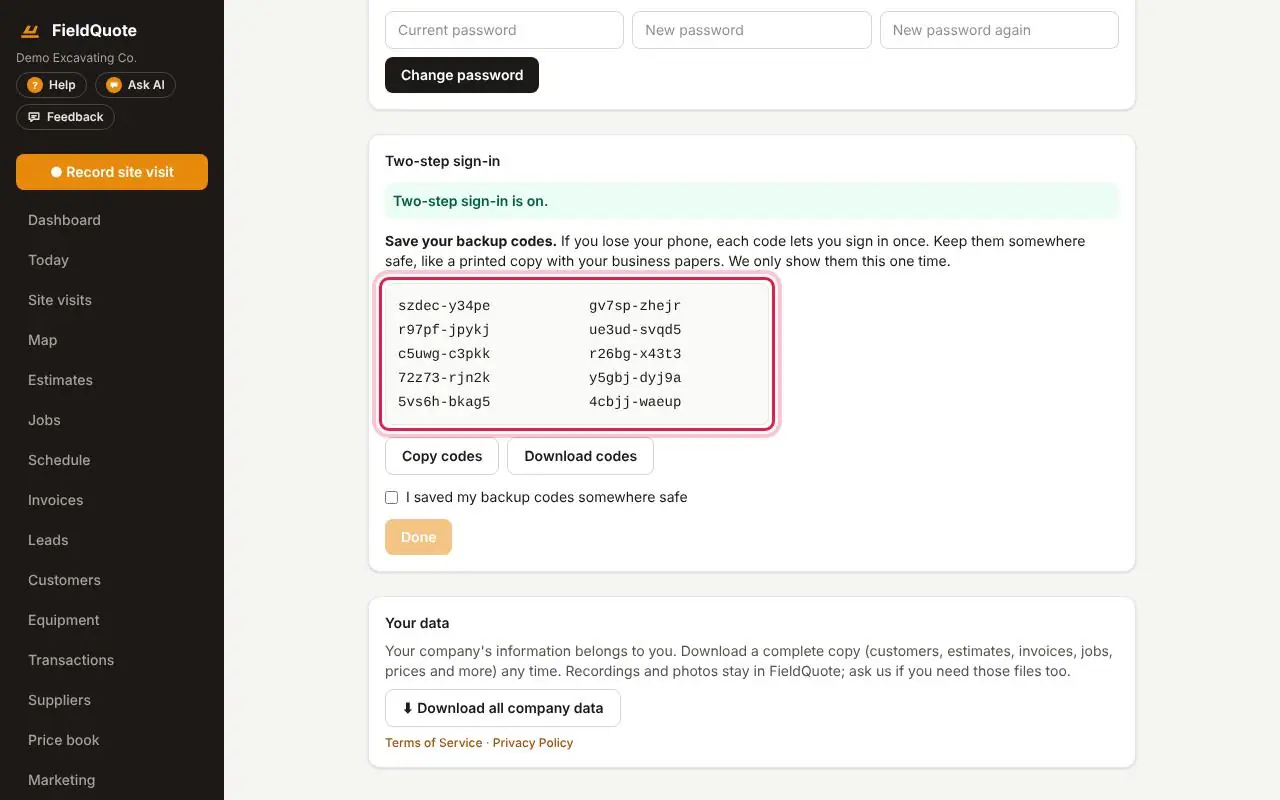
"Two-step sign-in is on." Save your 10 backup codes: Copy codes or Download codes, and keep them somewhere safe, like a printed copy with your business papers. They're shown only this once.
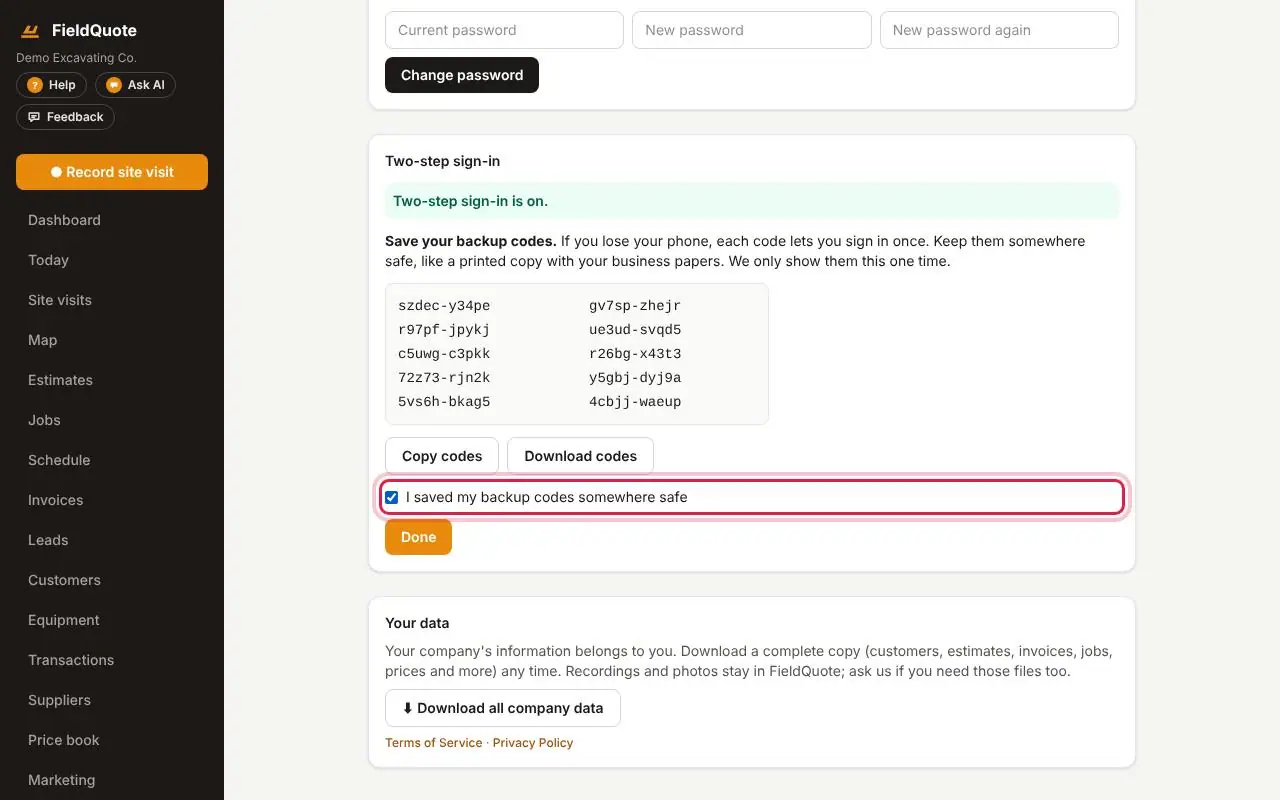
Check I saved my backup codes somewhere safe and tap Done. The status now says On.
What you'll see
Next time you sign in, after your password FieldQuote asks for the 6-digit code from the app.
Each backup code works once. Use one when you can't get to your phone.
Common mistakes
"That code didn't work. Codes change every 30 seconds, so type the one showing now. If it keeps failing, set your phone's clock to set itself automatically."
A wrong password at the start: "That password isn't right."
Not saving the backup codes. Without your phone or a backup code there's no way to get past the code step from FieldQuote's screens — resetting your password doesn't skip it.
Limits
Done only works once you've checked the box (copying or downloading the codes checks it for you).
It's per person: turning it on for yourself doesn't turn it on for your team.
Checked against the app on Nov 9, 2026. Pictures are from Demo Excavating Co., a made-up company.